<?xml version="1.0" encoding="utf-8"?><feed xmlns="http://www.w3.org/2005/Atom" ><generator uri="https://jekyllrb.com/" version="3.10.0">Jekyll</generator><link href="https://www.opensourcefeed.org/insights/feed.xml" rel="self" type="application/atom+xml" /><link href="https://www.opensourcefeed.org/insights/" rel="alternate" type="text/html" /><updated>2026-11-11T16:01:16+00:00</updated><id>https://www.opensourcefeed.org/insights/feed.xml</id><title type="html">OpenSourceFeed</title><subtitle>Explore expert-written technical articles, tutorials, and guest posts on Beyond Open Source - a knowledge hub by opensourcefeed.org beyond the scope of open source.</subtitle><entry><title type="html">hiCreator Agent Skill for influencer research in AI</title><link href="https://www.opensourcefeed.org/insights/hicreator-agent-skill-influencer-research/" rel="alternate" type="text/html" title="hiCreator Agent Skill for influencer research in AI" /><published>2026-11-11T00:00:00+00:00</published><updated>2026-11-11T00:00:00+00:00</updated><id>https://www.opensourcefeed.org/insights/hicreator-agent-skill-influencer-research</id><content type="html" xml:base="https://www.opensourcefeed.org/insights/hicreator-agent-skill-influencer-research/"><![CDATA[<p><strong>A</strong> marketer may already use an AI assistant to develop a campaign brief, compare positioning, and prepare a client presentation. Creator research often interrupts that flow: open another application, run a search, copy profiles, organize a list, and bring the results back for discussion.</p>

<p>hiCreator Agent Skill connects supported AI clients to hiCreator’s creator research tools. It combines workflow instructions with access through Model Context Protocol, or MCP, so an assistant can search creators, retrieve available information, request reports, manage favorites, and prepare exports using authorized hiCreator capabilities.</p>

<p>The connection makes natural-language requests actionable. A marketer can describe the desired shortlist in the same workspace where the campaign is being planned, then review the returned evidence before taking the next step.</p>

<h2 id="understand-what-the-skill-and-mcp-connection-each-provide">Understand what the Skill and MCP connection each provide</h2>

<p>An Agent Skill supplies instructions that help an assistant carry out a domain-specific workflow. The MCP connection exposes the tools the assistant can call. In this setup, the instructions guide the work, while hiCreator provides the underlying creator operations and data.</p>

<p>The distinction matters because writing a persuasive prompt does not, by itself, give an assistant access to a creator database. A connected tool must perform the search or retrieve the requested information.</p>

<p>The <a href="https://hicreator.ai/skills">hiCreator Agent Skill page</a> describes setup for Codex, Claude Code, and Cursor. Other clients can connect when they support the required remote HTTP MCP connection and authorization. Agent Skill support depends on the client.</p>

<p>API access requires a paid hiCreator workspace, and business tool calls are billed by usage. Before starting a large research task, define the number of creators and reports you actually need.</p>

<h2 id="know-which-creator-tasks-the-connection-supports">Know which creator tasks the connection supports</h2>

<p>The current tool set centers on discovery, inspection, reports, and shortlist management. Platform coverage varies by operation.</p>

<table>
  <thead>
    <tr>
      <th>Task</th>
      <th>Supported scope</th>
      <th>Useful output</th>
    </tr>
  </thead>
  <tbody>
    <tr>
      <td>AI Search and Find Similar</td>
      <td>Instagram, TikTok, YouTube, and X</td>
      <td>Candidate creators from a brief or reference account</td>
    </tr>
    <tr>
      <td>Public email lookup</td>
      <td>All four platforms</td>
      <td>Available public contact information</td>
    </tr>
    <tr>
      <td>Creator details</td>
      <td>All four platforms</td>
      <td>Profile information for a specified creator</td>
    </tr>
    <tr>
      <td>Video details</td>
      <td>Instagram, TikTok, and YouTube</td>
      <td>Available content and engagement information</td>
    </tr>
    <tr>
      <td>Audience analysis</td>
      <td>All four platforms</td>
      <td>A report on audience distributions</td>
    </tr>
    <tr>
      <td>Fake follower checks</td>
      <td>Instagram, TikTok, and YouTube</td>
      <td>Platform-specific suspicious-account or commenter indicators</td>
    </tr>
    <tr>
      <td>Favorites and exports</td>
      <td>All four platforms</td>
      <td>Organized folders, sharing controls, and Excel exports</td>
    </tr>
  </tbody>
</table>

<p>These differences should shape the request. For example, a YouTube fake follower report concerns suspicious-commenter indicators, while X support for discovery does not imply support for that same report.</p>

<p>The published MCP tool set should also be distinguished from the broader hiCreator application. Campaign email sending, negotiation, and script or video approval should not be assumed to become available merely because the research connection has been installed. Use the relevant product workflow for those activities.</p>

<h2 id="connect-the-client-and-verify-that-tools-are-available">Connect the client and verify that tools are available</h2>

<p>Start with the setup instructions for the client and operating system in use. hiCreator provides a setup route for supported clients and guidance for other compatible MCP environments.</p>

<p>The standard command-based setup requires Node.js 20 or later. An alternative manual connection can be appropriate when the client or environment needs it. Follow the current instructions rather than copying configuration intended for a different application.</p>

<p>Enter the API key through the supported local credential process. Keep it out of campaign prompts and shared documents. Once configuration is complete, verify that the client can actually discover the hiCreator tools; a saved configuration file alone does not show that the connection loaded successfully.</p>

<p>This verification can establish the connection without launching a paid creator search. Afterward, start with a bounded research request so the first result is easy to inspect.</p>

<h2 id="turn-the-campaign-brief-into-a-precise-first-request">Turn the campaign brief into a precise first request</h2>

<p>A useful request specifies the platform, subject, market, language, and desired number of candidates. Add performance filters when they matter and are supported for that platform.</p>

<p>Here is an illustrative discovery prompt:</p>

<blockquote>
  <p>Use hiCreator to find 20 English-speaking Instagram creators based in the United States who regularly demonstrate small-space home organization. Favor practical explanations and natural-looking product use. Return the available profile links and follower information, and explain which candidates appear relevant to this brief. Leave missing fields unknown.</p>
</blockquote>

<p>The requested explanations are the assistant’s interpretation of the returned evidence, so review them alongside the profiles. The underlying search result and the assistant’s judgment should remain distinguishable.</p>

<p>Avoid beginning with an open-ended instruction to find every possible creator. A bounded request gives the team a manageable set to review and makes it easier to decide whether the brief needs refinement. hiCreator’s search operations support up to 100 creators per request, but the right quantity depends on the decision at hand.</p>

<h2 id="build-the-shortlist-in-stages">Build the shortlist in stages</h2>

<p>After reviewing the first results, choose the candidates that deserve further inspection. Ask for public contact emails only when needed, and treat missing emails as unavailable information. An assistant should not fill the gap by inventing an address.</p>

<p>If one candidate represents the desired content style especially well, use Find Similar to explore additional accounts. State what makes the reference useful so the assistant can keep the expansion connected to the brief.</p>

<p>Then organize approved candidates in a favorites folder. An illustrative instruction might be:</p>

<blockquote>
  <p>Create a favorites folder named Small Space Launch and add the creators I selected. Keep its sharing set to Workspace-only. Show the saved profiles so I can verify the shortlist before we prepare an export.</p>
</blockquote>

<p>This sequence creates a clear decision point between discovery and saving. It also makes the result easier to review with colleagues because the folder contains a deliberate selection rather than every account returned by the search.</p>

<h2 id="request-reports-for-the-candidates-that-merit-deeper-review">Request reports for the candidates that merit deeper review</h2>

<p>Audience and authenticity reports can add context before outreach. Choose the relevant candidates and request the specific report needed for the decision.</p>

<p>Reports are asynchronous: submission creates a task, and the assistant retrieves the result after processing. It should follow that task’s status instead of repeatedly submitting the same report request to see whether it is ready.</p>

<p>Read the completed result with its scope in mind. Audience country is different from creator location. A suspicious-account indicator is different from proof of fraud. Missing or incomplete data should remain visible in the assessment.</p>

<p>Keep report requests proportionate to the shortlist. A team can first remove obvious content mismatches, then spend its review effort on accounts with a plausible role in the campaign. The AI workspace is useful because the brief, results, and evaluation can remain part of one conversation.</p>

<h2 id="share-and-export-the-results-with-the-right-context">Share and export the results with the right context</h2>

<p>hiCreator supports favorites folders with Workspace-only or public access and a stable share link. Choose the access setting appropriate to the review, then verify the folder contents before sharing it.</p>

<p>Excel exports can include selected fields, column order, and custom headings. They use the available stored favorites data, so an export should not be assumed to refresh every profile or fill every missing field.</p>

<p>The available date options concern the favorites being exported. Do not interpret them as a promise to produce a complete historical performance series for each creator. If the team needs current details or a particular report, request that operation explicitly.</p>

<p>The hiCreator product guide places API and Skills access alongside the wider discovery workflow. For an agency, the useful final output might be a client shortlist. For an internal team, it might be a reviewed folder ready for the campaign owner to evaluate.</p>

<h2 id="common-questions-about-hicreator-agent-skill">Common questions about hiCreator Agent Skill</h2>

<h3 id="what-is-hicreator-agent-skill-used-for">What is hiCreator Agent Skill used for</h3>

<p>It helps supported AI assistants work with hiCreator’s creator discovery, information retrieval, reports, favorites, sharing, and export capabilities. It is useful when campaign planning and creator research need to happen in the same AI workspace.</p>

<h3 id="do-i-need-a-paid-hicreator-account-to-use-it">Do I need a paid hiCreator account to use it</h3>

<p>API access requires a paid workspace, and business operations consume credits according to usage. Set a clear research scope before requesting large searches or multiple new reports.</p>

<h3 id="can-it-find-creators-on-four-social-platforms">Can it find creators on four social platforms</h3>

<p>AI Search and Find Similar support Instagram, TikTok, YouTube, and X. Other operations have their own platform coverage, so check the specific task rather than assuming every tool supports all four.</p>

<h3 id="does-connecting-the-skill-automate-the-entire-campaign">Does connecting the Skill automate the entire campaign</h3>

<p>The connection exposes the currently supported research and organization tools. The broader product also has campaign workflows, but those capabilities should be evaluated separately. A useful first milestone is a verified shortlist with enough context for the team to make its next decision.</p>]]></content><author><name>Miss World</name></author><category term="tools" /><category term="ai" /><category term="tutorial" /><category term="hicreator" /><category term="agent-skill" /><category term="mcp" /><category term="influencer-research" /><category term="ai-workspace" /><category term="creator-research" /><category term="claude-code" /><category term="cursor" /><summary type="html"><![CDATA[Learn how hiCreator Agent Skill connects AI assistants to creator search, reports, favorites, and exports through MCP for influencer research.]]></summary><media:thumbnail xmlns:media="http://search.yahoo.com/mrss/" url="https://www.opensourcefeed.org/insights/insights/assets/images/meta/defatul-featured.webp" /><media:content medium="image" url="https://www.opensourcefeed.org/insights/insights/assets/images/meta/defatul-featured.webp" xmlns:media="http://search.yahoo.com/mrss/" /></entry><entry><title type="html">AI video generation: how text and images change video</title><link href="https://www.opensourcefeed.org/insights/ai-video-generation-text-image/" rel="alternate" type="text/html" title="AI video generation: how text and images change video" /><published>2026-11-05T00:00:00+00:00</published><updated>2026-11-05T00:00:00+00:00</updated><id>https://www.opensourcefeed.org/insights/ai-video-generation-text-image</id><content type="html" xml:base="https://www.opensourcefeed.org/insights/ai-video-generation-text-image/"><![CDATA[<p><strong>Video</strong> has become an important part of online communication. Businesses use videos to explain products, educators create visual lessons, and content creators share stories across social media. However, traditional video production often requires cameras, editing software, recording equipment, and considerable time.</p>

<p>Artificial intelligence is making video creation more accessible by allowing users to generate visual content from written descriptions and existing images. These tools can help creators explore ideas, produce short clips, and experiment with different storytelling approaches without starting every project from scratch.</p>

<h2 id="understanding-ai-video-generation">Understanding AI video generation</h2>

<p>AI video generation uses artificial intelligence models to create moving visual content from different types of input. Depending on the platform, users can provide text prompts, photographs, illustrations, or other visual references.</p>

<p>Two common methods are text-to-video and image-to-video generation.</p>

<p>Text-to-video allows users to describe a scene in words. For example, someone might request a peaceful mountain landscape with clouds moving across the sky. The AI interprets the description and attempts to create a video representing the scene.</p>

<p>Image-to-video starts with an existing image and adds movement based on instructions. This approach can help creators animate photographs, illustrations, or visual concepts while maintaining elements of the original composition.</p>

<p>Both methods offer different creative possibilities, depending on the project and the amount of control required.</p>

<h2 id="how-ai-video-generators-help-creators">How AI video generators help creators</h2>

<p>One major advantage of AI video generation is faster experimentation.</p>

<p>A creator developing a technology tutorial might need an introductory visual explaining a particular concept. Instead of organizing a complete filming session, they can experiment with generated scenes and determine which approach communicates the idea effectively.</p>

<p>AI-generated clips can also support brainstorming, storyboarding, and visual planning. Creators may produce several variations of a scene before deciding which direction works best.</p>

<p>To try this workflow, a tool such as <a href="https://seadance.io/seedance2-5">Seedance</a> can be used to test a short intro clip or storyboard scene from a text prompt or a starting image before committing to a full production.</p>

<p>The usefulness of any AI video generator depends on the project. Some creators prioritize visual quality, while others need convenient workflows, flexible input options, or tools for experimenting with different concepts.</p>

<h2 id="improving-results-with-better-prompts">Improving results with better prompts</h2>

<p>Clear instructions can help improve AI-generated videos.</p>

<p>A useful prompt should explain the main subject, the action taking place, and the surrounding environment. Additional details about lighting, camera movement, and visual style can provide further direction.</p>

<p>For example, describing a person walking through a modern office gives the AI a basic concept. Adding information about the camera perspective and lighting can make the intended scene more specific.</p>

<p>However, complicated prompts are not always better. Including too many unrelated instructions may make the desired result difficult to achieve.</p>

<p>A practical approach is to begin with a simple description, review the generated video, and refine the instructions based on the results.</p>

<h2 id="combining-ai-with-traditional-editing">Combining AI with traditional editing</h2>

<p>AI-generated videos can become part of a larger production workflow rather than replacing every traditional technique.</p>

<p>Creators can import generated clips into editing software, arrange scenes, adjust timing, and add narration, captions, or background music.</p>

<p>Editing is particularly important when a project contains multiple generated sequences. Reviewing transitions and visual consistency helps make the finished video feel organized.</p>

<p>Creators should also check generated footage for unexpected movements, distorted objects, and inaccurate details before publishing it.</p>

<p>For educational or professional content, human review is essential because AI-generated visuals may not accurately represent real products, locations, or events.</p>

<h2 id="understanding-limitations-and-responsible-use">Understanding limitations and responsible use</h2>

<p>AI video generation still has limitations. Characters and objects may change appearance between frames, while movements can sometimes look unnatural.</p>

<p>The technology may also interpret instructions differently from what the creator intended. Consequently, generated footage may require several attempts before becoming suitable for a particular project.</p>

<p>Creators should consider copyright, privacy, and permission requirements when using reference images or recognizable individuals.</p>

<p>They should also avoid presenting generated scenes as authentic recordings when accuracy matters.</p>

<h2 id="the-future-of-ai-assisted-video-creation">The future of AI-assisted video creation</h2>

<p>AI video generation offers new opportunities for creators, businesses, and educators who want to communicate visually.</p>

<p>These tools can make experimentation easier, support creative planning, and help transform written concepts into moving images.</p>

<p>However, effective video production still depends on clear storytelling, thoughtful editing, and careful review.</p>

<p>By combining AI video generation with traditional creative skills, users can develop more flexible workflows and produce content that communicates ideas effectively.</p>]]></content><author><name></name></author><category term="tools" /><category term="ai" /><category term="tutorial" /><category term="ai-video-generation" /><category term="text-to-video" /><category term="image-to-video" /><category term="ai-tools" /><category term="video-editing" /><category term="prompts" /><category term="seedance" /><summary type="html"><![CDATA[Learn how AI video generation turns text prompts and images into video, how to write better prompts, and where human editing and review still matter.]]></summary><media:thumbnail xmlns:media="http://search.yahoo.com/mrss/" url="https://www.opensourcefeed.org/insights/insights/assets/images/meta/defatul-featured.webp" /><media:content medium="image" url="https://www.opensourcefeed.org/insights/insights/assets/images/meta/defatul-featured.webp" xmlns:media="http://search.yahoo.com/mrss/" /></entry><entry><title type="html">Best global HR software for UK companies</title><link href="https://www.opensourcefeed.org/insights/global-hr-software-uk-multinational/" rel="alternate" type="text/html" title="Best global HR software for UK companies" /><published>2026-11-02T00:00:00+00:00</published><updated>2026-11-02T00:00:00+00:00</updated><id>https://www.opensourcefeed.org/insights/global-hr-software-uk-multinational</id><content type="html" xml:base="https://www.opensourcefeed.org/insights/global-hr-software-uk-multinational/"><![CDATA[<p>You run people operations for a UK business that just committed to hiring in Germany, Spain, and the Netherlands inside one financial year. Your current system holds London headcount well enough, yet it has no answer for a Munich contract, a works council, or three sets of statutory fields you’ve never filed. That gap is why global HR software has become a board-level purchase for scaling UK companies, not an admin line item. The record that holds your people across borders now shapes how fast you grow and how well you brief your leadership team.</p>

<p>The label creates most of the confusion. “Global HR software” covers two purchases that solve opposite problems. One employs people for you in countries where your company has no legal entity, so you can put an engineer on compliant German pay before you register a GmbH. The other holds the core people record and runs daily HR for the entities already under your name, with payroll wired in behind it. A UK people leader under a hiring deadline can buy the first when the job calls for the second.</p>

<p>This comparison sorts eight platforms a UK or multinational company weighs in 2026, with the global core HR systems kept apart from the employer-of-record specialists that keep surfacing beside them. Each entry carries a plain summary, the buyer it suits, and what pricing looks like, so you can fit the platform to the way your workforce is built and where it sits, not to a vendor’s homepage.</p>

<h2 id="the-best-global-hr-software-for-uk-and-multinational-companies-at-a-glance">The best global HR software for UK and multinational companies at a glance</h2>

<table>
  <thead>
    <tr>
      <th><strong>Software</strong></th>
      <th><strong>What it is</strong></th>
      <th><strong>Ideal for</strong></th>
      <th><strong>Starting price</strong></th>
    </tr>
  </thead>
  <tbody>
    <tr>
      <td>HiBob (Bob)</td>
      <td>Modern all-in-one global core HR and system of record</td>
      <td>UK and multinational teams joining up multi-entity people data</td>
      <td>Quote-based, suite-based</td>
    </tr>
    <tr>
      <td>Rippling</td>
      <td>Combined HR, IT, and finance automation</td>
      <td>Wiring people, devices, and apps into one workflow</td>
      <td>Custom quote per employee</td>
    </tr>
    <tr>
      <td>ADP</td>
      <td>Payroll-first HR at global scale</td>
      <td>Pay-heavy operations spanning many countries</td>
      <td>Quote-based</td>
    </tr>
    <tr>
      <td>BambooHR</td>
      <td>Straightforward core HRIS for smaller teams</td>
      <td>Smaller US-based teams wanting a simple core</td>
      <td>From about $10 per employee/month (approx.)</td>
    </tr>
    <tr>
      <td>Personio</td>
      <td>European mid-market core HR</td>
      <td>Growth clustered in Germany and the wider EU</td>
      <td>Per employee by module tier (quote)</td>
    </tr>
    <tr>
      <td>Deel</td>
      <td>Employer of record and contractor payments</td>
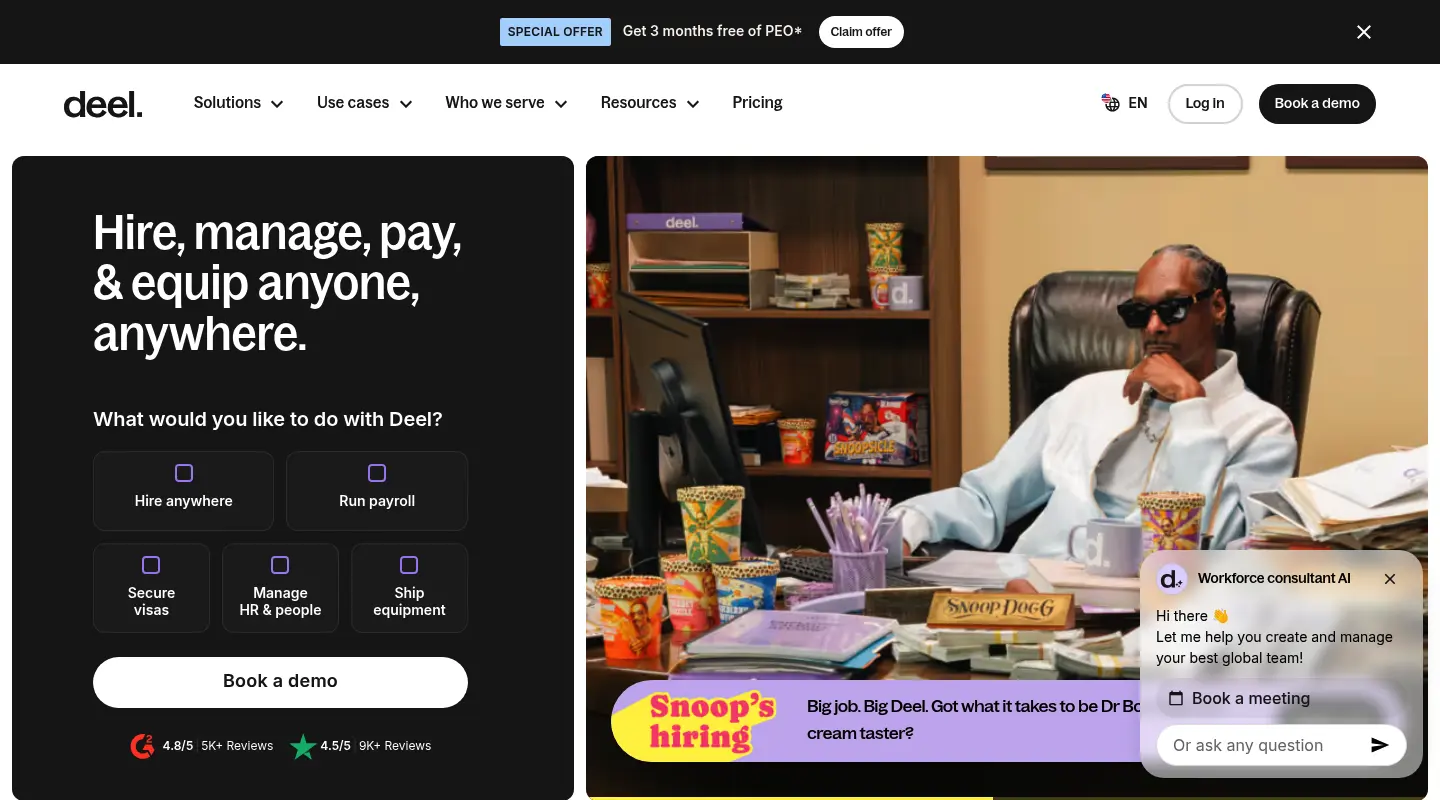
      <td>Fast market entry with no local entity</td>
      <td>EOR from around $599 per employee/month</td>
    </tr>
    <tr>
      <td>Remote</td>
      <td>Owned-entity EOR and global payroll</td>
      <td>Owned-entity control of local employment</td>
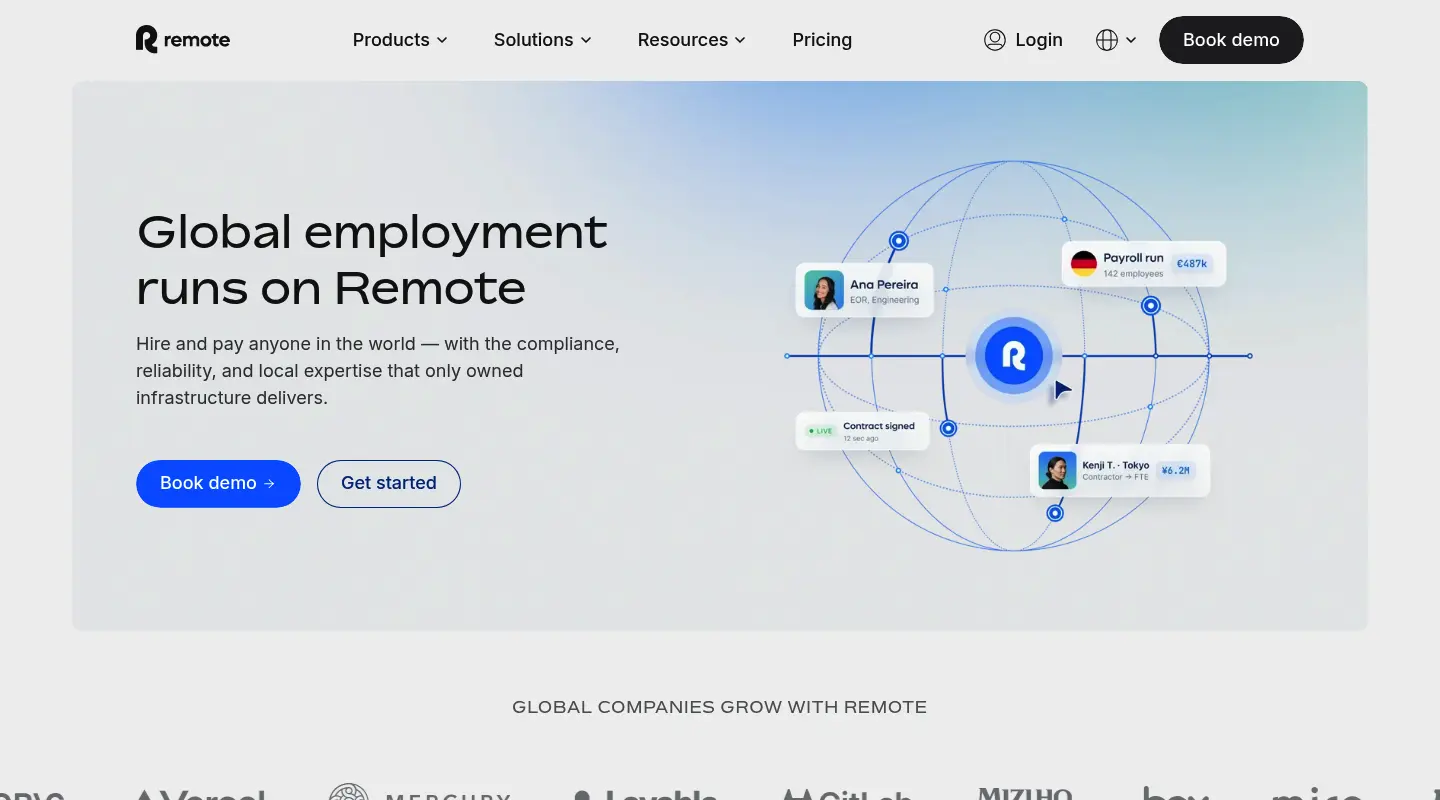
      <td>EOR from $599 per employee/month when billed annually; $699 monthly.</td>
    </tr>
    <tr>
      <td>Oyster</td>
      <td>Employer of record for distributed hiring</td>
      <td>Employing overseas talent without local entities</td>
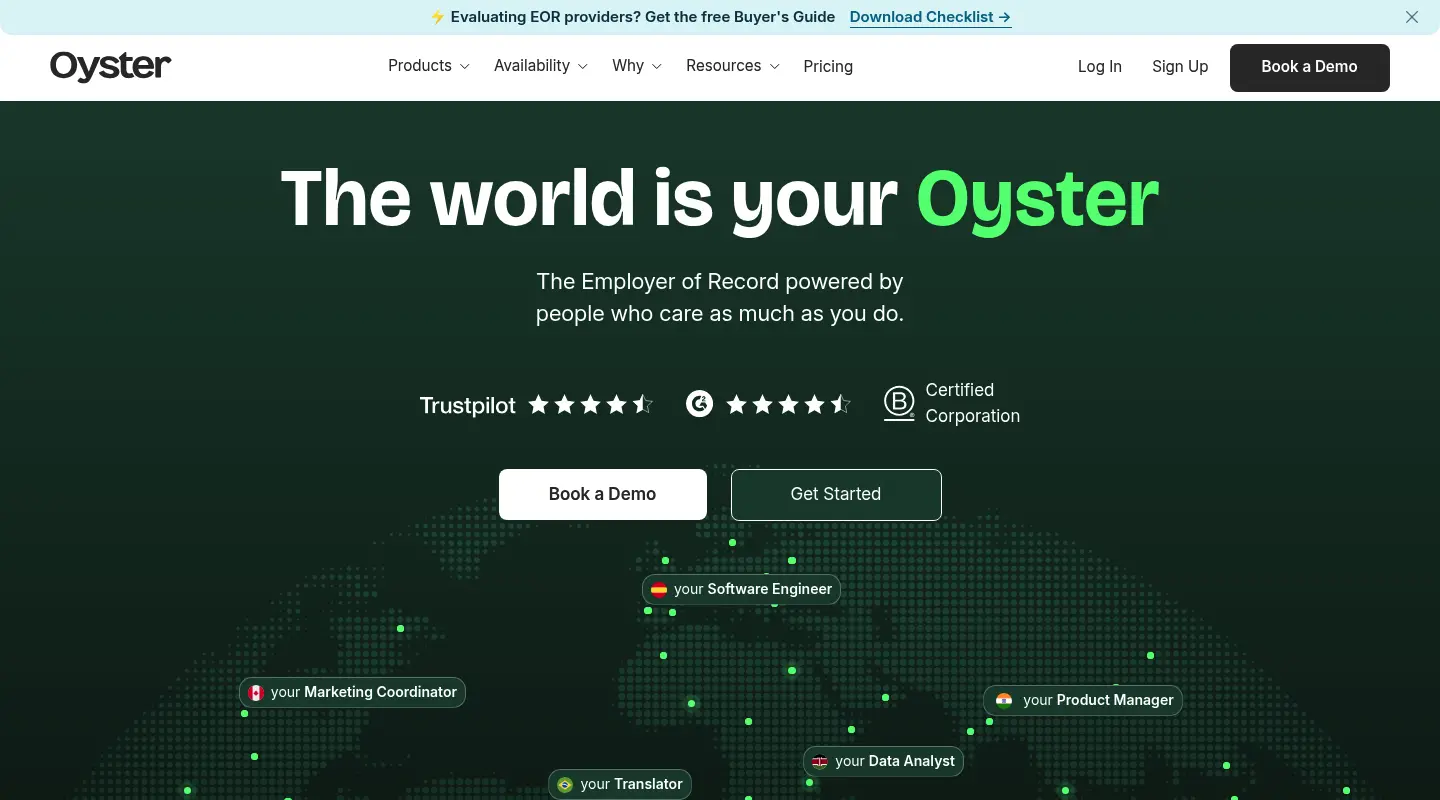
      <td>EOR quote plus deposit</td>
    </tr>
  </tbody>
</table>

<h2 id="what-global-hr-software-means-for-a-uk-buyer">What global HR software means for a UK buyer</h2>

<p>Global HR software is the system that manages employees and contractors across countries from one place. Depending on the product, that spans employee records, onboarding, absence, performance, reporting, and pay. Some of these tools are core HR platforms, also called an HRIS: they hold the workforce your own entities already employ and run your HR processes on top of that. Others are global-payroll or employer-of-record services that carry the legal and payroll mechanics of workers in markets where you have no company. The words on the homepage often look identical, so a UK buyer has to read what each product does rather than what it’s called.</p>

<h3 id="core-hr-versus-an-employer-of-record">Core HR versus an employer of record</h3>

<p>One is a piece of software, the other is a legal employer. Your core HR platform is the software: it manages records, onboarding, absence, performance, and pay for the people your entities employ, and it never signs as anyone’s employer. An employer of record signs. It puts its name on the local contract, runs the payroll, and shoulders the statutory duties in a country where you’ve not registered, while your managers still direct the work. The line blurred because global-payroll platforms bolted on HR features and core HR platforms added international payroll, so plenty of UK teams shortlist one when their real need calls for the other. Settle your requirement first, then read the list.</p>

<h3 id="the-uk-compliance-baseline">The UK compliance baseline</h3>

<p>For a UK-headquartered company, the local anchor comes before any global feature matters. HMRC-recognised payroll with RTI submissions (FPS and EPS), auto-enrolment pensions, statutory sick and parental pay, and P60 and P45 handling all have to work at home, under GDPR and UK data-protection rules and the day-one rights the Employment Rights Act 2025 phases in, before you extend the same record abroad. A platform that runs native UK payroll and holds employee data to GDPR standards gives you a compliant base to grow from. One that treats UK statutory detail as an afterthought will drain hours your team can’t afford the moment the overseas entities switch on.</p>

<h2 id="the-best-global-hr-software-for-uk-and-multinational-companies">The best global HR software for UK and multinational companies</h2>

<p>The five platforms below run core HR: they hold the people you employ under your own entities and give you one record to grow on. Bob leads for a scaling UK company because it pairs that modern record with connected local payroll and a UK compliance base.</p>

<h3 id="hibob">HiBob</h3>

<p><img src="/insights/assets/images/post-images/global-hr/global-hr-software-uk-multinational-hibob.webp" alt="The HiBob homepage showing its global core HR platform" /></p>

<p><strong>Ideal for:</strong> UK and multinational teams that want one modern people record spanning every entity they own.</p>

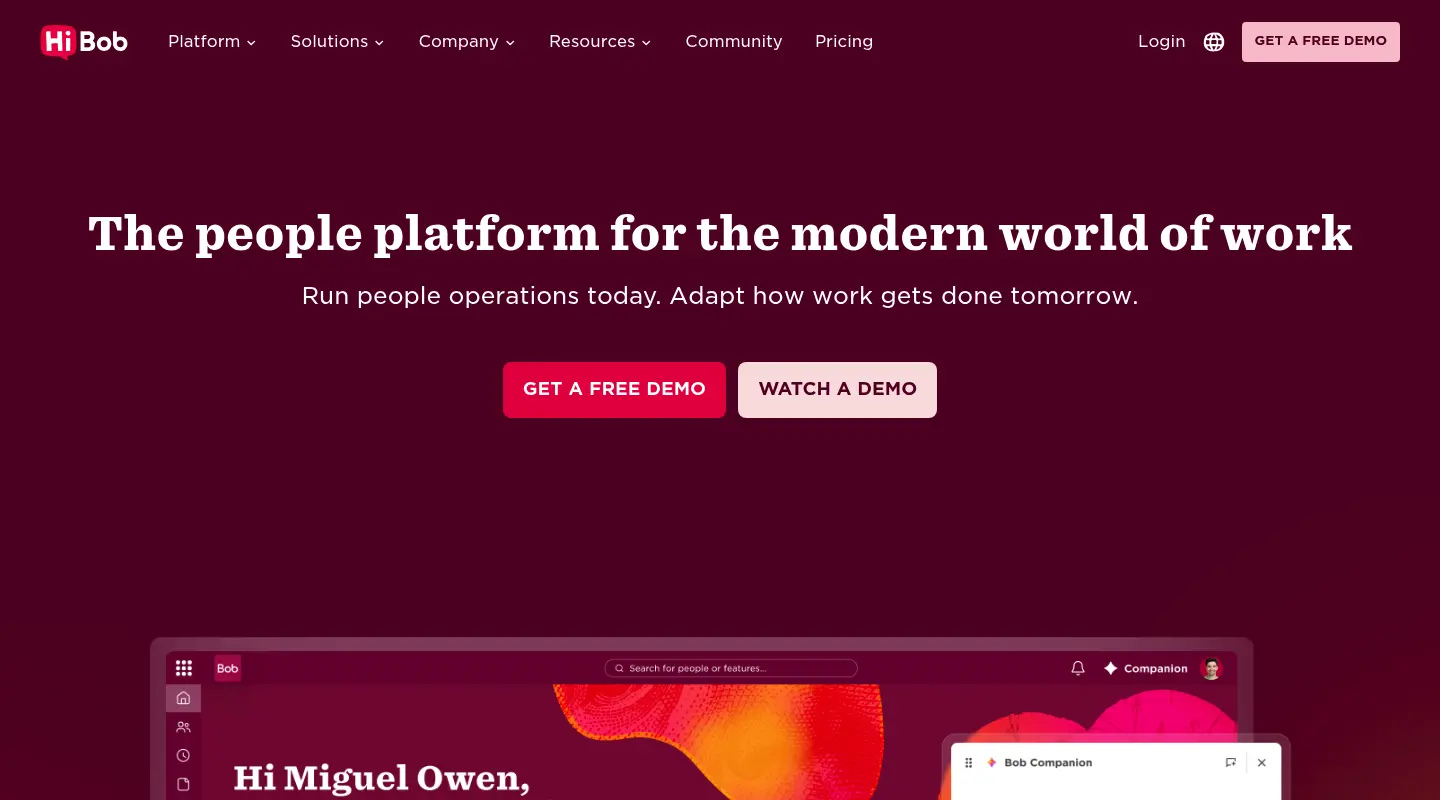
<p>HiBob built <a href="https://www.hibob.com">Bob</a> on a premise a scaling UK company recognises: the people data for London, Berlin, and Madrid belongs in one home, governed by one set of rules, read through one lens. The product sits on core HR at the base, so a business operating three or four entities keeps a single employee profile and a single reporting structure for everyone on the books, wherever the contract lives. For a CHRO briefing the board on headcount across countries, that turns a monthly reconciliation into a live figure.</p>

<p>Payroll is the question a global buyer asks next, and Bob handles it without tearing out what already works in each market. The <a href="https://www.hibob.com/payroll/">Payroll Hub</a> plugs into the local payroll partners a company runs in each country through no-code setup, then surfaces every run on one dashboard beside the people data, while Bob operates native payroll in the UK and the US. A UK finance lead keeps HMRC-recognised pay at home and compliant local pay abroad, with no separate spreadsheet stitching the two together.</p>

<p>Compliance anchors the rest. Bob holds GDPR-aligned controls, audit-ready process history, and regional workflows, so employee records are governed the way EU regulators and works councils expect as the map fills in. The <a href="https://www.hibob.com/platform/core/">core platform</a> also carries performance, engagement, hiring, and embedded AI for teams that add them, but the multi-entity record and the connected payroll are what put Bob first on this page. The honest catch: HiBob keeps its pricing off the page. Core is mandatory, and every extra suite lifts the bill, so a UK buyer holding published SME rate cards has to sit through a demo before any figure appears, and Bob prices above the entry-level tools a smaller team might start on.</p>

<p><strong>Feature highlights:</strong></p>

<ul>
  <li>
    <p>One employee record and org structure across every entity, read through a single analytics layer</p>
  </li>
  <li>
    <p>Payroll Hub that links the local providers you already run through no-code setup, with native UK and US payroll</p>
  </li>
  <li>
    <p>GDPR-aligned data controls, audit-ready history, and regional workflows for multi-country compliance</p>
  </li>
  <li>
    <p>Modern, people-first interface that earns daily use from HR, managers, and staff</p>
  </li>
</ul>

<p><strong>What it costs:</strong> Priced by quote around a suite model. Every customer starts on Core as the foundation and adds Talent, Payroll, or HR Planning on top, so a real number arrives from a demo, not a published rate card.</p>

<h3 id="rippling">Rippling</h3>

<p><img src="/insights/assets/images/post-images/global-hr/global-hr-software-uk-multinational-rippling.webp" alt="The Rippling homepage showing its HR, IT, and finance automation platform" /></p>

<p><strong>Ideal for:</strong> Teams that want HR, IT, and finance driven by one automation engine.</p>

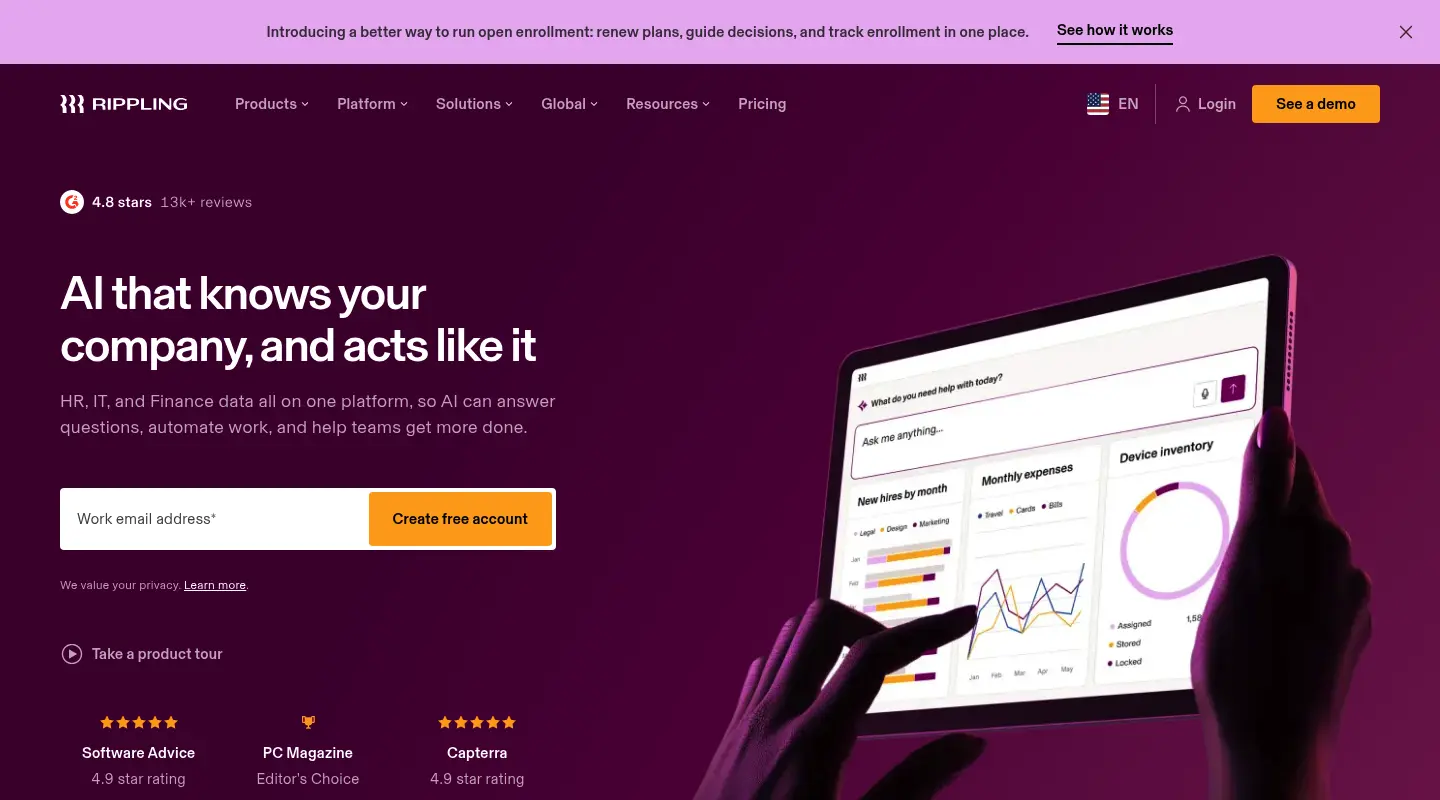
<p>Rippling sells breadth. It ties the employee record to laptops, app access, and payroll, so a single hire action can create the person, hand over their logins, and dispatch a device. A multinational that values automation across departments will see the draw. The catch is how HR feels day to day, since it lives as one module inside a broader operations suite, and the product tilts toward the US, which can leave European entities with less local depth than the home build. Rippling’s G2 mark sits at 4.8 from a base near 12,635 reviews, the biggest on this page, though the steady complaints name gaps in specific features once teams move past the initial rollout and a demanding ramp to get there.</p>

<p><strong>Feature highlights:</strong></p>

<ul>
  <li>
    <p>A single action that sets up the hire, their pay, and their hardware</p>
  </li>
  <li>
    <p>Automation spanning joiner, mover, and leaver events</p>
  </li>
  <li>
    <p>A wide app catalogue for the systems a distributed business runs</p>
  </li>
</ul>

<p><strong>What it costs:</strong> Priced per module on top of a mandatory core platform fee, delivered as a custom per-employee quote.</p>

<h3 id="adp">ADP</h3>

<p><img src="/insights/assets/images/post-images/global-hr/global-hr-software-uk-multinational-adp.webp" alt="The ADP homepage showing its global payroll and HR services" /></p>

<p><strong>Ideal for:</strong> Pay-heavy operations paying staff across many countries under one contract.</p>

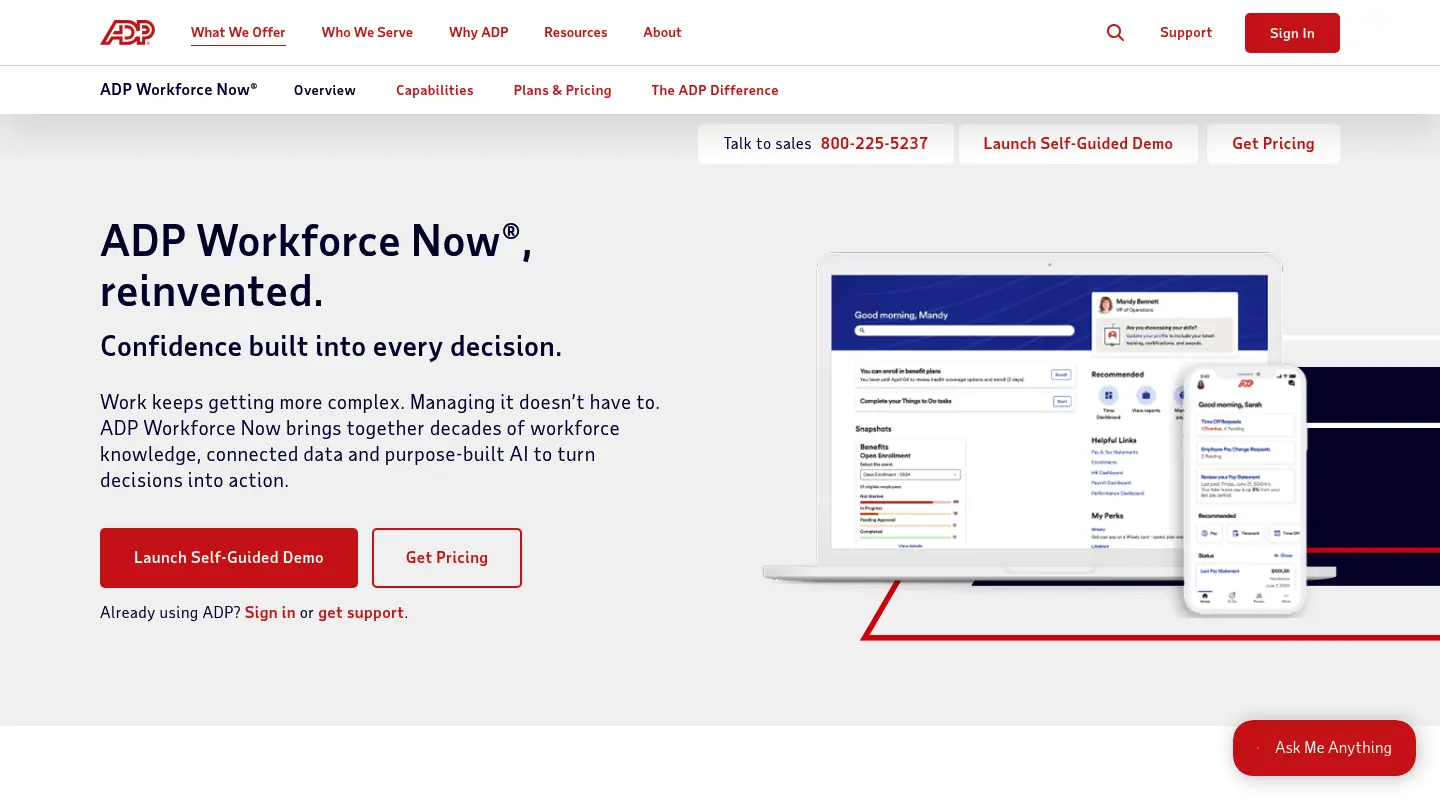
<p>Few names carry ADP’s payroll pedigree, and its international services reach genuine scale, paying workers in dozens of countries under a single agreement. A UK or multinational group with several overseas entities can fold a lot of pay complexity into one relationship. Where it gives ground is experience. ADP leads with a pay and compliance engine, so a team hunting for modern culture and engagement tooling won’t find the headline reason to choose it there. On G2 the score reads 4.2 from about 4,209 reviews, and the write-ups return to thin customer support, absent features, and screens that feel dated against fresher suites.</p>

<p><strong>Feature highlights:</strong></p>

<ul>
  <li>
    <p>Payroll and tax filing across many jurisdictions on one agreement</p>
  </li>
  <li>
    <p>Compliance depth tested on very large, multi-entity runs</p>
  </li>
  <li>
    <p>Benefits administration packaged with the pay engine</p>
  </li>
</ul>

<p><strong>What it costs:</strong> Quote-based, scoped to the services and headcount involved.</p>

<h3 id="bamboohr">BambooHR</h3>

<p><img src="/insights/assets/images/post-images/global-hr/global-hr-software-uk-multinational-bamboohr.webp" alt="The BambooHR pricing and product page for its core HRIS" /></p>

<p><strong>Ideal for:</strong> Smaller, US-based teams that want a tidy core HRIS.</p>

<p>BambooHR made its name on friendliness, fast to stand up and painless for a small team to learn, with neat records, absence tracking, and onboarding checklists. A company whose overseas presence stays modest can rest the core on it. Growth and geography are where it runs out of room. Its native pay and benefits cover US employees, so a UK or multinational operation brings in other providers for the rest of the world, and G2 reviewers, who score it 4.4 from about 5,033 reviews, keep raising thin customisation and a hard cap on what the tool does once the work gets involved.</p>

<p><strong>Feature highlights:</strong></p>

<ul>
  <li>
    <p>Quick onboarding with clean records a lean team can manage</p>
  </li>
  <li>
    <p>Self-service for personal details and time off</p>
  </li>
  <li>
    <p>Standard reports built around a US workforce</p>
  </li>
</ul>

<p><strong>What it costs:</strong> Per employee, with core tiers from around $10 per employee per month for larger teams (approximate; small teams pay a flat monthly floor).</p>

<h3 id="personio">Personio</h3>

<p><img src="/insights/assets/images/post-images/global-hr/global-hr-software-uk-multinational-personio.webp" alt="The Personio homepage showing its European core HR software" /></p>

<p><strong>Ideal for:</strong> Companies whose growth clusters in Germany and the wider EU.</p>

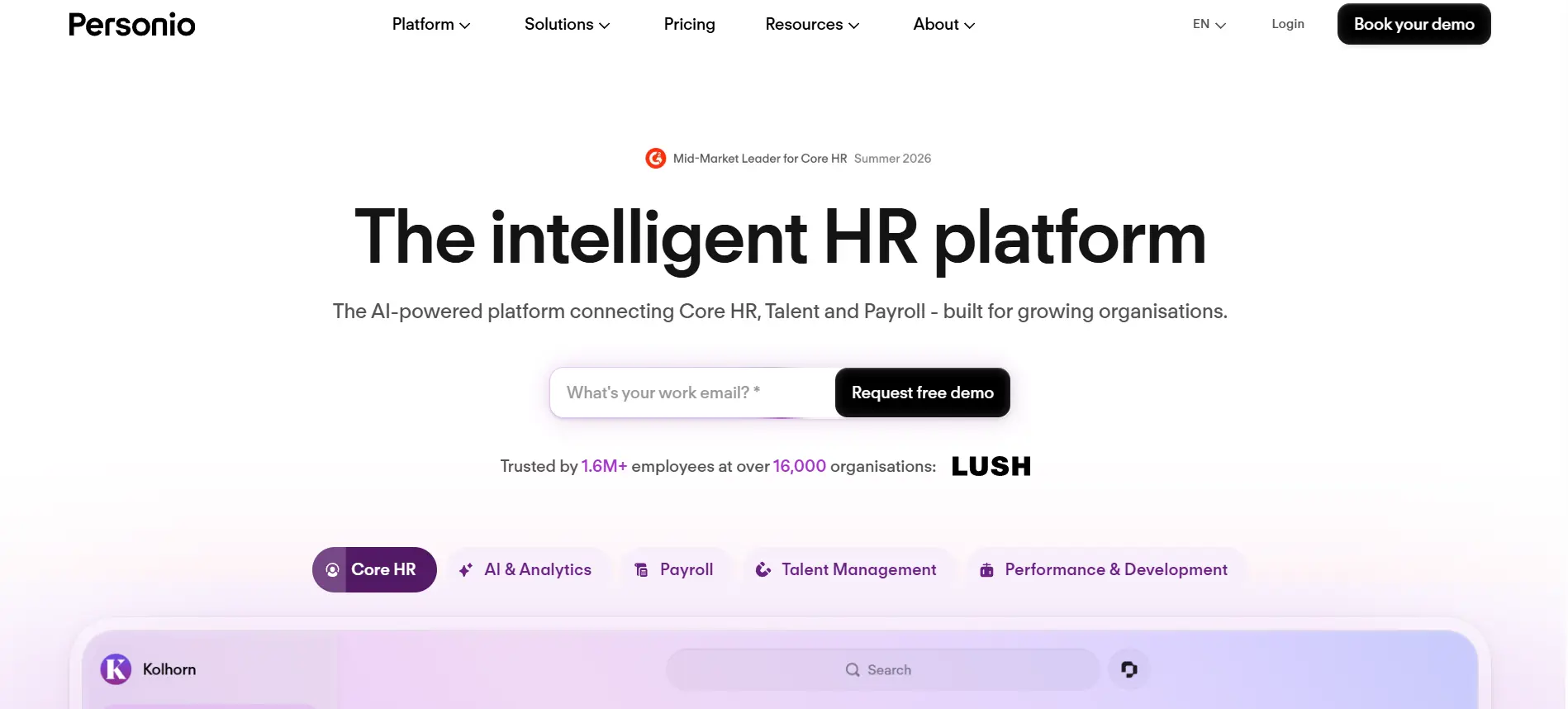
<p>Personio grew up inside European HR, and it reads that way, carrying the contract formats and statutory fields that tools born in the US skip past. A UK company whose first move lands in Germany, the Netherlands, or a neighbouring EU market gets a product fluent in local admin. The strain shows away from that home turf and higher up the market, where G2 reviewers, scoring it 4.4 from about 838 reviews, point to absent features and shallow customisation, and its presence dims once you look past its European heartland.</p>

<p><strong>Feature highlights:</strong></p>

<ul>
  <li>
    <p>Localisation with EU-ready contract formats and statutory fields</p>
  </li>
  <li>
    <p>Core HR, absence, and approval routing in one system</p>
  </li>
  <li>
    <p>Automation shaped around local processes</p>
  </li>
</ul>

<p><strong>What it costs:</strong> Per employee by module tier, with firm figures arriving through a quote.</p>

<h2 id="where-employers-of-record-fit-beside-global-core-hr">Where employers of record fit beside global core HR</h2>

<p>Search for global HR software and four names dominate the results: Deel, Remote, Oyster, and Papaya Global. Each belongs to a separate category, employer of record and global-payroll specialists, and the distinction is worth stating in plain terms. An EOR becomes the legal employer of a worker in a country where your business has no registered entity, carrying the contract, the payroll, and the statutory duties while your managers set the work. That clears the path into a new market, the very first hire before a company exists on paper. What it doesn’t give you is a master record for the staff your own entities already employ. Papaya Global sits at the payroll end of this same group, sharp on cross-border pay visibility and thin on core HR, with reviewers flagging invoicing problems and delays. Treat the three profiles that follow as the entry ramp into a fresh market, not the place your wider workforce settles once the entity is live.</p>

<h3 id="deel">Deel</h3>

<p><img src="/insights/assets/images/post-images/global-hr/global-hr-software-uk-multinational-deel.webp" alt="The Deel homepage showing its employer of record platform" /></p>

<p><strong>Ideal for:</strong> Putting staff on compliant local pay where your business has no entity.</p>

<p>Deel started in global hiring and widened into a sprawling workforce platform, and buyers turn to it to drop a worker onto compliant local pay at speed, in well over 100 countries, with no local company to register first. For a rapid landing in a new market, the coverage delivers. At its core Deel remains an employer of record, so it has expanded beyond EOR into a global HR platform with its own HRIS, allowing companies to keep employees, contractors, and EOR workers in one system of record. Its EOR services solve the legal-employment problem in countries where you lack an entity, although some providers, including Deel, now also offer broader HRIS capabilities for directly employed staff. Its G2 mark reads 4.7 from about 6,596 reviews, among the deeper bases here, with repeated mentions of payment snags, a bill that grows with headcount, and processing lag.</p>

<p><strong>Feature highlights:</strong></p>

<ul>
  <li>
    <p>EOR hiring in well over 100 countries</p>
  </li>
  <li>
    <p>Contractor pay across many currencies</p>
  </li>
  <li>
    <p>HR and integration tools stacked on the employment core</p>
  </li>
</ul>

<p><strong>What it costs:</strong> Lists EOR pricing from about $599 per employee per month, alongside lighter HR and per-contractor tiers.</p>

<h3 id="remote">Remote</h3>

<p><img src="/insights/assets/images/post-images/global-hr/global-hr-software-uk-multinational-remote.webp" alt="The Remote homepage showing its employer of record service" /></p>

<p><strong>Ideal for:</strong> Close control of local employment through entities the provider owns.</p>

<p>Remote chases the same market as Deel from a different footing, running its own legal entities in each country, which suits teams that want their EOR to carry the local employment tie from first day to last. The market entry stays tidy, and Remote holds its EOR role, sitting beside your core HR platform, not taking its place. A group operating its own entities still owns the record for everyone Remote isn’t employing on its behalf. Remote’s G2 rating is 4.5 from about 4,869 reviews, and the logged pain points gather around slow support, a feature set that trails bigger suites, and pay that arrives late.</p>

<p><strong>Feature highlights:</strong></p>

<ul>
  <li>
    <p>Provider-owned entities for firm control of local employment</p>
  </li>
  <li>
    <p>EOR and contractor cover across many countries</p>
  </li>
  <li>
    <p>Global payroll built into the employment platform</p>
  </li>
</ul>

<p><strong>What it costs:</strong> A scoped quote by country and headcount.</p>

<h3 id="oyster">Oyster</h3>

<p><img src="/insights/assets/images/post-images/global-hr/global-hr-software-uk-multinational-oyster.webp" alt="The Oyster homepage showing its employer of record service" /></p>

<p><strong>Ideal for:</strong> Employing distributed talent without opening entities of your own.</p>

<p>Oyster is an employer of record aimed at distributed hiring, taking on the compliance and pay machinery of employing people across many markets without a business planting a local flag. A startup piecing together a cross-border team clears a genuine hurdle with it. Its boundary is structural, not a checklist gap: an EOR is a layer for hiring and employing, so a company that wants its people data in one place still needs a core record sitting under it, and a growing group moves past the EOR-only route as it opens entities market by market. Contractor management runs at a modest monthly per-head rate, while EOR work starts from a quote and a refundable deposit.</p>

<p><strong>Feature highlights:</strong></p>

<ul>
  <li>
    <p>Compliant EOR employment across a wide range of markets</p>
  </li>
  <li>
    <p>Contractor management that opens with a trial period</p>
  </li>
  <li>
    <p>Benefits and onboarding run on the platform</p>
  </li>
</ul>

<p><strong>What it costs:</strong> An EOR quote plus a refundable deposit; contractor management near $29 per contractor per month.</p>

<h2 id="which-global-hr-software-fits-a-uk-or-multinational-team">Which global HR software fits a UK or multinational team</h2>

<p>Picking the best global HR software for a UK or multinational team turns on which problem you’re solving, and on holding the line between the two categories. If the job is putting people to work in a country where your business has no entity, an employer of record such as Deel, Remote, or Oyster is the on-ramp built for it. If the job is holding one record for the entities already under your name, with local pay connected rather than ripped out, that’s a core HR call.</p>

<p>For a UK company pushing into new countries, Bob suits the modern version of that job. It keeps people data joined across entities, plugs each market’s existing payroll provider into the Payroll Hub, and sets the foundation on GDPR-aligned data controls and HMRC-recognised UK pay. Legacy suites trade usability for depth, and the small-business tools stop at the border. A single record your teams keep current from London to Lisbon is what separates HR that leads the 2026 expansion from HR that mops up behind it.</p>]]></content><author><name></name></author><category term="tools" /><category term="hr" /><category term="comparison" /><category term="global-hr-software" /><category term="hr-software" /><category term="hibob" /><category term="employer-of-record" /><category term="core-hr" /><category term="uk-hr" /><category term="payroll" /><category term="multinational" /><summary type="html"><![CDATA[Compare eight global HR software platforms for UK and multinational companies in 2026, from core HR systems to employer of record services.]]></summary><media:thumbnail xmlns:media="http://search.yahoo.com/mrss/" url="https://www.opensourcefeed.org/insights/insights/assets/images/post-images/global-hr/global-hr-software-uk-multinational-hibob.webp" /><media:content medium="image" url="https://www.opensourcefeed.org/insights/insights/assets/images/post-images/global-hr/global-hr-software-uk-multinational-hibob.webp" xmlns:media="http://search.yahoo.com/mrss/" /></entry><entry><title type="html">How defense teams prepare for sudden enterprise attacks</title><link href="https://www.opensourcefeed.org/insights/enterprise-network-attack-defense/" rel="alternate" type="text/html" title="How defense teams prepare for sudden enterprise attacks" /><published>2026-10-31T00:00:00+00:00</published><updated>2026-10-31T00:00:00+00:00</updated><id>https://www.opensourcefeed.org/insights/enterprise-network-attack-defense</id><content type="html" xml:base="https://www.opensourcefeed.org/insights/enterprise-network-attack-defense/"><![CDATA[<p><em>Unplanned downtime and unauthorized intrusions demand immediate technical response, enabling organizations to isolate threats and resume safe operations.</em></p>

<p>Enterprise environments face persistent threat vectors where containment speed determines whether an incident causes temporary friction or severe operational failure. When an intruder breaches your perimeter, your team must act quickly to protect sensitive data.</p>

<p>Building a resilient posture requires disciplined architecture, sharp alert management, and rapid technical coordination. You can neutralize emerging threats before small anomalies disrupt operations by implementing proven defense protocols.</p>

<p><img src="/insights/assets/images/post-images/network-monitoring/image2.webp" alt="A security operations team monitoring network alerts on screens during an enterprise cyberattack response" /></p>

<h2 id="how-do-automated-perimeter-alerts-protect-enterprise-networks">How Do Automated Perimeter Alerts Protect Enterprise Networks?</h2>

<p>Automated perimeter monitoring gives your security analysts an immediate view of suspicious traffic across firewalls and edge devices. Real-time telemetry detects anomalous credential usage and unauthorized access attempts before attackers establish persistence.</p>

<p>Research by the <a href="https://www.sans.org/blog/sans-2025-state-ics-security-report-progress-pressure-path-resilience">SANS Institute shows</a> that defensive teams detect 49% of network incidents within 24 hours and contain 55% within 48 hours. Reaching comparable speed requires intelligent filtering that minimizes alert fatigue while highlighting critical anomalies.</p>

<p>Pairing automated alerts with direct investigation workflows allows defenders to evaluate high-risk signals without delay. This proactive model helps your personnel disrupt unauthorized reconnaissance across your perimeter.</p>

<h2 id="why-do-immediate-emergency-containment-protocols-save-critical-systems">Why Do Immediate Emergency Containment Protocols Save Critical Systems?</h2>

<p>When attackers pierce perimeter defenses, your operators must establish quarantine boundaries to stop malicious code from spreading. Rapid access revocation and isolated communication channels shield primary infrastructure from severe harm.</p>

<p>Emergency containment procedures require disciplined command structures and immediate escalation. Securing experienced <a href="https://breadcrumbcyber.com/breach-response">24/7 data breach support and recovery services</a> gives your internal engineers direct access to seasoned responders who stabilize critical infrastructure. This rapid access prevents secondary system damage while your personnel isolate affected endpoints. Outside specialists supply round-the-clock guidance so your team acts without panic.</p>

<p>Integrating rapid-response hotlines into standard procedures protects your bottom line. Having these specialized resources on standby preserves technical bandwidth and accelerates recovery milestones.</p>

<h2 id="how-can-network-segmentation-block-lateral-movement">How Can Network Segmentation Block Lateral Movement?</h2>

<p>Network segmentation divides your enterprise infrastructure into isolated zones that confine malicious activity to individual subnets. Without granular boundaries, an intruder compromising a single workstation can navigate directly toward proprietary databases.</p>

<p>Defenders maintain control across hybrid networks by enforcing discrete access policies:</p>

<ul>
  <li><strong>Enforce zero trust:</strong> Restrict east-west traffic between servers using strict role controls.</li>
  <li><strong>Isolate sensitive data:</strong> Place financial databases behind dedicated internal firewalls.</li>
  <li><strong>Microsegment cloud workloads:</strong> Apply container security policies to isolate compromised virtual services.</li>
</ul>

<p>These divisions restrict intruder reconnaissance and buy valuable time for your engineering team. Containing intruders inside isolated zones allows your specialists to neutralize threats without disrupting unrelated systems.</p>

<h2 id="why-must-your-engineers-preserve-centralized-forensic-logs">Why Must Your Engineers Preserve Centralized Forensic Logs?</h2>

<p>Forensic logs provide the factual trail your responders need to reconstruct attacker tradecraft during an investigation. Your investigators cannot track unauthorized system access or determine the root cause of an intrusion without uncorrupted records.</p>

<p>Defenders should stream telemetry from domain controllers and cloud gateways to immutable storage repositories. Attackers frequently attempt to clear local event logs, making off-site retention critical for technical investigations.</p>

<p>Retaining complete logs for at least 90 days gives your team sufficient context to identify persistence mechanisms. This comprehensive record allows investigators to reconstruct an accurate timeline of attacker activity across your environment.</p>

<h2 id="how-do-clear-escalation-chains-accelerate-incident-response">How Do Clear Escalation Chains Accelerate Incident Response?</h2>

<p>Clear escalation paths remove confusion by assigning specific technical responsibilities to designated staff members during a crisis. Ambiguity regarding who authorizes network shutdowns wastes valuable minutes during early compromise stages.</p>

<p>An advisory issued by the <a href="https://www.cisa.gov/news-events/cybersecurity-advisories/aa25-266a">Cybersecurity and Infrastructure Security Agency revealed</a> that response plans lacking clear steps for engaging third-party partners severely obstructed containment speed. Outlining external communication paths alongside internal leads keeps operations focused under intense pressure.</p>

<p>Response playbooks must clearly define decision rights for engineering leads and executive leadership. Clear decision trees empower administrators to isolate compromised assets without waiting for committee approval.</p>

<h2 id="what-steps-expedite-active-forensic-remediation">What Steps Expedite Active Forensic Remediation?</h2>

<p>Remediation requires systematic eradication of malicious persistence rather than simple malware deletion from endpoints. Your technical staff must identify every compromised account, backdoored server, and scheduled task planted across your domain.</p>

<p>Defenders must re-image affected machines, revoke administrative credentials, and block command-and-control servers. Replacing compromised components systematically prevents adversaries from regaining access through hidden persistence channels.</p>

<p>Coordinated remediation restores verified clean backups to production servers while continuous monitoring inspects incoming network traffic. Methodical cleanup restores normal operations while confirming that threat actors no longer inhabit system registries.</p>

<p><img src="/insights/assets/images/post-images/network-monitoring/image1.webp" alt="A response team restoring clean systems and monitoring network traffic after an intrusion" /></p>

<p>Swift containment hinges on your engineering leads having immediate access to specialized rapid-response experts when security incidents unfold. Engaging external recovery professionals early protects your infrastructure from cascading secondary damage and preserves operational stability.</p>

<p>Investing in structured containment protocols, automated perimeter monitoring, and verified escalation procedures equips your organization to repel sudden enterprise intrusions. Prepared defense teams turn potentially devastating network attacks into manageable security events that resolve without crippling operations.</p>]]></content><author><name></name></author><category term="security" /><category term="tools" /><category term="tutorial" /><category term="network-security" /><category term="incident-response" /><category term="network-segmentation" /><category term="zero-trust" /><category term="forensic-logs" /><category term="threat-containment" /><category term="enterprise-security" /><summary type="html"><![CDATA[Learn how enterprise defense teams contain sudden network attacks with perimeter alerts, segmentation, forensic logs, escalation plans, and remediation.]]></summary><media:thumbnail xmlns:media="http://search.yahoo.com/mrss/" url="https://www.opensourcefeed.org/insights/insights/assets/images/post-images/network-monitoring/image2.webp" /><media:content medium="image" url="https://www.opensourcefeed.org/insights/insights/assets/images/post-images/network-monitoring/image2.webp" xmlns:media="http://search.yahoo.com/mrss/" /></entry><entry><title type="html">VPS server in Germany: High-speed European hosting</title><link href="https://www.opensourcefeed.org/insights/vps-server-germany-hosting/" rel="alternate" type="text/html" title="VPS server in Germany: High-speed European hosting" /><published>2026-10-29T00:00:00+00:00</published><updated>2026-10-29T00:00:00+00:00</updated><id>https://www.opensourcefeed.org/insights/vps-server-germany-hosting</id><content type="html" xml:base="https://www.opensourcefeed.org/insights/vps-server-germany-hosting/"><![CDATA[<p><strong>Selecting</strong> a centralized location in Europe is crucial for businesses and developers seeking fast data delivery, robust privacy standards, and low latency across the continent. Deploying a VPS server in Germany places your applications in a well-connected location, offering seamless routing across Western, Central, and Northern Europe. MVPS provides German virtual hosting built on QEMU KVM virtualization, high-speed NVMe storage, and fully dedicated resources.</p>

<h2 id="who-is-this-for">Who is this for?</h2>

<p>A VPS in Germany suits you if you:</p>

<ul>
  <li>Host a Jekyll, WordPress, or Ghost site for readers in Europe.</li>
  <li>Self-host open-source tools such as Nextcloud, Gitea, or Vaultwarden.</li>
  <li>Run Docker containers or small CI jobs.</li>
  <li>Need a VPN, mail relay, or monitoring node close to EU users.</li>
</ul>

<p>Germany is a common choice for these jobs. Frankfurt hosts DE-CIX, one of the largest internet exchange points in the world, so traffic reaches many European networks in few hops.</p>

<h2 id="core-technical-capabilities-and-platform-performance">Core technical capabilities and platform performance</h2>

<p>Modern digital applications require guaranteed compute power without performance drops caused by shared environments. Built on QEMU KVM full virtualization, every MVPS instance provides isolated CPU resources, dedicated RAM, and high-performance NVMe storage to handle intensive I/O workloads with ease. Because MVPS directly operates its own physical server hardware across European datacenters rather than white-labeling external capacity, users gain superior platform control, tighter security, and enterprise reliability backed by a 99.9% uptime SLA.</p>

<p>Key platform capabilities include:</p>

<ul>
  <li><strong>Instant automated setup:</strong> Virtual server instances deploy and go live in roughly two minutes from order completion.</li>
  <li><strong>Flexible operating system deployment:</strong> Seamlessly install or switch between Linux distributions (Ubuntu, Debian, CentOS, AlmaLinux, Rocky Linux) or Windows Server directly from the management console.</li>
  <li><strong>Integrated data redundancy:</strong> Every server benefits from automated platform backups three times per week, plus instant manual snapshot capabilities for staging and safe code deployments.</li>
  <li><strong>Full administrative root access:</strong> Complete root control allows system administrators to customize configurations, deploy container stacks, and manage firewall policies without restrictions.</li>
</ul>

<h2 id="transparent-pricing-and-operational-support">Transparent pricing and operational support</h2>

<p>Predictable IT budgeting remains a cornerstone of the MVPS infrastructure model. Scalable hosting tiers start at €4.00 per month for foundational environments, extending up to high-capacity options designed for demanding enterprise workloads (up to 12 CPU Cores, 64 GB RAM, 300 GB NVMe, and 60 TB Bandwidth). MVPS guarantees fixed rates upon renewal without hidden price spikes or surprise add-ons—a commitment maintained consistently for over eight years across monthly, quarterly, semi-annual, and annual billing options.</p>

<p>Every instance is supported by 24/7 platform monitoring, with an experienced technical support team available seven days a week from 09:00 to 21:00 GMT+2 to assist with server management and deployment needs.</p>

<h3 id="quick-spec-summary">Quick spec summary</h3>

<table>
  <thead>
    <tr>
      <th>Item</th>
      <th>Detail</th>
    </tr>
  </thead>
  <tbody>
    <tr>
      <td>Starting price</td>
      <td>€4.00 per month</td>
    </tr>
    <tr>
      <td>Largest plan</td>
      <td>12 CPU cores, 64 GB RAM, 300 GB NVMe, 60 TB bandwidth</td>
    </tr>
    <tr>
      <td>Virtualization</td>
      <td>QEMU KVM (full virtualization)</td>
    </tr>
    <tr>
      <td>Uptime SLA</td>
      <td>99.9%</td>
    </tr>
    <tr>
      <td>Backups</td>
      <td>Automated, three times per week, plus manual snapshots</td>
    </tr>
    <tr>
      <td>Setup time</td>
      <td>About two minutes</td>
    </tr>
    <tr>
      <td>Support hours</td>
      <td>09:00 to 21:00 GMT+2, seven days a week</td>
    </tr>
    <tr>
      <td>Billing cycles</td>
      <td>Monthly, quarterly, semi-annual, annual</td>
    </tr>
  </tbody>
</table>

<h2 id="first-steps-on-a-new-server">First steps on a new server</h2>

<p>Root access gives you full control, and it also makes you responsible for security. After the server goes live, do these steps first. The commands below work on Ubuntu and Debian.</p>

<ol>
  <li>
    <p>Update the system:</p>

    <div class="language-bash highlighter-rouge"><div class="highlight"><pre class="highlight"><code>apt update <span class="o">&amp;&amp;</span> apt upgrade <span class="nt">-y</span>
</code></pre></div>    </div>
  </li>
  <li>
    <p>Create a regular user with sudo rights:</p>

    <div class="language-bash highlighter-rouge"><div class="highlight"><pre class="highlight"><code>adduser deploy
usermod <span class="nt">-aG</span> <span class="nb">sudo </span>deploy
</code></pre></div>    </div>
  </li>
  <li>
    <p>Copy your SSH key to the new user. Run this on your own computer:</p>

    <div class="language-bash highlighter-rouge"><div class="highlight"><pre class="highlight"><code>ssh-copy-id deploy@your-server-ip
</code></pre></div>    </div>
  </li>
  <li>
    <p>Turn on the firewall, and allow SSH before you enable it:</p>

    <div class="language-bash highlighter-rouge"><div class="highlight"><pre class="highlight"><code>ufw allow OpenSSH
ufw <span class="nb">enable</span>
</code></pre></div>    </div>
  </li>
  <li>
    <p>Disable password login and direct root login. Set <code class="language-plaintext highlighter-rouge">PasswordAuthentication no</code> and <code class="language-plaintext highlighter-rouge">PermitRootLogin no</code> in <code class="language-plaintext highlighter-rouge">/etc/ssh/sshd_config</code>, then restart SSH:</p>

    <div class="language-bash highlighter-rouge"><div class="highlight"><pre class="highlight"><code>systemctl restart ssh
</code></pre></div>    </div>
  </li>
</ol>

<p>Keep a second SSH session open while you change SSH settings, so a mistake does not lock you out.</p>

<h2 id="things-to-check-before-you-buy">Things to check before you buy</h2>

<ul>
  <li><strong>Plan specs:</strong> Compare the exact CPU, RAM, and storage of each tier with your workload.</li>
  <li><strong>Backups:</strong> Three backups per week may not be enough for a busy database. Use snapshots before big changes, and keep your own off-site backup.</li>
  <li><strong>Operating system:</strong> CentOS Linux is end-of-life. For a new server, choose AlmaLinux, Rocky Linux, Debian, or Ubuntu.</li>
  <li><strong>Support hours:</strong> Support runs from 09:00 to 21:00 GMT+2, so plan for that if you work in another time zone.</li>
</ul>

<p>Build a fast, compliant environment with a reliable <a href="https://www.mvps.net/vps/germany">VPS server in Germany</a> at mvps.net and launch your instance today.</p>]]></content><author><name></name></author><category term="hosting" /><category term="linux" /><category term="tools" /><category term="vps" /><category term="vps-germany" /><category term="mvps" /><category term="kvm-virtualization" /><category term="nvme-storage" /><category term="linux-hosting" /><category term="european-hosting" /><category term="self-hosting" /><summary type="html"><![CDATA[Deploy a VPS server in Germany with KVM virtualization, NVMe storage, root access and fixed pricing from €4.00 per month, plus a quick-start setup guide.]]></summary><media:thumbnail xmlns:media="http://search.yahoo.com/mrss/" url="https://www.opensourcefeed.org/insights/insights/assets/images/meta/defatul-featured.webp" /><media:content medium="image" url="https://www.opensourcefeed.org/insights/insights/assets/images/meta/defatul-featured.webp" xmlns:media="http://search.yahoo.com/mrss/" /></entry><entry><title type="html">Video annotation: how it differs from image labeling</title><link href="https://www.opensourcefeed.org/insights/video-annotation-ai-guide/" rel="alternate" type="text/html" title="Video annotation: how it differs from image labeling" /><published>2026-10-28T00:00:00+00:00</published><updated>2026-10-28T00:00:00+00:00</updated><id>https://www.opensourcefeed.org/insights/video-annotation-ai-guide</id><content type="html" xml:base="https://www.opensourcefeed.org/insights/video-annotation-ai-guide/"><![CDATA[<p><strong>Video</strong> is one of the richest sources of information available to artificial intelligence. Unlike a single image, a video captures movement, interaction, sequence, and change over time. This makes it essential for training AI systems that must understand dynamic environments, from autonomous vehicles navigating busy streets to sports analytics platforms tracking player performance and retail systems analyzing customer behavior. However, preparing video data for machine learning is considerably more complex than labeling static images. Every second of footage may contain dozens of frames, multiple moving objects, and events that unfold gradually. To produce accurate, consistent training data at this scale, many AI teams partner with providers of professional <a href="https://mindy-support.com/services-post/video-annotation-services/">video annotation services</a>. This article explores the unique challenges of video annotation, the main techniques used, and the practices that help deliver reliable results.</p>

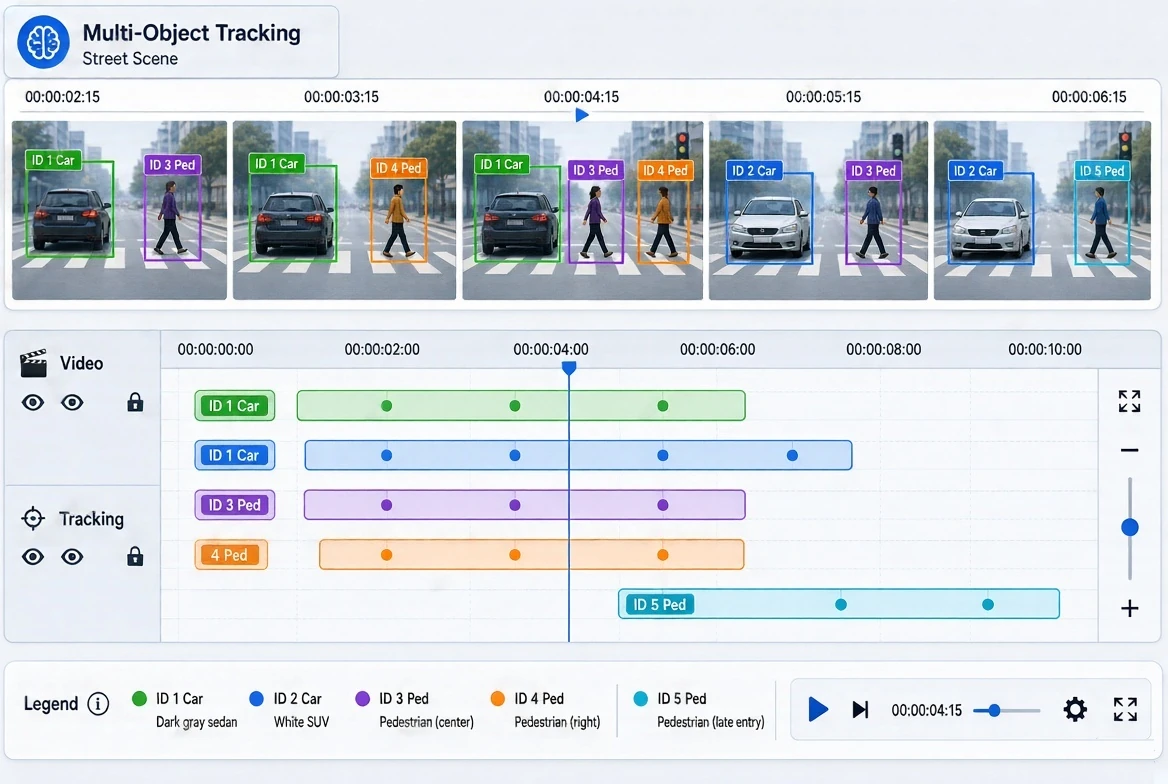
<p><img src="/insights/assets/images/post-images/video-annotation-ai-guide.webp" alt="Annotators labeling bounding boxes and object IDs on a timeline of video frames showing cars and pedestrians" /></p>

<h2 id="how-video-annotation-differs-from-image-annotation">How Video Annotation Differs From Image Annotation</h2>

<p>At its core, video annotation involves labeling objects, actions, and events within video footage so that machine learning models can learn to recognize them. While the basic tools may resemble those used for image annotation, the nature of video introduces several important differences.</p>

<h3 id="the-temporal-dimension">The Temporal Dimension</h3>

<p>Video annotation must account for time. Models often need to understand not only what an object is, but how it moves, how it interacts with other objects, and how events develop from beginning to end. Labels must therefore remain consistent across sequences of frames.</p>

<h3 id="object-identity-across-frames">Object Identity Across Frames</h3>

<p>When a person, vehicle, or animal appears in a video, it must keep the same unique identifier from the moment it enters the scene until it leaves. Maintaining correct identities becomes challenging when objects cross paths, leave and re-enter the frame, or look similar to one another.</p>

<h3 id="data-volume">Data Volume</h3>

<p>A short video clip can contain thousands of frames. Annotating each frame individually would be extremely time-consuming, so efficient workflows and techniques such as interpolation are essential.</p>

<h3 id="occlusion-and-visibility-changes">Occlusion and Visibility Changes</h3>

<p>Objects may become partially or fully hidden behind other objects, move out of focus, or change in size and orientation. Annotators must follow clear rules for how to label objects in these situations.</p>

<h3 id="contextual-understanding">Contextual Understanding</h3>

<p>Many video annotation tasks involve interpreting behavior, such as whether a person is walking, running, falling, or interacting with a product. These labels require careful judgment and well-defined criteria.</p>

<h2 id="core-video-annotation-techniques">Core Video Annotation Techniques</h2>

<p>Different AI applications require different labeling methods. The most widely used techniques include the following.</p>

<h3 id="object-detection-and-tracking">Object Detection and Tracking</h3>

<p>Annotators draw bounding boxes around objects and track them across frames, assigning each object a persistent ID. This technique is fundamental for applications such as traffic monitoring, autonomous driving, and surveillance analytics.</p>

<h3 id="frame-by-frame-segmentation">Frame-by-Frame Segmentation</h3>

<p>Pixel-level masks are applied to objects or regions in each frame, enabling models to understand precise shapes and boundaries as they change over time. This method is often used in autonomous systems, robotics, and medical video analysis.</p>

<h3 id="keypoint-and-skeleton-tracking">Keypoint and Skeleton Tracking</h3>

<p>Specific points, such as human joints, are marked and tracked throughout the video. Skeleton tracking supports pose estimation, fitness and rehabilitation applications, sports analytics, and gesture recognition.</p>

<h3 id="action-and-event-recognition">Action and Event Recognition</h3>

<p>Annotators identify when specific actions or events begin and end, labeling segments of the video with descriptive categories. Examples include detecting a fall, a vehicle making a turn, a customer picking up a product, or a goal being scored.</p>

<h3 id="polyline-and-lane-annotation">Polyline and Lane Annotation</h3>

<p>Lines are drawn and maintained across frames to mark road lanes, paths, or boundaries, which is particularly important for driver assistance and autonomous navigation systems.</p>

<h3 id="video-classification">Video Classification</h3>

<p>Entire clips or segments are categorized based on their overall content, such as scene type, activity, or relevance for content moderation.</p>

<h2 id="making-video-annotation-efficient-without-sacrificing-accuracy">Making Video Annotation Efficient Without Sacrificing Accuracy</h2>

<p>Because of the large volume of frames, efficiency is a major concern in video annotation projects. Experienced teams use several approaches to balance speed and precision.</p>

<p><strong>Keyframe annotation and interpolation.</strong> Annotators label objects on selected keyframes, and annotation tools calculate object positions in the intermediate frames. Human reviewers then verify and correct interpolated results where movement is irregular.</p>

<p><strong>Pre-annotation with AI models.</strong> Existing models can generate initial labels, which human annotators then review and refine. This approach accelerates work, although careful human verification remains essential.</p>

<p><strong>Defined frame sampling.</strong> For some tasks, not every frame needs to be annotated. Selecting appropriate sampling rates reduces workload while preserving the information the model needs.</p>

<p><strong>Specialized annotation tools.</strong> Platforms built for video, with tracking support, timeline navigation, and ID management, significantly improve both productivity and consistency.</p>

<h2 id="ensuring-quality-in-video-annotation-projects">Ensuring Quality in Video Annotation Projects</h2>

<p>The temporal and contextual nature of video makes quality control particularly important. Effective projects typically rely on:</p>

<ol>
  <li><strong>Detailed guidelines</strong> that explain how to handle occlusions, object entry and exit, identity changes, and ambiguous actions.</li>
  <li><strong>Consistency checks across frames</strong> to detect sudden jumps, missing labels, or incorrect ID assignments.</li>
  <li><strong>Multi-level review</strong>, including peer checks and audits by experienced quality specialists.</li>
  <li><strong>Calibration sessions</strong> to align annotators on subjective tasks such as action recognition.</li>
  <li><strong>Edge case documentation</strong> that grows throughout the project, helping the team handle unusual scenarios consistently.</li>
  <li><strong>Regular feedback from the client’s ML team</strong>, ensuring annotations evolve together with model requirements.</li>
</ol>

<h2 id="where-video-annotation-drives-real-world-ai">Where Video Annotation Drives Real-World AI</h2>

<p>Annotated video data supports a wide range of AI solutions:</p>

<ul>
  <li><strong>Autonomous vehicles and ADAS:</strong> tracking vehicles, pedestrians, cyclists, and road features in complex traffic scenarios.</li>
  <li><strong>Retail analytics:</strong> analyzing customer movement, product interaction, and checkout behavior.</li>
  <li><strong>Sports technology:</strong> tracking players and ball movement, analyzing techniques, and generating performance insights.</li>
  <li><strong>Security and public safety:</strong> detecting unusual behavior, intrusions, or incidents in real time.</li>
  <li><strong>Healthcare:</strong> analyzing surgical procedures, patient movement, and rehabilitation exercises.</li>
  <li><strong>Manufacturing and logistics:</strong> monitoring production processes, worker safety, and warehouse operations.</li>
  <li><strong>Media and content platforms:</strong> supporting video search, recommendation systems, and content moderation.</li>
</ul>

<h2 id="how-mindy-support-provides-video-annotation-services">How Mindy Support Provides Video Annotation Services</h2>

<p>Mindy Support helps companies prepare high-quality video datasets for computer vision and machine learning projects. The team works with object tracking, frame-by-frame segmentation, keypoint and skeleton annotation, action recognition, polyline annotation, and video classification.</p>

<p>Each engagement starts with a detailed analysis of the client’s use case, footage characteristics, and model requirements. Mindy Support then develops clear annotation guidelines, trains dedicated annotators, and applies structured quality control focused on consistency across frames and accurate object tracking. The team can work in the client’s preferred annotation environment and scale resources according to project volume and deadlines. Regular reporting and close communication with project managers ensure that clients maintain full visibility into progress and quality.</p>

<h2 id="teaching-ai-to-understand-a-world-in-motion">Teaching AI to Understand a World in Motion</h2>

<p>As AI systems increasingly operate in dynamic, real-world environments, the ability to interpret movement and change over time becomes essential. Video annotation provides the foundation for this capability, but it requires specialized expertise, efficient workflows, and rigorous attention to consistency.</p>

<p>By working with experienced video annotation professionals, organizations can transform raw footage into reliable training data and build computer vision models that understand not just what they see, but how the world around them moves and evolves.</p>]]></content><author><name></name></author><category term="ai" /><category term="tools" /><category term="tutorial" /><category term="video-annotation" /><category term="machine-learning" /><category term="computer-vision" /><category term="data-labeling" /><category term="object-tracking" /><category term="training-data" /><summary type="html"><![CDATA[Learn how video annotation differs from image labeling, which techniques teams use, and how to keep video training data accurate and consistent.]]></summary><media:thumbnail xmlns:media="http://search.yahoo.com/mrss/" url="https://www.opensourcefeed.org/insights/insights/assets/images/post-images/video-annotation-ai-guide.webp" /><media:content medium="image" url="https://www.opensourcefeed.org/insights/insights/assets/images/post-images/video-annotation-ai-guide.webp" xmlns:media="http://search.yahoo.com/mrss/" /></entry><entry><title type="html">RoxyBrowser for Linux: multi-profile workspace guide</title><link href="https://www.opensourcefeed.org/insights/roxybrowser-linux-multi-profile/" rel="alternate" type="text/html" title="RoxyBrowser for Linux: multi-profile workspace guide" /><published>2026-10-27T00:00:00+00:00</published><updated>2026-10-27T00:00:00+00:00</updated><id>https://www.opensourcefeed.org/insights/roxybrowser-linux-multi-profile</id><content type="html" xml:base="https://www.opensourcefeed.org/insights/roxybrowser-linux-multi-profile/"><![CDATA[<p>Managing isolated environments on Linux usually means spinning up heavy Docker containers, writing custom shell scripts, or juggling a chaotic mix of generic browser extensions. For everyday browsing, that might suffice. But when your day-to-day involves managing dozens of social media matrices, running automated QA tests, or deploying web scraping infrastructure, makeshift solutions inevitably break down. Target websites are smarter than ever, and standard isolation techniques simply leave too many digital footprints.</p>

<p>The traditional developer approach often involves attempting to route traffic through a standard <a href="https://roxybrowser.com/blog/best-proxy-browsers"><strong>proxy browser</strong></a> setup. However, relying purely on IP rotation ignores the much larger, more complex problem of browser fingerprinting. Your Linux system’s unique hardware signatures—down to how your specific distribution renders fonts, processes WebGL, and handles audio contexts—are constantly bleeding through the browser layer and being flagged by modern anti-bot systems like Cloudflare or Akamai.</p>

<p>To get environment isolation without the CPU and RAM overhead of running multiple Virtual Machines (VMs), developers need a tool built for fingerprint spoofing at a low level. This is where <a href="https://roxybrowser.com/"><strong>RoxyBrowser</strong></a> can help with the multi-profile workflow. The vendor says it modifies the Chromium engine at the kernel level to keep each profile in its own sandbox, which makes it a useful option for Linux power users.</p>

<h2 id="the-limitations-of-native-linux-workspaces">The limitations of native Linux workspaces</h2>

<p>If you are a developer using Ubuntu, Debian, or Arch, you already know that Linux handles hardware calls differently than Windows or macOS. This creates a unique set of challenges when trying to mask your identity or run multiple independent workspaces.</p>

<p>Standard Chromium or Firefox profiles share the exact same underlying system parameters. Even if you clear your cookies, use different local user accounts, or assign a different proxy to each tab, advanced tracking scripts look right past the network layer. They query your machine’s hardware.</p>

<p>On Linux, this is particularly problematic due to:</p>

<ul>
  <li><strong>Font Rendering (FreeType):</strong> Linux uses different font rendering engines than Windows. A standard browser masking its User-Agent as “Windows 11” can be caught when a website asks it to render a hidden canvas element. The anti-bot system compares the anti-aliasing of the text to a known Windows baseline, notices the Linux rendering style, and may issue a ban.</li>
  <li><strong>WebGL and GPU Drivers:</strong> Open-source Mesa drivers or proprietary Nvidia Linux drivers expose specific hashes. When you run multiple profiles on the same machine, they all share this exact same WebGL hash.</li>
  <li><strong>Media Devices and WebRTC:</strong> By default, WebRTC will bypass standard proxy settings and leak your machine’s true local IP address and media device IDs (like your specific audio server configuration).</li>
</ul>

<p>Running a dozen standard browser profiles to manage different client accounts means you are broadcasting the exact same hardware fingerprint a dozen times simultaneously.</p>

<h2 id="how-roxybrowser-approaches-isolation-on-linux">How RoxyBrowser approaches isolation on Linux</h2>

<p>To get past modern anti-fraud checks, your workspaces need more than just different IP addresses; they need distinct, consistent hardware profiles.</p>

<p>According to the vendor, RoxyBrowser does not rely on JavaScript injections to spoof fingerprints, a method that some scripts can detect. Instead, it alters the Chromium kernel itself. When a website requests your Canvas fingerprint or AudioContext data, the browser intercepts the request at the engine level and returns a randomized, but persistent and realistic, set of parameters.</p>

<h3 id="1-hardware-noise-generation">1. Hardware noise generation</h3>

<p>Instead of completely blocking tracking requests (which can look suspicious to security systems that expect normal users to have a Canvas fingerprint), it adds consistent “noise” to the hardware readout. If you create 50 different profiles, each profile returns a distinct WebGL, Canvas, and Audio fingerprint. These fingerprints persist across sessions, so when you reopen Profile #42 a week later, the target server sees the same returning “machine.”</p>

<h3 id="2-os-and-user-agent-synchronization">2. OS and User-Agent synchronization</h3>

<p>Because Linux systems are statistically rarer in general consumer web traffic, running operations from a Linux machine can sometimes trigger secondary security checks. The browser lets developers emulate Windows or macOS environments. It aims to match the User-Agent to the simulated hardware parameters, including the font rendering styles, screen resolutions, and hardware concurrency metrics expected from the emulated operating system.</p>

<h3 id="3-resource-efficiency-and-sandboxing">3. Resource efficiency and sandboxing</h3>

<p>Running 20 headless instances via VirtualBox or KVM would strain most standard developer machines. Because profiles are isolated at the browser-process level rather than the hardware-virtualization level, the CPU and RAM overhead is lower. You get process-level isolation with the lightweight performance of a native application.</p>

<h2 id="feature-comparison-multi-profile-management-on-linux">Feature comparison: multi-profile management on Linux</h2>

<p>To understand the architectural differences, let’s look at how RoxyBrowser compares to other common Linux developer workflows for workspace isolation.</p>

<table>
  <thead>
    <tr>
      <th style="text-align: left">Feature / Solution</th>
      <th style="text-align: left">Standard Chromium Profiles</th>
      <th style="text-align: left">Containerization (Docker/LXC)</th>
      <th style="text-align: left">RoxyBrowser</th>
    </tr>
  </thead>
  <tbody>
    <tr>
      <td style="text-align: left"><strong>Canvas/WebGL Spoofing</strong></td>
      <td style="text-align: left">None (Shares host machine data)</td>
      <td style="text-align: left">None (Shares host machine data)</td>
      <td style="text-align: left"><strong>Kernel-level spoofing (per vendor)</strong></td>
    </tr>
    <tr>
      <td style="text-align: left"><strong>Font Rendering Masking</strong></td>
      <td style="text-align: left">Exposes native Linux FreeType</td>
      <td style="text-align: left">Exposes native Linux FreeType</td>
      <td style="text-align: left"><strong>Emulates Windows/Mac fonts</strong></td>
    </tr>
    <tr>
      <td style="text-align: left"><strong>Resource Overhead</strong></td>
      <td style="text-align: left">Very Low</td>
      <td style="text-align: left">High (GUI apps in Docker are heavy)</td>
      <td style="text-align: left"><strong>Low to Moderate</strong></td>
    </tr>
    <tr>
      <td style="text-align: left"><strong>WebRTC Leak Protection</strong></td>
      <td style="text-align: left">Requires complex extensions</td>
      <td style="text-align: left">Requires manual network routing</td>
      <td style="text-align: left"><strong>Built-in IP routing</strong></td>
    </tr>
    <tr>
      <td style="text-align: left"><strong>API &amp; Automation Ready</strong></td>
      <td style="text-align: left">Requires ChromeDriver setup</td>
      <td style="text-align: left">Complex X11 forwarding required</td>
      <td style="text-align: left"><strong>Local API (Playwright/Puppeteer)</strong></td>
    </tr>
    <tr>
      <td style="text-align: left"><strong>Proxy Protocol Support</strong></td>
      <td style="text-align: left">Basic HTTP/SOCKS5</td>
      <td style="text-align: left">Managed via host network</td>
      <td style="text-align: left"><strong>Per-profile custom routing</strong></td>
    </tr>
  </tbody>
</table>

<h2 id="automating-the-workspace-local-api-and-headless-integration">Automating the workspace: Local API and headless integration</h2>

<p>For developers, a GUI is only half the battle. If you are managing hundreds of eCommerce accounts, running SEO SERP trackers, or scraping dynamic SPAs (Single Page Applications), you need programmatic control.</p>

<p>RoxyBrowser is built with automation engineers in mind. It exposes a Local API that lets you bypass the graphical interface entirely.</p>

<h3 id="playwright-and-puppeteer-integration">Playwright and Puppeteer integration</h3>

<p>Traditional headless Chromium is often detected by Cloudflare because it fails basic browser integrity checks (like the <code class="language-plaintext highlighter-rouge">navigator.webdriver</code> flag). RoxyBrowser aims to handle this natively.</p>

<p>You can use the API to programmatically create a profile, assign a specific residential proxy to it, generate a unique hardware fingerprint, and then launch the profile. The API returns a standard debugging port URL.</p>

<p>From there, you connect your preferred automation framework—whether that is Puppeteer, Playwright, or Selenium—directly to that port.</p>

<p>Here is what the workflow looks like in practice:</p>

<ol>
  <li><strong>Send a POST request</strong> to the local API to spin up a specific profile ID.</li>
  <li><strong>Retrieve the WebSocket endpoint</strong> from the API response.</li>
  <li><strong>Pass the endpoint</strong> to <code class="language-plaintext highlighter-rouge">playwright.chromium.connect_over_cdp()</code>.</li>
  <li>Execute your scraping logic or automated testing inside an environment that looks like a regular user’s browser to target servers.</li>
</ol>

<p>Because the fingerprint spoofing happens in the browser’s C++ core, your Playwright scripts may not need complicated stealth plugins. The environment is configured before your script executes its first click.</p>

<h2 id="best-practices-for-scaling-workspaces">Best practices for scaling workspaces</h2>

<p>If you are setting this up on your Linux machine for the first time, the following practices help keep your profiles consistent over time:</p>

<ul>
  <li><strong>Pair Profiles with High-Quality Proxies:</strong> A good fingerprint will not help if your IP address is flagged as a known datacenter node. Pair your profiles with clean, dynamic residential or static ISP proxies.</li>
  <li><strong>Warm Up New Profiles:</strong> If you are creating a profile for e-commerce or social media management, do not immediately execute high-risk actions. Browse neutral, high-authority sites (like Wikipedia, YouTube, or major news outlets) to build a natural cookie history before logging into your target platforms.</li>
  <li><strong>Lock the Fingerprint:</strong> Once a profile is created and successfully interacts with a target platform, do not alter its core OS or browser version settings. Consistency matters for risk-based authentication systems.</li>
  <li><strong>Monitor Local Storage:</strong> Profiles keep LocalStorage, IndexedDB, and Service Workers separate from each other. Avoid wiping this data between sessions unless necessary, as returning users are trusted more than brand-new, empty browsers.</li>
</ul>

<h2 id="frequently-asked-questions-faqs">Frequently asked questions (FAQs)</h2>

<h3 id="does-roxybrowser-run-natively-on-linux-or-does-it-require-wine">Does RoxyBrowser run natively on Linux, or does it require WINE?</h3>

<p>It runs natively. There is no need for compatibility layers like WINE. The application is built to run directly on standard Linux distributions, without X11 or Wayland translation layers.</p>

<h3 id="can-i-run-roxybrowser-in-a-completely-headless-linux-server-environment">Can I run RoxyBrowser in a completely headless Linux server environment?</h3>

<p>Yes. Through the Local API, developers can initialize, configure, and launch browser profiles in headless mode on servers (like AWS EC2 or DigitalOcean droplets) without needing a desktop environment installed, which suits scalable cloud scraping.</p>

<h3 id="how-does-it-handle-webrtc-leaks-on-linux">How does it handle WebRTC leaks on Linux?</h3>

<p>WebRTC leaks are handled at the browser’s network layer. All WebRTC traffic goes through the proxy assigned to that specific profile, and the internal IP address is spoofed, so your Linux machine’s local IP is not exposed to the target server.</p>

<h3 id="is-it-compatible-with-both-puppeteer-and-playwright">Is it compatible with both Puppeteer and Playwright?</h3>

<p>Yes. Because it uses the standard Chrome DevTools Protocol (CDP), any automation framework that supports CDP can connect to a running profile. You use the connect method in Playwright or Puppeteer instead of launch.</p>

<h3 id="will-target-websites-know-i-am-using-a-linux-machine">Will target websites know I am using a Linux machine?</h3>

<p>Not unless you choose a Linux fingerprint. If you configure a profile to emulate Windows 11, it masks your native Linux fonts, modifies the WebGL vendor strings to match a Windows GPU stack, and formats the Navigator object to align with Windows standards.</p>

<h2 id="final-thoughts-for-developers">Final thoughts for developers</h2>

<p>Managing multiple digital identities on Linux no longer requires large hardware resources or fragile networking scripts. By moving environment isolation down to the Chromium level, tools like RoxyBrowser let developers focus on automation logic and scaling their operations, rather than constantly fighting browser fingerprinting and IP bans. Whether you are running a boutique SEO agency or deploying web scraping infrastructure, native profile management is worth evaluating.</p>]]></content><author><name></name></author><category term="linux" /><category term="tools" /><category term="tutorial" /><category term="roxybrowser" /><category term="linux" /><category term="multi-profile" /><category term="browser-fingerprint" /><category term="playwright" /><category term="puppeteer" /><category term="proxy-browser" /><category term="automation" /><summary type="html"><![CDATA[Learn how RoxyBrowser supports isolated multi-profile workspaces on Linux, with fingerprint spoofing, a local API, and Playwright support.]]></summary><media:thumbnail xmlns:media="http://search.yahoo.com/mrss/" url="https://www.opensourcefeed.org/insights/insights/assets/images/meta/defatul-featured.webp" /><media:content medium="image" url="https://www.opensourcefeed.org/insights/insights/assets/images/meta/defatul-featured.webp" xmlns:media="http://search.yahoo.com/mrss/" /></entry><entry><title type="html">Upscale low resolution images online: what works</title><link href="https://www.opensourcefeed.org/insights/upscale-low-resolution-images-online/" rel="alternate" type="text/html" title="Upscale low resolution images online: what works" /><published>2026-10-17T00:00:00+00:00</published><updated>2026-10-17T00:00:00+00:00</updated><id>https://www.opensourcefeed.org/insights/upscale-low-resolution-images-online</id><content type="html" xml:base="https://www.opensourcefeed.org/insights/upscale-low-resolution-images-online/"><![CDATA[<p><img src="/insights/assets/images/post-images/upscale-low-resolution-images-online.webp" alt="A low resolution photo being upscaled with AI into a sharper, higher resolution image" /></p>

<p><strong>Low</strong> resolution is one of the most common image problems — and one of the most solvable. Whether it’s a product photo from a supplier, a screenshot that needs to be larger, or an old family scan, AI upscaling can recover usable quality from images that would otherwise be unusable.</p>

<p>This guide covers what ‘low resolution’ actually means in practical terms, which cases AI upscaling handles well, and the workflow for getting consistent results.</p>

<h2 id="defining-low-resolution-in-context">Defining ‘Low Resolution’ in Context</h2>

<p>Resolution means different things depending on where the image will be used. The same image can be perfectly adequate for one purpose and completely unsuitable for another:</p>

<table>
  <thead>
    <tr>
      <th>Use Case</th>
      <th>Minimum Useful Resolution</th>
      <th>Notes</th>
    </tr>
  </thead>
  <tbody>
    <tr>
      <td>Social media post (Instagram, Facebook)</td>
      <td>1080×1080 px</td>
      <td>Smaller images are upsampled by the platform, reducing quality</td>
    </tr>
    <tr>
      <td>E-commerce thumbnail</td>
      <td>500×500 px</td>
      <td>Zoom features typically require 1500×1500 px or higher</td>
    </tr>
    <tr>
      <td>E-commerce zoom view</td>
      <td>1500×1500 px minimum</td>
      <td>Amazon and similar platforms require this for zoom to activate</td>
    </tr>
    <tr>
      <td>Blog featured image (full width)</td>
      <td>1200×800 px</td>
      <td>Anything smaller pixelates at full-width display</td>
    </tr>
    <tr>
      <td>Print at 5×7 inches (300 dpi)</td>
      <td>1500×2100 px</td>
      <td>Web-sourced 72 dpi images are almost always too small for print</td>
    </tr>
    <tr>
      <td>Large format print or banner</td>
      <td>Varies by viewing distance</td>
      <td>Close-range viewing needs higher dpi than distant signage</td>
    </tr>
  </tbody>
</table>

<h2 id="what-ai-upscaling-actually-reconstructs">What AI Upscaling Actually Reconstructs</h2>

<p>When an image is scaled down or captured at low resolution, detail is lost — but not randomly. Real-world subjects have patterns: fabric has texture, faces have structure, edges follow predictable curves. An AI model trained on millions of image pairs learns these patterns and uses them to predict what the detail should look like.</p>

<p>In practice this means:</p>

<ul>
  <li>Edges are sharpened by predicting where the boundary of an object actually lies, rather than just averaging the pixels on either side</li>
  <li>Textures are reconstructed using pattern knowledge — a blurry patch of fabric becomes a believable fabric texture, not just a smooth gradient</li>
  <li>Fine details like text, hair, and intricate patterns are recovered with significantly more accuracy than traditional bicubic upscaling</li>
  <li>The color accuracy of the original image is preserved — the model reconstructs structure, not color interpretation</li>
</ul>

<h2 id="cases-where-upscaling-works-well">Cases Where Upscaling Works Well</h2>

<ul>
  <li>Product photos at 500–800 pixels that need zoom-ready resolution for e-commerce — one of the highest-value applications, since upscaled products consistently perform better on detail-heavy product pages</li>
  <li>Scanned photos and film prints at low scan dpi — a 72 dpi scan from a flatbed scanner upscaled to 300 dpi becomes suitable for print</li>
  <li>Logo rescaling when only a small raster file is available and the vector source is lost — 2× upscaling from a clean 200×200 px PNG typically gives a usable 400×400 result</li>
  <li>Screenshots and screen captures that need to display at a larger size — upscaling recovers edge sharpness that gets lost in platform compression</li>
  <li>Stock images downloaded at preview or web resolution when the full-resolution version isn’t accessible</li>
</ul>

<h2 id="cases-where-results-are-more-limited">Cases Where Results Are More Limited</h2>

<ul>
  <li>Heavily motion-blurred images — upscaling increases resolution but doesn’t remove the blur from camera shake or subject movement</li>
  <li>Very dark photos with extreme noise — noise gets upscaled alongside detail; a denoising step before upscaling gives better results</li>
  <li>Extremely small source images (under 150×150 px) — the model has very little source data to work from; results are usable but detail reconstruction is limited</li>
  <li>Images where the original quality problem was lens distortion or chromatic aberration — these require correction tools, not upscaling</li>
</ul>

<h2 id="step-by-step-workflow">Step-by-Step Workflow</h2>

<ul>
  <li>Step 1 — Identify the target resolution you need. Know whether you’re upscaling for web display, e-commerce zoom, or print before you start — this determines which upscaling factor to use.</li>
  <li>Step 2 — Prepare the source image. Use the largest available version. Remove any compression artifacts with a cleanup tool if the image is heavily JPEG-compressed before upscaling.</li>
  <li>Step 3 — Upload to the upscaling tool. Browser-based tools accept JPG, PNG and WEBP with no software installation needed.</li>
  <li>Step 4 — Select the upscaling factor. 2× is sufficient for most web-to-web upscaling tasks. 4× is appropriate when the destination requires significantly higher resolution (print, zoom features, large display).</li>
  <li>Step 5 — Inspect the result at 100% zoom. Look at edges, fine textures, and any text within the image. If specific areas need further work, a second pass with a manual refinement tool can target them.</li>
  <li>Step 6 — Export in the right format. PNG for lossless quality; JPEG at 85–90% quality for web use where file size matters.</li>
</ul>

<p>To upscale low resolution image online with AI reconstruction, <a href="https://phototune.ai/ai-image-upscaler">Phototune image upscale</a> supports 2× and 4× scaling with full-resolution output — no account or software installation required.</p>

<h2 id="resolution-after-upscaling-what-the-numbers-mean">Resolution After Upscaling: What the Numbers Mean</h2>

<table>
  <thead>
    <tr>
      <th>Source Resolution</th>
      <th>After 2× Upscale</th>
      <th>After 4× Upscale</th>
      <th>Practical Use After 4×</th>
    </tr>
  </thead>
  <tbody>
    <tr>
      <td>500×500 px</td>
      <td>1000×1000 px</td>
      <td>2000×2000 px</td>
      <td>E-commerce zoom, social media full-size</td>
    </tr>
    <tr>
      <td>800×600 px</td>
      <td>1600×1200 px</td>
      <td>3200×2400 px</td>
      <td>Blog headers, standard print at 4×6”</td>
    </tr>
    <tr>
      <td>1024×768 px</td>
      <td>2048×1536 px</td>
      <td>4096×3072 px</td>
      <td>Large format web display, A4 print</td>
    </tr>
    <tr>
      <td>300×300 px</td>
      <td>600×600 px</td>
      <td>1200×1200 px</td>
      <td>Thumbnails, small social posts</td>
    </tr>
  </tbody>
</table>]]></content><author><name></name></author><category term="tools" /><category term="tutorial" /><category term="images" /><category term="image-upscaling" /><category term="ai-upscaler" /><category term="low-resolution" /><category term="image-quality" /><category term="photo-enhancement" /><category term="online-tools" /><summary type="html"><![CDATA[Learn how to upscale low resolution images online with AI. See which cases work well, where results are limited, and a step-by-step workflow.]]></summary><media:thumbnail xmlns:media="http://search.yahoo.com/mrss/" url="https://www.opensourcefeed.org/insights/insights/assets/images/post-images/upscale-low-resolution-images-online.webp" /><media:content medium="image" url="https://www.opensourcefeed.org/insights/insights/assets/images/post-images/upscale-low-resolution-images-online.webp" xmlns:media="http://search.yahoo.com/mrss/" /></entry><entry><title type="html">Can an AI agent read your project documentation?</title><link href="https://www.opensourcefeed.org/insights/ai-agent-read-documentation/" rel="alternate" type="text/html" title="Can an AI agent read your project documentation?" /><published>2026-10-06T00:00:00+00:00</published><updated>2026-10-06T00:00:00+00:00</updated><id>https://www.opensourcefeed.org/insights/ai-agent-read-documentation</id><content type="html" xml:base="https://www.opensourcefeed.org/insights/ai-agent-read-documentation/"><![CDATA[<p><strong>A</strong> documentation page can look complete in a browser while giving an automated reader little useful text. The installation command may appear only after JavaScript runs. A firewall may return a challenge instead of the page. A link to an older release may send an agent to instructions for the wrong version.</p>

<p>Start with a public page that answers a common support question, then inspect what a reader can retrieve without a signed-in browser session.</p>

<h2 id="check-the-response-before-the-layout">Check the response before the layout</h2>

<p>Choose an installation guide or API reference. Read the HTML response and look for the page title, the main explanation and a complete example. A successful HTTP status alone is not enough: a page can return 200 while showing a loading screen or a bot challenge.</p>

<p>If the useful content arrives only after a browser executes scripts, check the tools your readers use. Some agents can operate a browser; a basic HTTP fetcher cannot execute the same workflow. Rendering the main documentation into the initial HTML gives both kinds of reader a usable starting point.</p>

<p>For an initial audit, <a href="https://goodforbots.com/">Good for Bots</a> provides a free website scan, a score from 0 to 100 and a public report of the checks behind it. Use the individual findings to choose what to inspect next. A scan samples pages and reports what its own crawler observed; it cannot establish how every AI service will handle every URL.</p>

<h2 id="separate-crawler-policy-from-access-failures">Separate crawler policy from access failures</h2>

<p>Read the rules that apply to the crawler in robots.txt. The Robots Exclusion Protocol, specified in RFC 9309, groups path rules under user-agent names. A rule intended for one crawler may differ from the fallback rule for other crawlers.</p>

<p>Keep deliberate restrictions. If you want a particular service to read public documentation, check both its applicable robots rules and the response it receives from your hosting or CDN. An allowed path can still be blocked by a firewall. The robots.txt file is not an authentication system and cannot protect private credentials or customer data.</p>

<h2 id="preserve-the-details-a-developer-needs">Preserve the details a developer needs</h2>

<p>Read one procedure as plain text. Can you still tell which operating system it applies to, which command comes first and whether an option is required? Make version requirements explicit near the example. Put warnings beside the step they affect.</p>

<p>Use headings to separate procedures, normal links for related pages and text for information that would otherwise appear only in screenshots. With tabbed examples, verify that the extracted content identifies each language or platform. Without platform labels, an agent may pick a command intended for a different system.</p>

<h2 id="keep-a-markdown-copy-in-sync">Keep a Markdown copy in sync</h2>

<p>A Markdown version can make documentation easier to consume with text-based tools. Generate it from the same content as the HTML page where possible, and check that code, links and warnings survive the conversion.</p>

<p>The llms.txt proposal offers a place for brief guidance and links to useful documents. Treat it as another route into maintained content. A short index pointing to current installation and API pages is easier to check than a second, manually copied documentation tree.</p>

<h2 id="measure-the-result-you-care-about">Measure the result you care about</h2>

<p>After a change, repeat the request that failed and compare the returned content. Keep the URL, date and response details so the next deployment can be checked against the same example.</p>

<p>Track retrieval, citations and visits separately. Fixing an empty response makes content available to a reader, but does not prove it will be selected as a source. Google’s guidance for AI Overviews and AI Mode says there are no extra technical requirements beyond its existing search requirements, and that eligibility does not guarantee indexing or display. For a maintainer, the immediate test is concrete: can a reader retrieve the correct instructions and use them without losing a step?</p>]]></content><author><name></name></author><category term="open-source" /><category term="tools" /><category term="tutorial" /><category term="documentation" /><category term="ai-agents" /><category term="robots-txt" /><category term="llms-txt" /><category term="seo" /><category term="markdown" /><category term="developer-docs" /><summary type="html"><![CDATA[Check whether an AI agent can read your project documentation: audit HTML responses, robots.txt rules, Markdown copies and llms.txt.]]></summary><media:thumbnail xmlns:media="http://search.yahoo.com/mrss/" url="https://www.opensourcefeed.org/insights/insights/assets/images/meta/defatul-featured.webp" /><media:content medium="image" url="https://www.opensourcefeed.org/insights/insights/assets/images/meta/defatul-featured.webp" xmlns:media="http://search.yahoo.com/mrss/" /></entry><entry><title type="html">Five open source apps every new Linux user should install</title><link href="https://www.opensourcefeed.org/insights/linux-essential-open-source-apps/" rel="alternate" type="text/html" title="Five open source apps every new Linux user should install" /><published>2026-10-06T00:00:00+00:00</published><updated>2026-10-06T00:00:00+00:00</updated><id>https://www.opensourcefeed.org/insights/linux-essential-open-source-apps</id><content type="html" xml:base="https://www.opensourcefeed.org/insights/linux-essential-open-source-apps/"><![CDATA[<p><strong>Switching</strong> to Linux often feels refreshing. You gain more control over your computer, avoid unwanted software, and join a community that values transparency and flexibility. At the same time, a new system can leave you wondering which programs deserve a place on your desktop. While Linux offers thousands of applications, a handful of reliable open source tools can make everyday tasks easier from the start. These programs help you work, browse, organise files, and stay productive without adding unnecessary complexity to your setup.</p>

<h2 id="libreoffice">LibreOffice</h2>

<p>Most new Linux users need a dependable office suite almost immediately. <a href="https://help.libreoffice.org/latest/en-GB/text/swriter/main0503.html">LibreOffice gives you tools for writing documents</a>, creating spreadsheets, building presentations, and handling basic database tasks. If you’ve used Microsoft Office in the past, you’ll find many familiar features.</p>

<p>The practical benefit comes from compatibility. You can open resumes, invoices, reports, and presentations that arrive in common file formats without paying for additional software. For example, if a coworker sends a DOCX file or a family member shares a spreadsheet budget, LibreOffice can usually handle the task with little effort.</p>

<h2 id="vlc-media-player">VLC Media Player</h2>

<p>Many Linux distributions include a media player, but VLC remains one of the most versatile options available. It supports a wide range of video and audio formats, which means you spend less time searching for codecs or troubleshooting playback issues.</p>

<p>Imagine downloading a video recording from a webinar or receiving home videos from a friend. Instead of wondering whether your default application can open the file, VLC often plays it immediately. It also includes useful features such as playback speed controls, subtitle support, and streaming capabilities.</p>

<h2 id="firefox">Firefox</h2>

<p>Although some Linux distributions already include Firefox, many new users benefit from making it their primary browser. <a href="https://blog.mozilla.org/en/firefox/firefox-milestones/">Mozilla develops Firefox as an open source project</a> and offers extensive customisation options through themes and extensions.</p>

<p>You can adjust the browser to match how you work. For example, you might install productivity extensions for task management, tab organisation tools for research projects, or password managers that simplify account security. Firefox also gives users clear privacy controls, helping you manage cookies, trackers, and site permissions without digging through confusing menus.</p>

<h2 id="keepassxc">KeePassXC</h2>

<p>Security becomes more important as you create accounts across websites, services, and online stores. KeePassXC helps you store passwords in an encrypted database instead of relying on memory or reusing the same login credentials.</p>

<p>Many users combine a password manager with a <a href="https://protonvpn.com/download-chrome-extension">VPN Chrome</a> extension when working on public Wi-Fi. The password manager protects your login details, while the VPN adds another layer of security for internet traffic. Together, they help reduce common risks associated with online accounts.</p>

<p>Create separate, unique passwords for each account and store them in KeePassXC to build safer habits from day one.</p>

<h2 id="gimp">GIMP</h2>

<p>Whether you need to crop screenshots, resize photos, or create graphics for a project, GIMP offers a capable alternative to commercial image-editing software. New Linux users often discover that they need image tools more frequently than expected, especially when sharing tutorials, updating social media profiles, or preparing documents.</p>

<p>For example, you can annotate screenshots while learning Linux, adjust holiday photos before uploading them, or design simple graphics for a blog post. GIMP provides the flexibility to handle these tasks without requiring a subscription, making it a valuable addition to almost any Linux installation.</p>]]></content><author><name></name></author><category term="linux" /><category term="tools" /><category term="open-source" /><category term="linux" /><category term="libreoffice" /><category term="vlc" /><category term="firefox" /><category term="keepassxc" /><category term="gimp" /><category term="open-source-apps" /><category term="beginners" /><summary type="html"><![CDATA[Switching to Linux? Start with five open source apps: LibreOffice, VLC, Firefox, KeePassXC, and GIMP. Cover office work, media, browsing, security, and images.]]></summary><media:thumbnail xmlns:media="http://search.yahoo.com/mrss/" url="https://www.opensourcefeed.org/insights/insights/assets/images/meta/defatul-featured.webp" /><media:content medium="image" url="https://www.opensourcefeed.org/insights/insights/assets/images/meta/defatul-featured.webp" xmlns:media="http://search.yahoo.com/mrss/" /></entry></feed>