Securing dual-boot workstations against shadow software
Shared workstations are already a management challenge for IT teams, but when you add a dual-boot setup, with two operating systems running on the same machine, the job gets even harder. Each system has its own applications, user accounts, permissions, updates, and security settings, giving unauthorized software more opportunities to slip through. The problem almost never starts with an obvious security incident. An employee installs a utility to get a job done, someone else adds a remote-access tool because it is convenient, or an old application stays on the machine long after anyone remembers why it was installed. One application leads to another, and eventually the workstation contains software that no one is actively tracking or maintaining. For IT teams, that creates a growing list of applications to identify, patch, monitor, and secure, while making it harder to know exactly what is running on the machine at any given time.
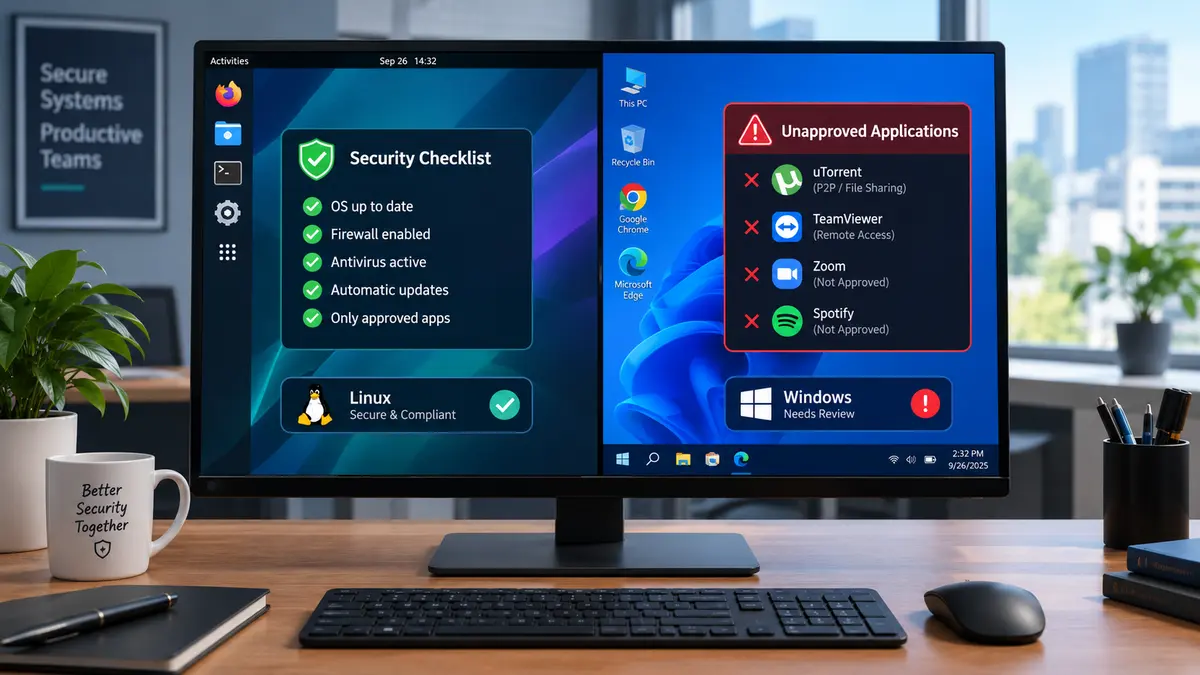
Two operating systems require one consistent security standard
The first step is building an accurate inventory of what exists on both operating systems. Record the operating system version, installed applications, software publishers, user accounts, administrator privileges, remote-access tools, and security products. Repeat the review regularly because software inventories become outdated as soon as users install, remove, or update applications. Every application should also have a clear status, such as approved, required for a specific role, under review, or prohibited. Assign an owner and business purpose to approved software, and document where it comes from and how it receives updates. This gives IT a straightforward way to determine whether an unfamiliar application has a legitimate purpose and whether it still needs to remain installed.
Application control puts boundaries around software
This is where application control becomes especially useful. On a shared workstation, every user brings their own needs and working habits, and expecting everyone to make the right call about every piece of software is a difficult security strategy to maintain. A utility downloaded to solve a one-off problem can remain installed for months, while an application added for convenience can quietly become part of the machine’s permanent software environment. Application control gives IT teams a way to put some structure around that process by setting rules for which applications are allowed to run, helping prevent unauthorized software from becoming another unmanaged part of the workstation. The need for that control becomes greater with dual-boot machines because there are two operating environments to keep track of, each with its own applications, permissions, updates, and configuration. A software policy that covers one side of the machine needs to account for the other as well, otherwise the gaps between the two environments start to matter.
Remote-access software also deserves particular attention in that picture, because tools designed for remote monitoring and management often provide extensive control over a workstation, including remote connections, command execution, file transfers, and persistent access. Those functions are useful for legitimate administration, but they also make these tools attractive to attackers looking for a way into an organization. That makes the question of which remote-access tools are running on a shared workstation particularly important. IT teams should maintain an approved list, know why each tool is being used, and assign responsibility for every approved installation. When an unfamiliar RMM application appears, the investigation should start with a few straightforward questions: who installed it, what business purpose does it serve, who authorized it, and does anyone still need it? That last question matters because software has a habit of outliving the reason it was installed. A tool brought in for a temporary project can remain on a machine long after the project ends, adding another application for IT to monitor and another potential route into the system.
Make software requests easier than working around IT
Strong controls work better when employees have a straightforward way to request the software they need. Provide a simple process for requesting an application, explaining its business purpose, and reporting software that was installed without approval. Fast, predictable reviews reduce the incentive to bypass IT controls and give security teams useful information about applications employees actually require.
Regular reviews then close the loop. Once a month, compare the software installed on shared workstations against the approved inventory, investigate unknown applications, remove unnecessary programs, review exceptions, and confirm that approved software remains supported and properly updated. That process gradually reduces the number of unmanaged applications, limits opportunities for unauthorized remote access, improves visibility across both operating systems, and gives security teams a much clearer understanding of what is running on each device.
Comments
Comments are loaded when you choose to open them, which keeps the page faster and lighter.