Mabox 25.12 Released With GTK2 Removal and Usability Improvements
Mabox Linux 25.12 has been released. This update focuses on cleanup, usability improvements, and long-term maintenance. One of the most important changes is the removal of the GTK2 toolkit.
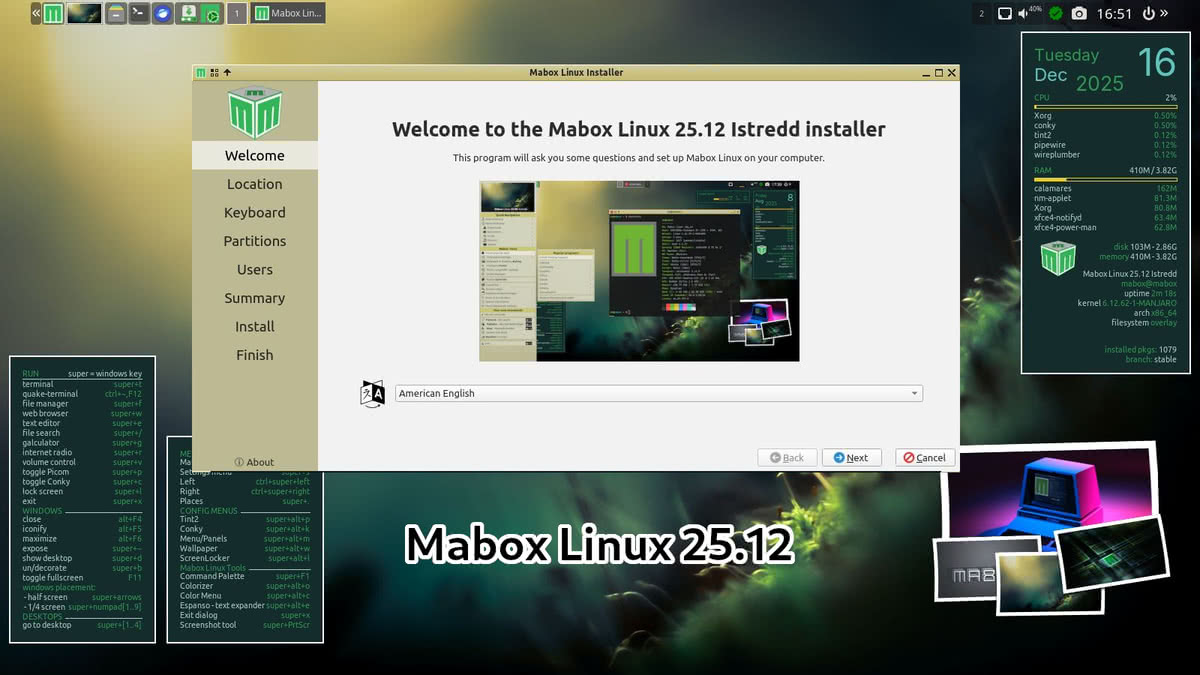
Key changes in Mabox 25.12
GTK2 is removed
Mabox no longer includes GTK2. The project has moved its core tools to GTK3. This aligns Mabox with the current Linux desktop ecosystem.
GTK3-based tools now included:
- pcmanfm (file manager)
- lxtask (task manager)
- lxappearance
- lxappearance-obconf
- lxrandr (display settings)
- lxinput (mouse and keyboard settings)
- viewnior (image viewer)
The GKrellm system monitor was removed from the ISO profile and is now available through AUR.
Panel and menu improvements
Several updates improve how the panel and dynamic menus work.
Volume icon
- Left-click: mute or unmute
- Mouse wheel: adjust volume
- Right-click: open Pavucontrol
The Music & Sound menu is still available using W-m or by clicking the top-right corner of the desktop.
Panel configuration menu The panel menu now allows faster taskbar configuration.
Access it by:
- Right-clicking the Mabox icon in the panel, or
- Pressing W-A-p (Super + Alt + P)
Update notifier changes
The update notifier now shows:
- Updates from official repositories
- Updates from AUR
Both are shown as separate counts.
File manager bookmarks in Places menu
Bookmarks from the file manager are now available in the dynamic Places menu using W-. (Super + dot).
Supported locations include:
- Local folders
- SSH
- Samba shares
- FTP locations
Autotheming in live session
Autotheming is enabled in the live session.
- Left-click the wallpaper icon in the panel to set a random wallpaper
- Right-click the same icon for more options
Autotheming is disabled by default after installation.
Picom disabled by default
Picom is now disabled by default. Mabox is often used on older hardware, where Picom can cause issues.
You can control Picom using:
- W-p to start or stop it
- Menu → Mabox Config → Autostart → Choose apps/service
Download Mabox 25.12
ISO images are available from SourceForge and repo.maboxlinux.org.
Two images are provided:
- linux612 (latest LTS kernel)
- linux61 (older LTS kernel)
For further information, read the Mabox 25.12 release announcement.