



Advertisement
Overview
Google Drive launched in April 2012 as Google’s consumer cloud storage service, unifying file storage with the company’s existing Google Docs, Sheets, and Slides web apps under a single storage quota. It quickly became one of the most widely used cloud storage services, largely on the strength of its bundling with Gmail and the broader Google Workspace (formerly G Suite) productivity suite, and its generous free storage tier compared to competitors at launch.
Drive works by syncing a local folder or, more commonly today, presenting files through Google’s own Drive for Desktop client, which can mount cloud files as a virtual drive without downloading full local copies. Its core value proposition is real-time collaborative editing: Docs, Sheets, and Slides files stored in Drive support multiple users editing simultaneously with automatic saving and version history, a workflow Google popularized well before competitors matched it. Storage is entirely proprietary and hosted on Google’s infrastructure, with a shared quota (Google One) across Drive, Gmail, and Google Photos, and no self-hosted or on-premises option.
Key Features
- Collaborative documents — Real-time multi-user editing in Google Docs, Sheets, and Slides, stored directly in Drive
- File sync and share — Desktop, mobile, and web sync with shareable links and granular permissions
- Version history — Automatic revision tracking for edited documents and uploaded files
- Google Workspace integration — Native access from Gmail, Calendar, Meet, and other Workspace apps
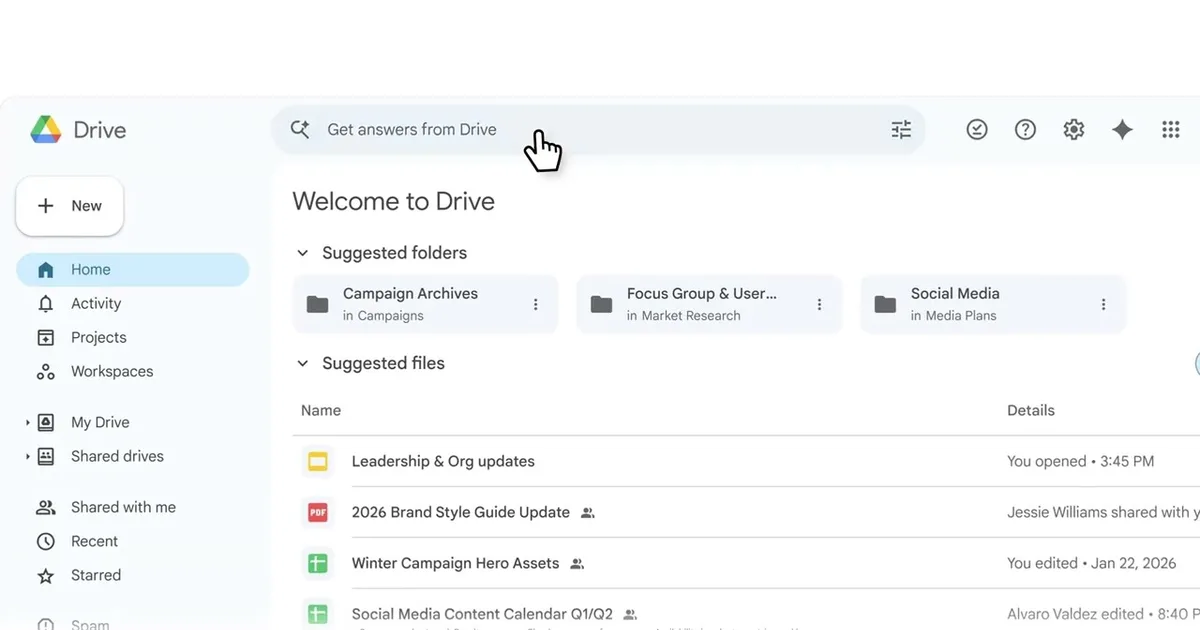
- Search and AI features — Google-powered file search and Gemini-based AI writing/summarization tools (Workspace plans)
- Offline access — Selected files can be made available offline in supported apps
Use Cases
- Individuals — Personal file backup and access across devices tied to a Google account
- Collaborative document editing — Real-time co-authoring of documents, spreadsheets, and presentations
- Small businesses and schools — Google Workspace deployments bundling email, storage, and office apps
- Cross-device access — Files available from any device with a browser and Google account
Who It’s For
Google Drive is aimed at individuals and organizations already using Gmail or Google Workspace who want file storage bundled with real-time collaborative document editing. It’s distributed on a freemium model with a limited free quota shared across Google services, and paid Google One or Workspace plans for additional storage and administrative features; all data is hosted exclusively on Google’s servers with no self-hosting option.
Advertisement