




Advertisement
Overview
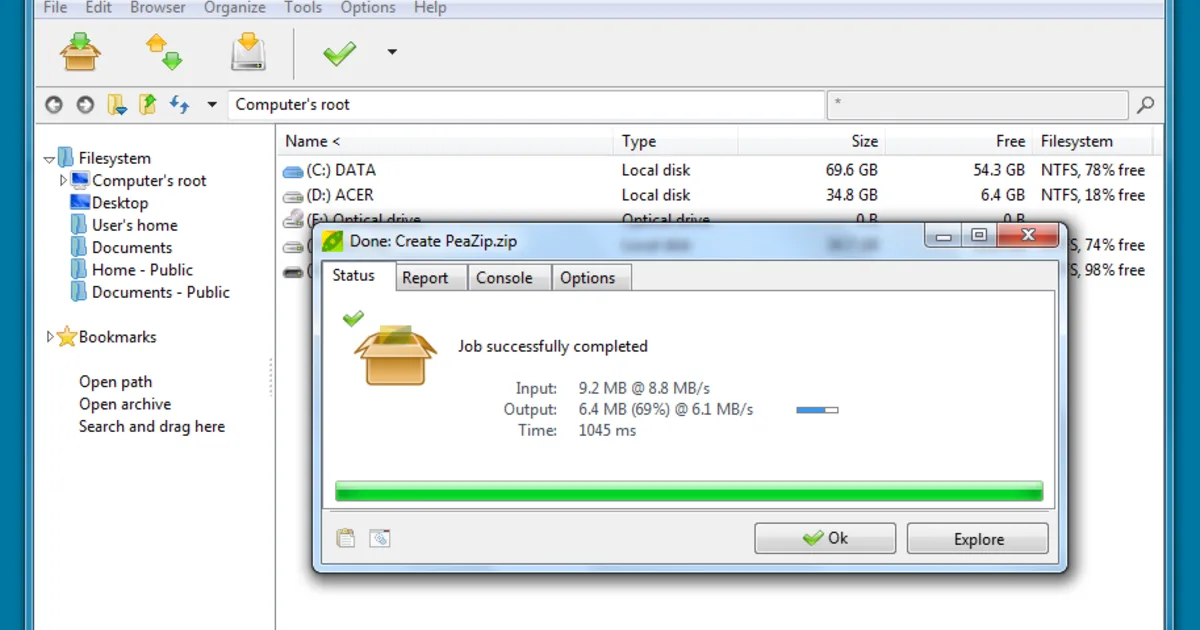
PeaZip is an open source file archive manager created by Giorgio Tani, released under the GNU Lesser General Public License version 3. Unlike command-line ports of Windows-first tools, PeaZip is built from the ground up as a cross-platform application with a native graphical interface on Windows, Linux, macOS, and BSD, wrapping widely used open source compression libraries (including 7-Zip’s own engine) behind a consistent file-manager-style UI across all of them.
Beyond compression, PeaZip includes a built-in file manager for browsing, searching, and securely deleting files, checksum and hash generation, and a password manager for storing archive passwords with strong local encryption. Development is active and the project supports an unusually wide range of archive formats for both extraction and creation.
Key Features
- Over 200 supported formats — Reads and extracts an extensive list of archive types; creates 7Z, PEA, ZIP, and other open formats
- Cross-platform native GUI — The same file-manager-style interface on Windows, Linux, macOS, and BSD
- Strong and authenticated encryption — AES encryption with optional two-factor authentication for archives
- Secure delete — Permanently overwrite files and folders so their contents can’t be recovered
- Built-in file manager — Browse, search, and manage files without leaving the archiving interface
- Checksum and hash tools — Generate and verify file checksums for integrity checking
Use Cases
- Cross-platform archiving — Teams or individuals who need the same archiver experience across Windows, Linux, and macOS
- Secure file deletion — Permanently erasing sensitive files rather than relying on the OS recycle bin
- Password-protected sharing — Encrypting archives with strong, authenticated encryption before sending
- Working with uncommon archive formats — Extracting formats that many mainstream archivers don’t support
Who It’s For
PeaZip is aimed at users who want one consistent, fully free archiver across multiple operating systems, along with extra file-management and security tools beyond basic compression. Windows users who only need a lightweight archiver without the extra file-manager and encryption features may find 7-Zip’s simpler, more minimal interface sufficient instead.
Advertisement