



Advertisement
Overview
Rancher Desktop is developed by SUSE, which acquired Rancher Labs — the company behind the Rancher Kubernetes management platform — in a deal announced in mid-2020 and completed in December 2020. Rancher Desktop itself was built as a desktop companion to that ecosystem, reaching its stable 1.0 release in January 2022, and is distributed under the Apache-2.0 license through the rancher-sandbox organization on GitHub. Unlike Docker Desktop, which requires a paid subscription for use at companies above certain employee or revenue thresholds, Rancher Desktop is free for any use, commercial or otherwise, with no seat limits or licensing tiers.
Under the hood, Rancher Desktop is built entirely from open source components: it uses Lima to run a lightweight Linux VM on macOS and Linux, and WSL2 on Windows, and lets users choose between two container engines — moby/dockerd (for Docker CLI and Docker Compose compatibility) or containerd (accessed via the nerdctl CLI). Its defining feature relative to other Docker Desktop alternatives is that it bundles k3s, Rancher’s own lightweight Kubernetes distribution, as a first-class, toggle-on local cluster — meaning a single application can provide both a Docker-compatible container runtime and a full local Kubernetes environment, rather than requiring a separate tool like Kind or Minikube for cluster work.
Key Features
- Bundled k3s Kubernetes — A full lightweight local Kubernetes cluster is built in and can be enabled or disabled with a toggle, no separate tool needed
- Engine choice — Switch between the moby/dockerd engine (Docker CLI/Compose compatible) or containerd (via nerdctl) per project needs
- Apache-2.0 license — Free for commercial use at any company size, with no subscription tiers or employee-count restrictions
- Cross-platform VM backend — Uses Lima on macOS/Linux and WSL2 on Windows to run its Linux environment
- Docker CLI and Compose compatibility — Existing
dockeranddocker-composeworkflows continue to work with the moby engine selected - Image build and registry support — Build images and push to registries using either engine’s tooling
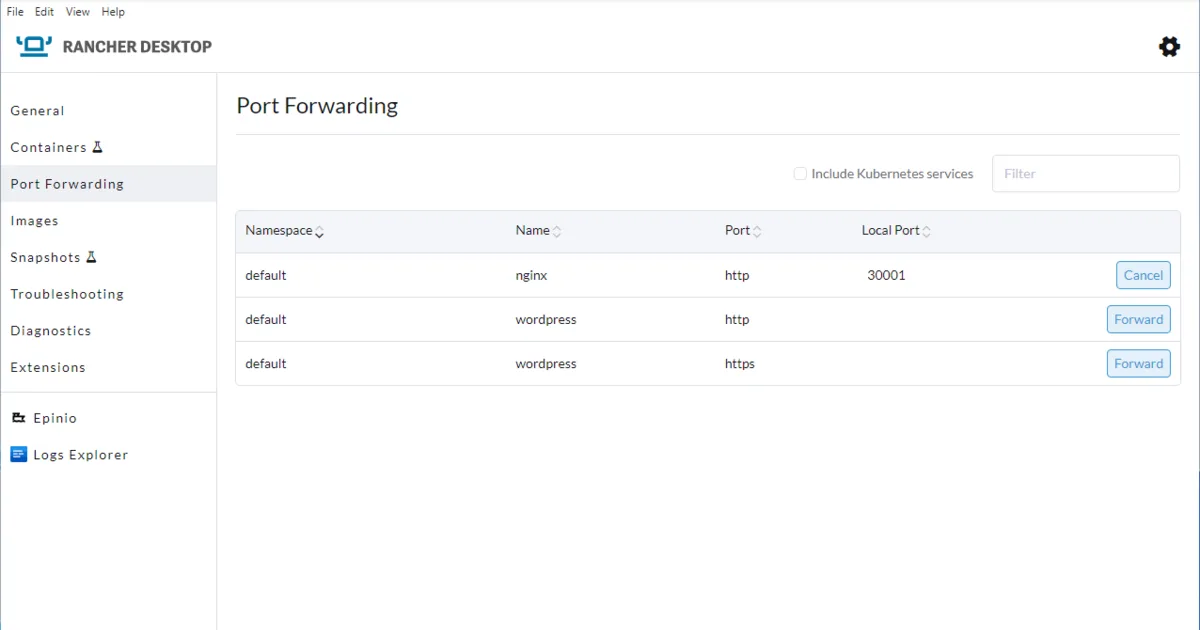
- Port forwarding and resource controls — GUI controls for CPU, memory allocation, and port forwarding to the VM
Use Cases
- Local Kubernetes development — Developers who need a real local cluster for testing manifests, Helm charts, or operators without a separate Kind/Minikube setup
- Teams migrating off Docker Desktop — Organizations avoiding Docker Desktop’s subscription requirements while keeping Docker CLI and Compose compatibility via the moby engine
- containerd-native workflows — Developers wanting to work directly against containerd/nerdctl instead of the Docker daemon
- Rancher/Kubernetes-centric shops — Teams already using Rancher or k3s in production who want a matching local development environment
Who It’s For
Rancher Desktop is best suited to developers and teams whose work already involves Kubernetes, or who want Kubernetes available locally without adding a second tool alongside their container runtime — its built-in k3s cluster is the clearest differentiator from Podman Desktop, which instead focuses on a daemonless, rootless container engine and treats Kubernetes as an integration rather than a bundled local cluster. Its use of a VM (via Lima or WSL2) rather than daemonless containers means it doesn’t share Podman’s rootless security model, so teams primarily motivated by avoiding a root daemon may still prefer Podman Desktop. For anyone whose main goal is dropping Docker Desktop’s licensing costs while keeping both familiar Docker workflows and real Kubernetes on tap, Rancher Desktop is a strong fit.
Advertisement
Frequently Asked Questions
Is Rancher Desktop free for commercial use?
Yes. Rancher Desktop is Apache-2.0 licensed and free for any use, commercial or otherwise, with no seat limits, employee-count thresholds, or paid tiers — unlike Docker Desktop, which requires a paid subscription for larger companies.