



Advertisement
Overview
Seafile began in 2009 as a peer-to-peer file synchronization project before pivoting to a client-server architecture around 2010. Seafile Ltd. was formally established in 2012, and a sister company, Seafile GmbH, was set up in Germany in 2015 to handle European sales, support, and hosting partnerships; the project has since expanded through offices including SeaCloud Labs in Singapore. Licensing has changed over the project’s life: the server core originally shipped under GPLv2, but in 2016 Seafile relicensed the server core to AGPLv3 (chosen to close the network-service loophole GPLv2 leaves open) and split the codebase so that the Seahub web interface is now released separately under the Apache License 2.0, while desktop sync clients remain under GPLv2. Seafile is not fully open source top-to-bottom, though: alongside the free Community Edition, Seafile Ltd. sells a Professional Edition under a proprietary license that adds features like file-level locking, full-text search, cluster/distributed storage, antivirus scanning integration, and enhanced admin/audit tooling — a hybrid model closer to GitLab’s CE/EE split than to Nextcloud’s fully open server.
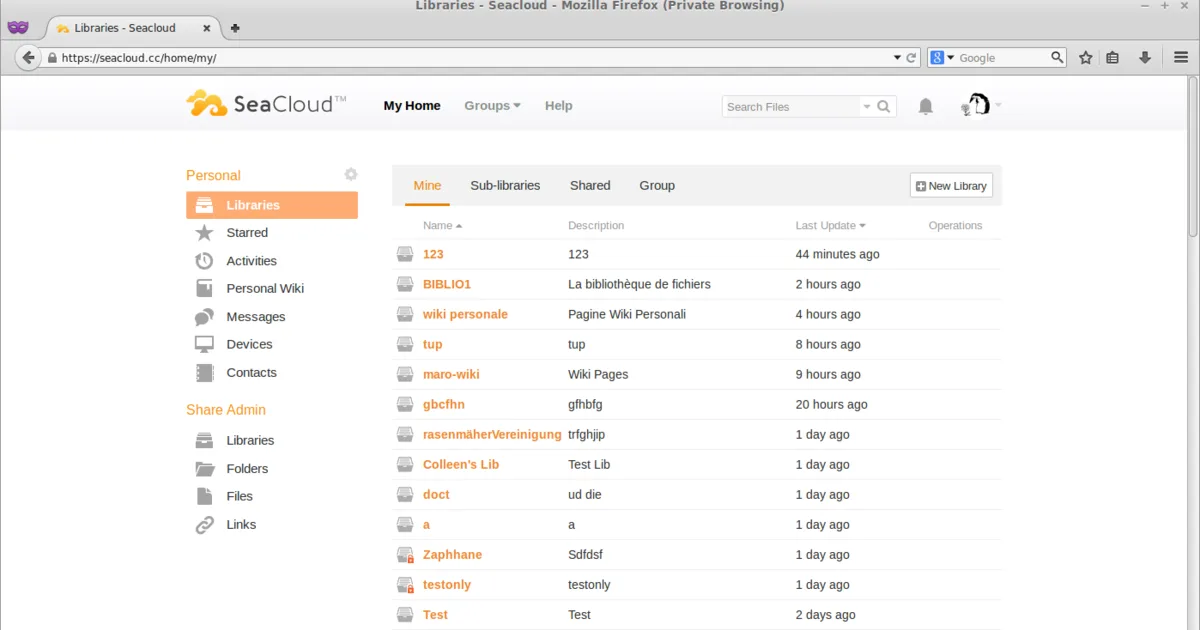
Architecturally, Seafile organizes files into “libraries” — top-level synced folders, each with its own independent version history — rather than treating a single shared filesystem tree the way Nextcloud does. Each library is stored as content-addressed, block-based chunks similar to a git repository, which lets Seafile deduplicate unchanged blocks across versions and sync only the parts of a file that actually changed, an approach the project markets as delivering faster sync and lower storage overhead than filesystem-diff-based tools, particularly with large files or many small changes. This narrower focus — sync speed, deduplication, and per-library version history — trades away Nextcloud’s broad first-party app ecosystem (calendars, Talk video calls, workflow automation) for a leaner product that does file sync and sharing especially well, with document collaboration handled through optional integrations like OnlyOffice or Collabora rather than being built in natively.
Key Features
- Library-based storage — Each synced folder is an independent “library” with its own version history, encryption, and sharing permissions
- Block-level deduplication — Files are split into content-addressed chunks, so only changed blocks re-sync and duplicate content across libraries is stored once
- File versioning and history — Every library retains prior file versions and supports rolling back to earlier snapshots, with configurable retention
- Client-side encryption — Libraries can be encrypted with a password known only to the user, so the server never sees the plaintext or the key
- Cross-platform sync clients — Native desktop clients for Linux, Windows, and macOS, plus mobile apps for Android and iOS
- Selective and virtual sync — Choose which libraries or subfolders sync locally, reducing local disk usage on large deployments
- LDAP/AD and SSO integration — Enterprise authentication support in both editions, with SAML/OAuth2 available
- Office document integration — Optional OnlyOffice or Collabora integration for in-browser document editing, similar to Nextcloud’s approach
Use Cases
- Teams syncing large or frequently-changing files — Block-level deduplication and delta sync reduce bandwidth and storage compared to whole-file sync tools
- Organizations wanting self-hosted Dropbox-style sharing — Library-based sharing and public links without a third-party server
- Users who need per-folder version history — Independent version rollback per library rather than one global file history
- Businesses needing enterprise features — Those willing to pay for the Professional Edition get clustering, full-text search, and audit logging beyond what the Community Edition offers
Who It’s For
Seafile suits individuals and organizations that care primarily about fast, reliable file sync and sharing with strong versioning, and who don’t need Nextcloud’s broader groupware suite (calendars, video calls, in-house app ecosystem) or Syncthing’s fully serverless peer-to-peer model. The Community Edition is genuinely free and self-hostable under AGPL-3.0, but prospective adopters should go in aware that some features they may want at scale — clustering, full-text search across files, antivirus scanning — sit behind the proprietary Professional Edition, so Seafile isn’t a fully open source solution top to bottom the way Nextcloud or Syncthing are.
Advertisement