



Advertisement
Overview
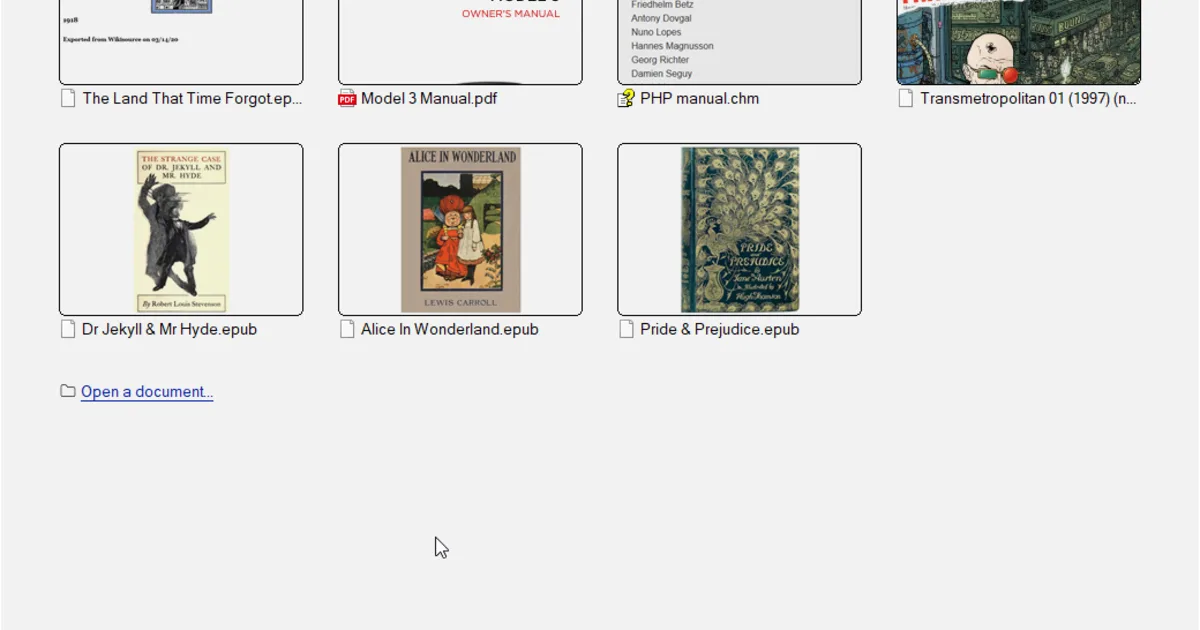
Sumatra PDF was created by Krzysztof Kowalczyk, first released in 2006 as a minimal PDF viewer for Windows, with the explicit goal of opening documents as fast as possible and staying out of the way otherwise. It has stayed close to that original scope: there’s no built-in editing, form-filling, or cloud sync, and the installed application itself is well under 10MB.
Sumatra PDF is Windows-only, with no official macOS, Linux, or mobile build, though a portable version can run from a USB drive without installation or administrator rights. Development is community-maintained on GitHub, and releases have added tabbed browsing, basic annotation editing, dark mode, and native ARM64 builds over time without adding the weight of a full document-editing suite.
Key Features
- Fast startup, small footprint — Installed size well under 10MB, opens large PDFs quickly
- Portable version — Runs from a USB drive with no installation or admin rights required
- Broad format support — PDF, EPUB, MOBI, FB2, CHM, XPS, and comic book archive formats (CBR/CBZ/CB7/CBT)
- Tabbed browsing — Multiple documents open in one window
- Basic annotation — Highlighting and simple markup, added in later versions
- Dark mode — Built-in dark reading mode
Use Cases
- Quick document viewing — Opening PDFs and ebooks fast without a heavyweight application
- Low-resource or older machines — Minimal memory and CPU use compared to full PDF suites
- Portable/USB use — Carrying a PDF reader that needs no installation
- Reading comics and ebooks on Windows — Comic archive and EPUB/MOBI support alongside PDF
Who It’s For
Sumatra PDF suits Windows users who mainly need to view PDFs, ebooks, and comics quickly without editing, form-filling, or annotation beyond basic markup. It’s a poor fit for anyone who needs to edit or heavily annotate PDFs, or who works outside Windows, since there’s no macOS or Linux build.
Advertisement
Frequently Asked Questions
Is Sumatra PDF open source?
Yes. Sumatra PDF is released mostly under GPL-3.0, with some components under a BSD license, and its source is published on GitHub.