



Advertisement
Overview
TeamViewer is a remote desktop and remote access platform developed by TeamViewer SE, first released in 2005. It became one of the most widely deployed tools in its category, commonly used for IT help desk support, unattended access to servers and workstations, and ad hoc screen sharing between individuals. The company that later founded AnyDesk was made up of former TeamViewer engineers, and AnyDesk has since marketed itself as a lower-cost competitor built around similar core functionality.
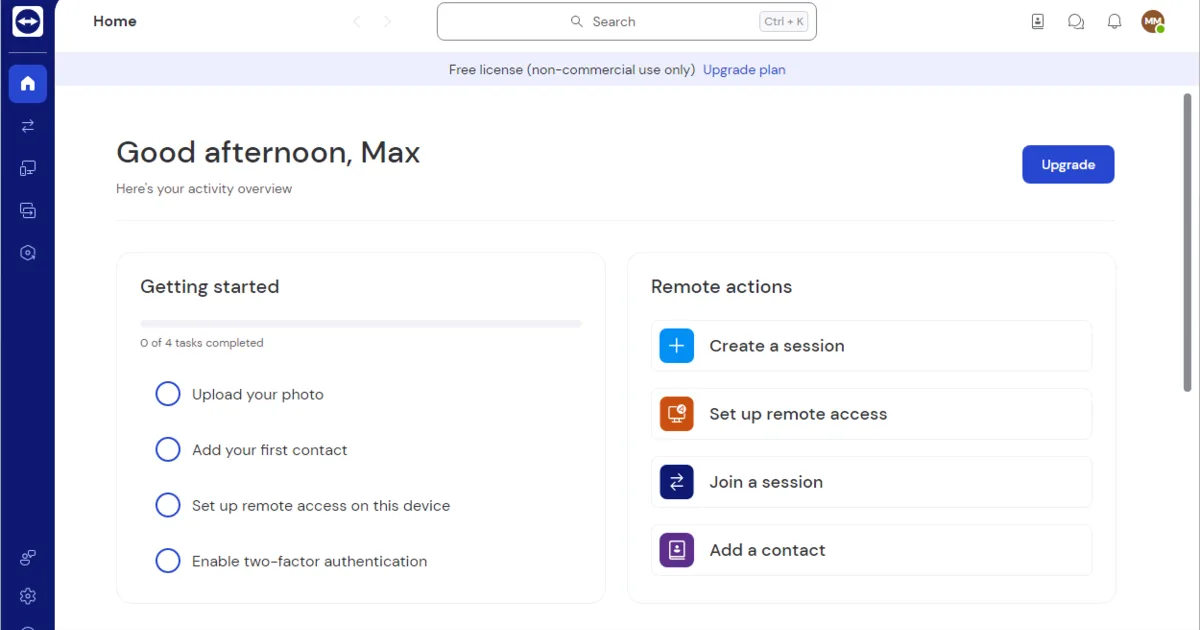
TeamViewer is free for personal, non-commercial use, covering screen sharing, messaging, and basic remote access. Commercial use requires one of several paid annual subscription tiers — Remote Access, Business, Premium, Corporate, and the enterprise-focused Tensor plan — priced according to the number of licensed users, concurrent sessions, and managed devices. Client and server software are closed source.
Key Features
- Cross-platform remote access — Windows, macOS, Linux, Android, and iOS apps for both initiating and receiving connections
- Unattended access — Configure permanent access to servers or workstations without requiring approval at the remote end for each session
- File transfer — Transfer files between local and remote systems during a session
- Two-factor authentication — Additional account security for accessing the TeamViewer management console
- Video conferencing and chat — Built-in meeting and messaging features alongside remote control
- Wake-on-LAN and remote printing — Power on and print to devices at the remote location
Use Cases
- IT help desk and support — Technicians remotely diagnosing and fixing end-user devices
- Unattended server and device management — Businesses maintaining always-available access to infrastructure
- Cross-platform remote work — Connecting between different operating systems from a single client
- Ad hoc personal support — Individuals helping friends or family troubleshoot their computer remotely
Who It’s For
TeamViewer suits individuals who want a free tool for personal, occasional remote access, and IT teams or enterprises willing to pay for named-user or concurrent-session licensing, centralized device management, and vendor support. Anyone who wants to avoid per-seat commercial licensing entirely, or who needs an auditable, self-hostable remote-access stack, may prefer RustDesk or Remmina instead.
Advertisement
Frequently Asked Questions
Is TeamViewer free?
TeamViewer offers a free version for personal, non-commercial use, including screen sharing and basic remote access. Commercial use requires a paid annual subscription, with tiers ranging from Remote Access up to Tensor for large enterprises.
Is TeamViewer open source?
No. TeamViewer is closed source proprietary software developed by TeamViewer SE. RustDesk and Remmina are open source remote desktop alternatives.