



Advertisement
Overview
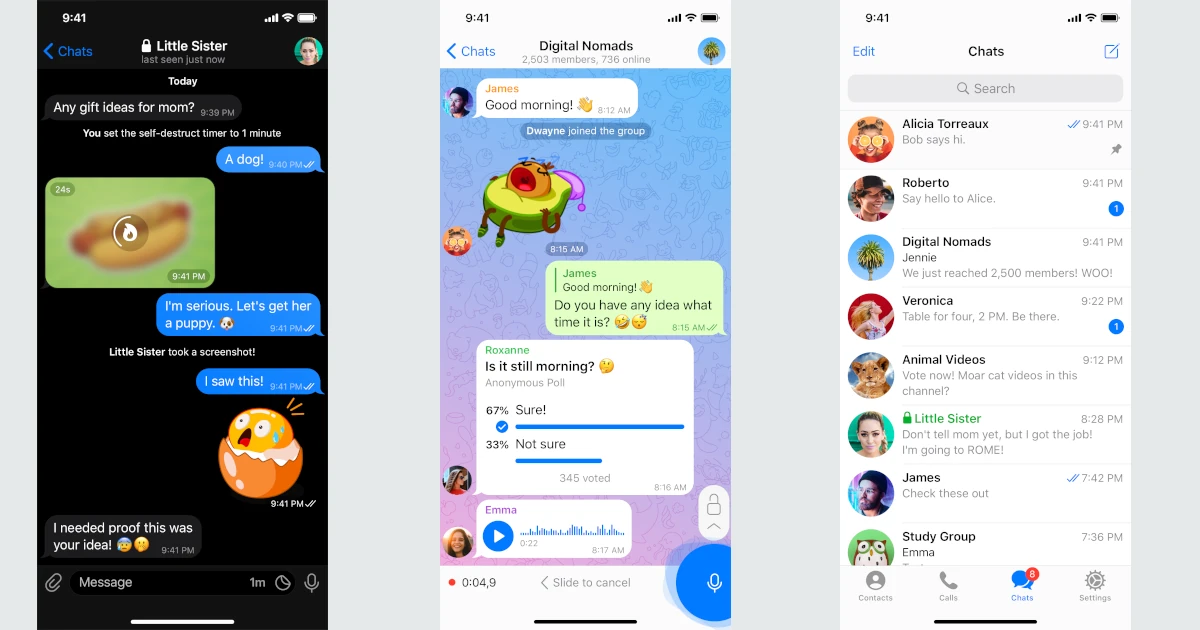
Telegram was founded in 2013 by brothers Nikolai and Pavel Durov, who previously built the Russian social network VKontakte, and is now based in Dubai under Telegram FZ-LLC. It’s built around its own MTProto protocol and is best known for large-scale public channels and groups (up to 200,000 members), fast cloud sync across devices, and a permissive stance on file sharing and bots.
Telegram occupies a genuinely mixed position on openness that’s worth stating precisely rather than glossing over: its client apps for Android, iOS, and desktop are open source (published on GitHub under GPL licenses), and the MTProto protocol specification is public. However, the server side is entirely closed source — there is no way to self-host a real Telegram server, only unofficial, protocol-compatible reimplementations built by third parties without Telegram’s cooperation. That makes Telegram meaningfully different from a self-hostable open source platform like Element/Matrix, even though its clients are auditable — see Popular Open Source Communication Apps for other self-hosted chat options.
A second important distinction from WhatsApp and Signal: Telegram does not enable end-to-end encryption by default. Regular cloud chats are encrypted only in transit and at rest on Telegram’s servers, meaning Telegram itself can technically access message content. End-to-end encryption is available only in opt-in “Secret Chats,” which lack cloud sync and aren’t available for groups or channels.
Is Telegram Open Source?
Partially, and the split matters: Telegram’s client apps for Android, iOS, and desktop are open source under GPL licenses, with source published on GitHub. The server that actually stores and routes messages is closed source and run entirely by Telegram FZ-LLC — there’s no official way to self-host it, only unofficial third-party servers that reimplement the public MTProto protocol without Telegram’s involvement. So an audited, open client is talking to a backend you have to trust, not one you can inspect or run yourself.
Key Features
- Open source clients — Android, iOS, and desktop apps are open source and independently auditable
- Large groups and channels — Groups up to 200,000 members; broadcast channels with unlimited subscribers
- Cloud sync — Messages sync across devices instantly since they’re stored server-side by default
- Bots and API — An extensive public Bot API used for automation, moderation, and mini-apps within chats
- Large file sharing — Send files up to 2GB (4GB with Telegram Premium) with no compression
- Secret Chats — Opt-in, device-local end-to-end encrypted chats (not enabled by default, no cloud sync)
Use Cases
- Large communities and broadcast channels — Public groups and one-to-many channels at a scale most competitors don’t support
- Bot-driven automation — Communities and businesses building custom bots on Telegram’s API
- Cross-device messaging — Fast, always-synced chat across many devices at once
Who It’s For
Telegram fits communities and users who want large-scale group chat, fast cross-device sync, and a rich bot ecosystem, and who are comfortable with cloud chats not being end-to-end encrypted by default. It’s a weaker fit for anyone who needs default end-to-end encryption or wants to self-host their own server, since — unlike its open source clients — Telegram’s backend remains entirely under the company’s closed, centralized control.
Advertisement
Frequently Asked Questions
Is Telegram open source?
Partially — see the Is Telegram Open Source? section above for the full client/server split. In short, Telegram's Android, iOS, and desktop clients are open source, but the server that stores and routes messages is closed source and run entirely by Telegram FZ-LLC.