Free vs paid humanizer: is upgrading worth it in 2026?
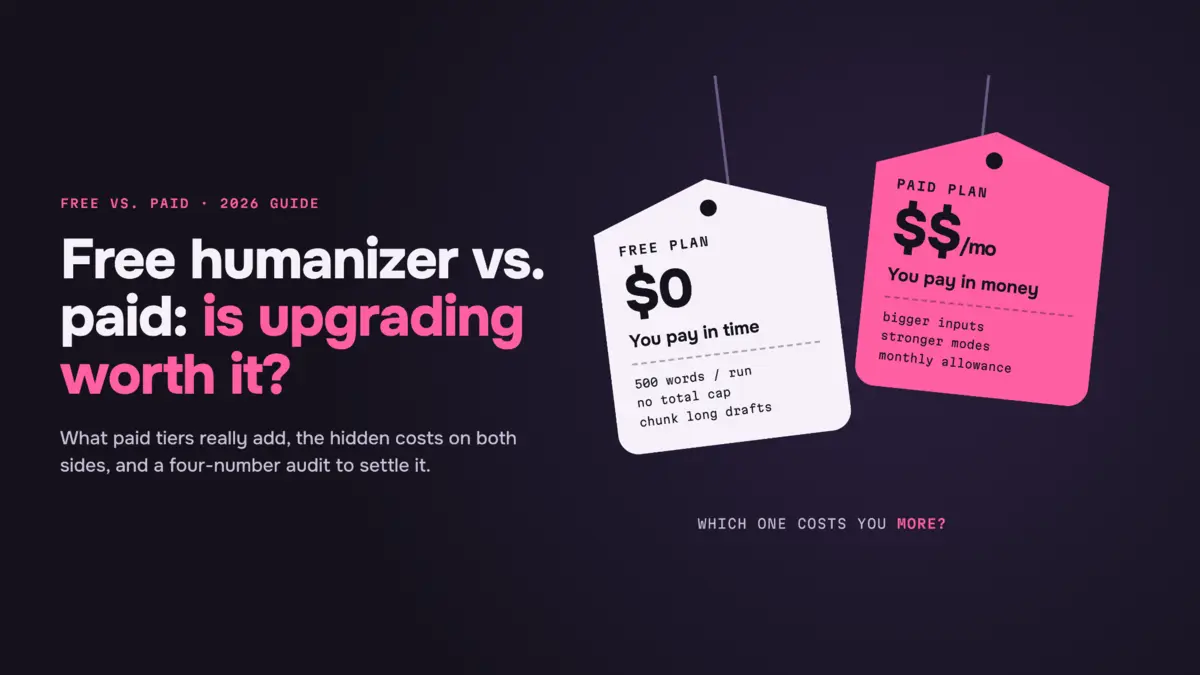
The upgrade button is always in the same place: top right corner, bright color, one click away. And every time a free humanizer asks you to split a draft or wait for a reset, that button looks a little more tempting.
But tempting and worth it are different things. A paid plan costs real money every month, and a surprising number of writers pay for features they never touch. Others stay on a free plan out of habit while losing hours to workarounds. Both mistakes are easy to make and easy to avoid once you know what you’re actually comparing.
The fairest way to start is with a strong free option as your baseline. A free humanizer that needs no sign-up and has no total word cap sets the bar for what free should look like in 2026. From there, this guide breaks down what paid tiers really add, the hidden costs on both sides, and a short audit you can run to decide whether upgrading makes sense for you.
What a Good Free Plan Gives You in 2026
Free plans have improved a lot. The weakest ones are still trials in disguise, with a few hundred words and then a paywall. The strongest ones work like this:
-
No account needed. Open the page, paste, and go.
-
A per-run limit, not a total cap. Around 500 words per input is common, with unlimited runs.
-
A capable standard mode. Good enough for blog posts, emails, social copy, and product descriptions.
-
File uploads. Some free plans now accept PDF and Word documents.
If your free humanizer already does all of that, the question gets sharper: is the extra speed and power of a paid humanizer worth a monthly bill?
What Paid Tiers Actually Add
Paid humanizer plans tend to come in two levels. Here’s how one 2026 pricing structure breaks down, as a concrete example of what each step up buys.
| Feature | Free | Basic ($9.99/mo) | Pro ($14.99/mo) |
|---|---|---|---|
| Words per input | 500 | 1,000 | 2,000 |
| Monthly allowance | No total cap | 30,000 words | 100,000 words |
| Modes | Standard | Standard | Standard + a stronger mode |
| Sentence-level rephrasing | No | Yes | Yes |
| Tone and style controls | No | No | Yes |
| Saved history | With a free account | Yes | Yes |
Look closely at the second row, because it holds the most surprising detail. The free plan in this example has no total cap, while the entry-level paid plan has a monthly allowance. Upgrading gets you bigger inputs and extra features, but on the lowest tier it also introduces a ceiling that wasn’t there before. Tiered pricing often works this way, which is why reading the plan details matters more than reading the plan names.
The other pattern is that paid tiers mostly add convenience and control. Bigger inputs mean fewer chunks. Sentence-level rephrasing lets you fix one awkward line without rerunning a whole section. Tone controls help if you write for several brands. A stronger mode can help with formal or academic text, which is the hardest kind to humanize well.
The Hidden Cost of Staying Free
Free plans cost you time instead of money, and that cost is easy to underestimate.
Chunking. A 2,000-word article on a 500-word plan means four runs, four pastes, and four rounds of reassembly. For one article a week, that’s nothing. For ten, it adds up.
Interruptions. Every split, paste, and reassemble pulls you out of the writing itself. If you’re editing in focused blocks, the switching costs more than the clicks suggest.
Missing precision tools. Without sentence-level rephrasing, fixing one stiff line often means rerunning a whole paragraph and then re-checking everything else that changed.
None of these are dealbreakers for occasional use. They become real costs when humanizing is part of your daily workflow.
The Hidden Cost of Paying
Paid plans have their own trap, and it has nothing to do with features: forgetting you’re paying.
Subscriptions are notoriously easy to lose track of. A survey by market research firm C+R Research found that 42% of consumers had forgotten they were paying for a subscription they no longer used, and people underestimated their monthly subscription spending by $133 on average. A humanizer plan you used heavily for one big project can quietly keep billing for months afterward.
There’s also the “power I don’t need” problem. A stronger mode sounds better, but heavier rewrites change more of your text, which means more fact-checking afterward. If you mostly write casual blog posts and emails, a standard mode plus your own edit may serve you better than the most aggressive setting.
The Upgrade Audit: Four Numbers to Write Down
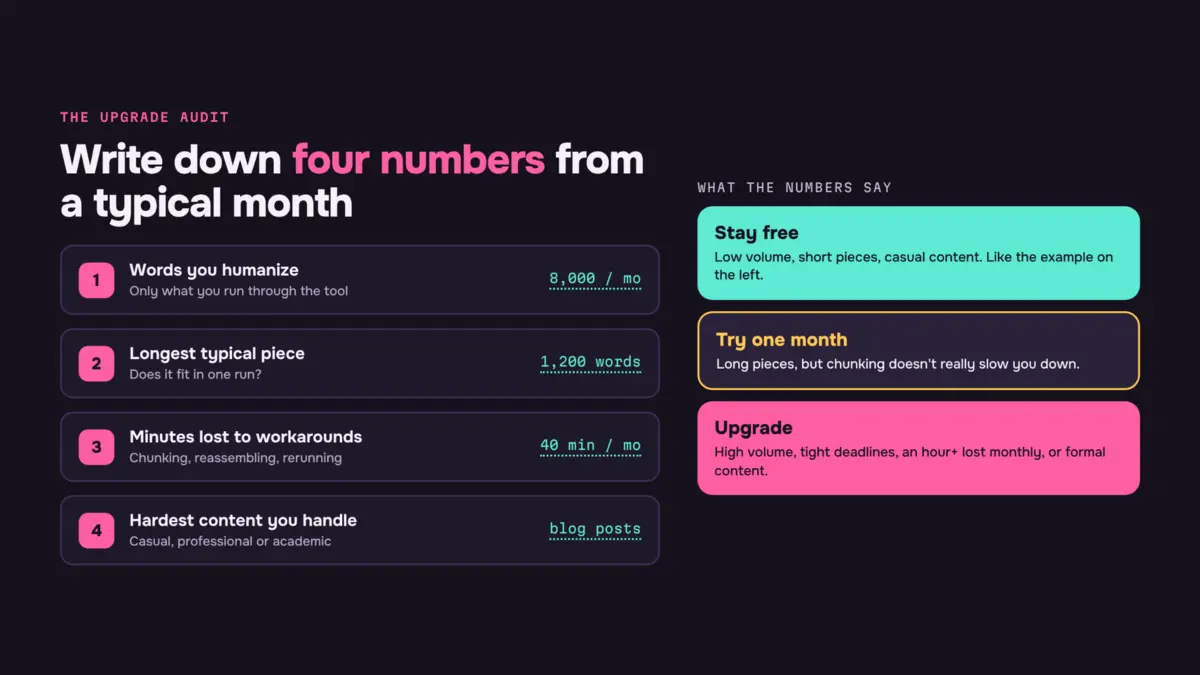
Before you upgrade, spend five minutes on this. Write down four numbers from a typical month.
-
Words you humanize per month. Be honest. Count the words you actually run through the tool, not the total you write.
-
Your longest typical piece. If most of your work fits in 500 words, bigger inputs won’t change much.
-
Minutes lost to workarounds. Chunking, reassembling, and rerunning paragraphs to fix single lines. Estimate it for one week, then multiply by four.
-
The hardest content you handle. Casual copy, professional reports, or academic writing. The harder the content, the more a stronger mode may help.
Then read your numbers against this rough guide:
-
Under about 10,000 words a month, mostly short pieces: stay free. An open plan covers you comfortably.
-
Long pieces, but you don’t mind working in sections: stay free, or try an entry tier for one month to see whether bigger inputs change your day.
-
Long pieces on tight deadlines, or an hour or more a month lost to workarounds: a paid tier likely pays for itself in time.
-
Formal, academic, or multi-brand work: the higher tier’s stronger mode and tone controls are the features that justify the price.
What Upgrading Won’t Buy You
Some promises are worth ignoring no matter which plan you choose.
Guaranteed detector results. Detection is unreliable in both directions, and small edits change scores dramatically. In one widely reported study of 14 detection tools, accuracy on ChatGPT text was 74%, but it dropped to 42% after the text was tweaked slightly. A paid plan may improve your odds on hard content, but no plan makes results certain.
Better substance. Paid modes change how text sounds. They don’t add your examples, data, or opinions, and those are what make content worth reading.
Skipping the final read. Every rewrite, free or paid, needs a check for changed facts, names, numbers, and qualifiers.
How to Upgrade Without Regret
If your audit says upgrade, do it carefully:
-
Start monthly, not yearly. Annual plans are cheaper, often by a large margin, but only once you know you’ll use the tool every month.
-
Pick the tier that matches your hardest content. If you need the stronger mode, the entry tier won’t help, however much cheaper it is.
-
Know the refund rules before you pay. Many tools offer a short refund window, often tied to how many words you’ve used. Read the terms on the provider’s plan comparison and pricing page so you can test properly without losing your money.
-
Set a cancellation reminder. Put a note in your calendar for the end of a big project. If the heavy use stops, so should the billing.
-
Re-run the audit every few months. Your workload changes. Your plan should change with it.
The Verdict
For most writers in 2026, a strong free humanizer is enough. If you write in short bursts, edit your own work, and don’t mind running long pieces in sections, an open free plan with no sign-up and no total cap covers nearly everything you need.
Upgrading is worth it when the numbers say so: high monthly volume, long pieces on deadline, real time lost to workarounds, or formal content that needs a stronger mode. Run the four-number audit, start with a month, and keep the final edit for yourself. That’s the part no plan, at any price, will do for you.
Comments
Comments are loaded when you choose to open them, which keeps the page faster and lighter.