Quiet, low-power homelab: mini PC vs old rack servers
For years, the rite of passage for any self-hosting enthusiast or Linux administrator was hunting down decommissioned enterprise rack servers on secondary markets. There was an undeniable charm to sliding a heavy 2U Dell PowerEdge or HP ProLiant into a basement rack, wiring up redundant power supplies, and spinning up dozens of virtual machines.
However, by 2026, the economics and ergonomics of running a home server have shifted dramatically. Rising electricity rates, denser living spaces, and massive leaps in mobile-to-desktop silicon efficiency have turned those once-coveted enterprise servers into noisy, power-hungry space heaters. Today, savvy Linux users and open-source developers are downsizing their infrastructure—not by sacrificing capability, but by migrating to modern compact computing nodes.
1. The Hidden Costs of Decommissioned Enterprise Hardware
Buying a used rack server upfront often looks like a bargain, yet the Total Cost of Ownership (TCO) tells a very different story within the first twelve months.
-
Punishing Idle Power Draw: Older dual-socket Xeon servers routinely pull anywhere from 120W to 250W just sitting idle at a Linux terminal prompt. Running that hardware 24/7 translates into hundreds of dollars—or pounds—in annual electricity bills before you even deploy a single Docker container.
-
Acoustic and Thermal Fatigue: Enterprise servers are engineered for climate-controlled data centers where decibel levels do not matter. Unless you have a soundproofed garage or basement, high-RPM 40mm cooling fans create a constant whine that makes working or sleeping nearby nearly impossible.
-
Physical Footprint: Full-depth rack chassis require dedicated server cabinets, heavy-duty rails, and substantial floor space that most modern apartments or home offices simply don’t have.
If you’re running Proxmox VE, Kubernetes clusters, Nextcloud, Home Assistant, or self-hosted media servers, enterprise redundancy often becomes unnecessary overhead rather than a practical advantage.
2. Why Modern Compact Nodes Dominate 24/7 Self-Hosting
The turning point for modern homelab builders is the sheer performance-per-watt packed into contemporary small form factor systems. Thanks to advanced fabrication nodes, multi-core hybrid architectures, and integrated neural processing units (NPUs), a well-spec’d mini pc can effortlessly outperform a decade-old rack server while sipping a fraction of the power.
Here is why compact architecture has become the default choice for open-source enthusiasts in 2026:
Whisper-Quiet Acoustics
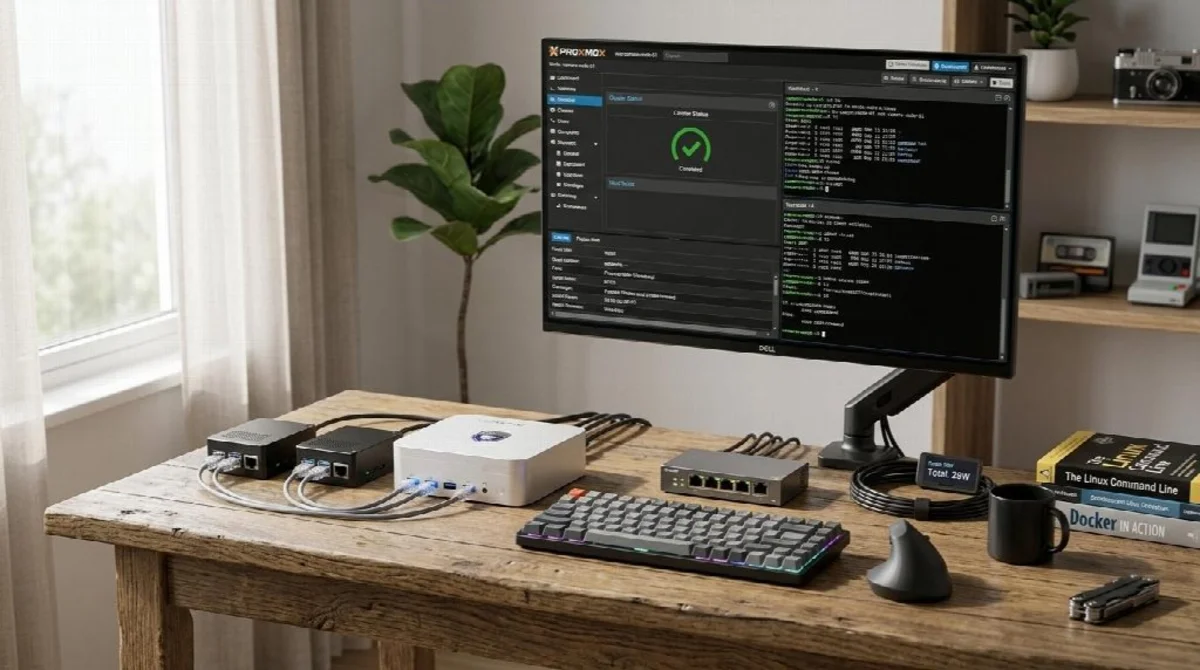
Modern compact chassis utilize vapor chamber cooling and precision-tuned thermal airflow paths. Under normal self-hosting workloads—such as running a dozen Docker containers, a Pi-hole DNS sinkhole, and a WireGuard VPN gateway—these systems operate near-silently. You can comfortably place a three-node Proxmox High Availability (HA) cluster right on your desk without reaching for noise-canceling headphones.
Dramatic Energy Efficiency
A modern compact workstation typically idles between 8W and 15W, peaking around 45W to 65W under heavy compilation or transcoding loads. Even if you run a cluster of two or three compact nodes for true hardware redundancy, your combined power consumption will still fall well below that of a single legacy rack server.
Native Linux and Hypervisor Compatibility
Mainstream x86_64 compact systems offer rock-solid out-of-the-box support across Ubuntu Server, Debian, Fedora, Arch Linux, and bare-metal hypervisors like Proxmox VE or XCP-ng. Hardware-accelerated video transcoding via modern integrated GPUs handles multiple simultaneous 4K Jellyfin or Plex streams smoothly, eliminating the need for discrete graphics cards.
3. Essential Hardware Specs for a 2026 Homelab Node
Not every small form factor computer is built to endure continuous 24/7 uptime. When selecting hardware for a serious Linux or self-hosting deployment, prioritize structural engineering over bare-minimum pricing:
-
Dual High-Speed Networking: Look for systems equipped with dual 2.5GbE (or faster) Ethernet ports. This allows you to cleanly separate management traffic, storage replication, and virtual machine VLANs—or turn the unit into a high-throughput OPNsense/pfSense firewall appliance.
-
Dual M.2 NVMe & Expandable Memory: Fast ZFS pools, database workloads, and local container registries thrive on NVMe storage. Ensure the motherboard supports dual PCIe 4.0 M.2 slots alongside dual-channel DDR5 SODIMM slots capable of scaling up to 64GB or 96GB of RAM.
-
Sustained Thermal Design: Continuous workloads expose weak cooling quickly. Brands like VZMORE have gained traction among power users by focusing on high-density thermal management, pairing vapor chamber heat dissipation with robust multi-port I/O (including USB4 and multi-display outputs) so the hardware remains stable under sustained CPU and NPU loads.
-
Local AI and Edge Compute Readiness: With tools like Ollama and LocalAI becoming staples in self-hosted stacks, having onboard NPU acceleration and high-bandwidth memory lets you run quantized open-source LLMs (such as Llama or Mistral models) privately on your local network without relying on external cloud APIs.
4. Practical Homelab Architectures Using Compact Nodes
Transitioning away from monolithic rack gear unlocks cleaner, modular topologies that are far easier to maintain and scale:
-
The All-in-One Proxmox Workhorse: Install Proxmox VE on a single high-core-count compact node with 64GB of RAM and dual 2TB NVMe drives in a ZFS mirror. Virtualize your NAS (TrueNAS SCALE), run an Ubuntu VM for Docker Compose stacks, and spin up isolated sandboxes for testing new open-source projects.
-
The Low-Power High-Availability Cluster: Instead of buying one expensive, noisy server, deploy three identical compact nodes connected via a 2.5GbE switch. Using Ceph or ZFS replication, you gain genuine failover protection—allowing you to reboot a node for Linux kernel updates without taking down your home automation or self-hosted services.
-
Dedicated Edge Router & Monitoring Appliance: Repurpose a lower-TDP compact unit as a dedicated bare-metal firewall running OPNsense alongside network monitoring tools like Prometheus and Grafana, keeping critical network infrastructure physically isolated from your experimental VMs.
Conclusion: Smarter Infrastructure Without the Noise
Building a capable homelab in 2026 no longer requires sacrificing a spare room, tolerating jet-engine fan noise, or dreading your monthly utility statement. By embracing efficient, high-density compact computing, Linux enthusiasts and self-hosters can build quieter, cooler, and far more resilient home infrastructure that fits neatly on a bookshelf. Whether you are consolidating legacy hardware or spinning up your very first Proxmox node, downsizing your physical footprint is one of the smartest upgrades your homelab can make.
Comments
Comments are loaded when you choose to open them, which keeps the page faster and lighter.