Exporting Reddit data to CSV and Excel: a practical guide
Getting Reddit data into a spreadsheet sounds like it should be straightforward. In practice, it involves more decisions than most people expect — which collection method to use, which fields to include, how to handle nested data like comment threads, and how to structure the output so it’s actually useful for analysis rather than just technically present in a CSV file.
This guide covers the practical end-to-end process: from collecting Reddit data to exporting it in a format that works in Excel, Google Sheets, or a BI tool, with enough detail on the edge cases that trip people up to save you the debugging time.
Why export format matters more than it seems
The collection step gets most of the attention when people think about Reddit data, but the export format determines whether the data is immediately usable or requires significant cleanup before analysis can begin.
Reddit data has properties that make naive CSV export problematic. Post body text often contains commas, line breaks, and special characters that break standard CSV parsing. Comment threads are hierarchical — a comment replies to a parent comment which replies to the original post — but CSV is flat. Unicode characters in post text cause encoding errors in Excel if the file isn’t saved in the right format. Long text fields in Excel truncate at 32,767 characters.
None of these are insurmountable. But knowing about them in advance means you can configure your export correctly the first time rather than spending an afternoon cleaning a broken file.
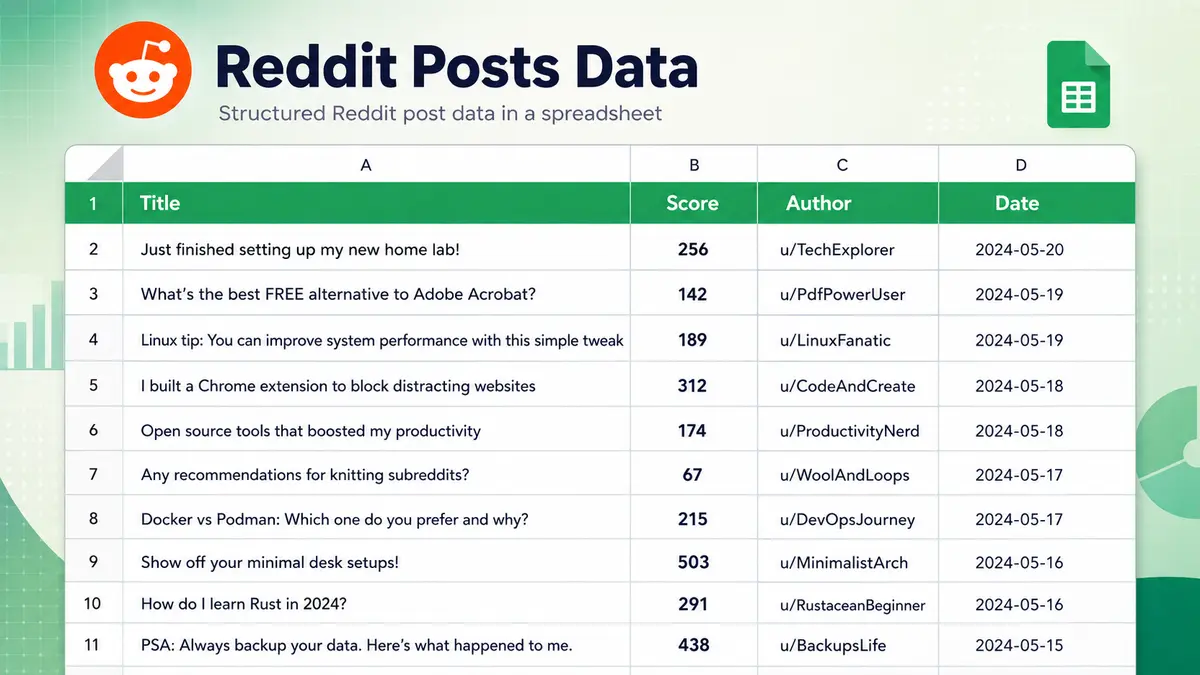
A well-structured Reddit export ready for pivot tables and analysis — the goal this guide works toward.
Method 1: Exporting via a dedicated Reddit scraper
The fastest path to a clean Reddit CSV or Excel export is a tool built specifically for the task. A reddit scraper like RedScraper handles collection and export in a single workflow — you configure the target and filters, trigger the run, and download a structured file with no intermediate steps.
The practical advantage over API-based collection isn’t just speed. A dedicated tool normalises the data before export: special characters are escaped correctly, line breaks within text fields are handled so they don’t break CSV row structure, encoding is set to UTF-8, and nested data like comment relationships is flattened into a consistent schema with parent ID columns for reconstruction if needed.
For teams that need Reddit data in CSV or Excel without building and maintaining a collection pipeline, this is the right starting point. The output arrives ready for pivot tables, VLOOKUP, and direct import into BI tools without a cleaning step.
Field selection before export
A well-designed reddit data extractor lets you select which fields to include before the export runs, rather than dumping every available field and requiring post-processing to remove what you don’t need.
For post data, the fields most commonly needed for analysis are: post title, post body, subreddit, author, score, upvote ratio, comment count, created timestamp, flair, and permalink. For comment data: body, author, score, created timestamp, parent ID, and permalink.
Selecting only the fields you need reduces file size, speeds up load time in Excel, and produces a cleaner column structure for analysis. A post export with twenty columns where you only use six is harder to work with than one with the six columns you actually need.
Method 2: Exporting via the Reddit API with Python
For teams with Python experience who want direct control over the collection and export process, the Reddit API via PRAW (Python Reddit API Wrapper) combined with pandas provides a flexible path to CSV export.
The basic workflow:
import praw
import pandas as pd

reddit = praw.Reddit(
    client_id="your_client_id",
    client_secret="your_client_secret",
    user_agent="your_app_name"
)

posts = []
subreddit = reddit.subreddit("marketing")

for post in subreddit.hot(limit=500):
    posts.append({
        "title": post.title,
        "body": post.selftext,
        "score": post.score,
        "upvote_ratio": post.upvote_ratio,
        "num_comments": post.num_comments,
        "author": str(post.author),
        "created_utc": post.created_utc,
        "url": post.url,
        "permalink": post.permalink,
        "flair": post.link_flair_text
    })

df = pd.DataFrame(posts)
df["created_utc"] = pd.to_datetime(df["created_utc"], unit="s")
df.to_csv("reddit_posts.csv", index=False, encoding="utf-8-sig")
The utf-8-sig encoding is important for Excel compatibility. Plain utf-8 encoding causes Excel on Windows to display emoji and non-Latin characters as garbled text. The BOM (byte order mark) that utf-8-sig adds signals to Excel that the file is UTF-8 encoded and prevents this.
The pd.to_datetime conversion turns the Unix timestamp Reddit returns into a human-readable date format that works correctly in Excel date columns.
Exporting to Excel directly with pandas
For Excel output rather than CSV, pandas writes .xlsx files directly:
df.to_excel("reddit_posts.xlsx", index=False, engine="openpyxl")
This produces a properly formatted Excel file without the encoding issues that come from opening a CSV in Excel. For files with multiple entity types — posts on one sheet, comments on another — use ExcelWriter:
with pd.ExcelWriter("reddit_data.xlsx", engine="openpyxl") as writer:
    posts_df.to_excel(writer, sheet_name="Posts", index=False)
    comments_df.to_excel(writer, sheet_name="Comments", index=False)
Rate limit considerations
The Reddit API free tier allows 100 queries per minute. For a subreddit with active posting history, collecting 500 posts via .hot() or .new() is usually one or two API calls. Collecting comments on each of those posts is a separate call per post — 500 posts means up to 500 additional API calls, which approaches the rate limit and requires throttling.
PRAW handles rate limiting automatically by sleeping when the limit is reached, but this means large comment collection jobs can take significantly longer than expected. A collection of 500 posts with comments can take 20–40 minutes at the API rate limit.
Handling common export problems
Line breaks inside text fields
Reddit post bodies and comments frequently contain line breaks. In CSV format, a line break inside a quoted field is valid per the RFC 4180 standard, but many CSV parsers — including Excel’s default import wizard — handle it incorrectly and split the field into multiple rows.
The safest approach is to replace internal line breaks before export:
df["body"] = df["body"].str.replace("\n", " ").str.replace("\r", " ")
This flattens multi-paragraph posts into single-line fields. If preserving paragraph structure matters for your analysis, use a delimiter other than newline — two pipe characters (||) work well as a paragraph separator that’s unlikely to appear in the text naturally.
Special characters and encoding errors
Reddit supports the full Unicode character set. Post titles and bodies can contain emoji, Cyrillic, Arabic, Chinese characters, and any other Unicode text. These cause encoding errors if the file is saved in ASCII or Latin-1 encoding.
Always export with UTF-8 encoding. For CSV files destined for Excel on Windows, use utf-8-sig (UTF-8 with BOM) as described above. For CSV files destined for Python, R, or a BI tool, plain utf-8 is correct — the BOM can cause parsing issues in some non-Excel environments.
Excel’s 32,767 character cell limit
Excel truncates cell content at 32,767 characters. Long Reddit posts — particularly detailed technical writeups or long-form question threads — can exceed this limit and get silently cut off. There’s no error message; the content simply ends mid-sentence.
If preserving full text is important, either split long posts into chunks before export, store the full text in a separate column with an indicator, or use a database rather than Excel for storage. For most analytical use cases — frequency analysis, sentiment scoring, topic modelling — the first 32,767 characters of a post are sufficient.
Timestamp formatting
Reddit API timestamps are Unix timestamps (seconds since January 1, 1970). In Excel, these appear as large integers rather than dates unless converted. Two approaches:
In Python before export:
df["created_date"] = pd.to_datetime(df["created_utc"], unit="s").dt.strftime("%Y-%m-%d %H:%M:%S")
In Excel after import, use the formula:
=(A2/86400)+DATE(1970,1,1)
Format the resulting cell as a date/time. This works but requires manual application to each timestamp column.
The Python approach is cleaner and produces dates that Excel recognises immediately without manual formula application.
Structuring your export for common analysis tasks
The right column structure depends on what you’re doing with the data. Here are the schemas that work best for the most common use cases.
For content and sentiment analysis
You need the text fields and engagement metrics. Minimise metadata:
| Column | Notes |
|---|---|
| post_id | Unique identifier for deduplication |
| title | Post title |
| body | Post body text (cleaned) |
| subreddit | Source community |
| score | Net upvotes — proxy for community validation |
| created_date | Formatted date for time-series analysis |
| permalink | Source URL for reference |
For competitive monitoring
Add author and flair fields; these help identify post types and recurring contributors:
| Column | Notes |
|---|---|
| post_id | |
| title | |
| body | |
| subreddit | |
| author | |
| score | |
| upvote_ratio | Distinguishes controversial from unpopular |
| num_comments | Thread engagement indicator |
| flair | Often indicates post category within subreddit |
| created_date | |
| permalink |
For comment-level analysis
Comment data requires parent relationship fields to reconstruct thread context:
| Column | Notes |
|---|---|
| comment_id | |
| post_id | Links comment to parent post |
| parent_id | Links reply to parent comment (if reply) |
| body | Comment text |
| author | |
| score | |
| created_date | |
| depth | Thread nesting level (0 = top-level comment) |
| permalink |
The parent_id and depth fields allow you to reconstruct conversation threads in analysis, even though the export is flat. A comment with depth=0 is a direct reply to the post; depth=1 is a reply to a top-level comment; and so on.
Opening Reddit CSV exports in Excel without data corruption
Excel’s default CSV import behaviour causes data loss in a predictable set of situations. Understanding these prevents the most common problems.
Scientific notation for long numbers. If a Reddit post ID or user ID appears in your export as a long integer, Excel may convert it to scientific notation (e.g., 1.23457E+15) and lose the precision needed to use it as a unique identifier. Fix this by importing through the Data → From Text/CSV wizard rather than double-clicking the file, and manually setting the column type to Text for ID columns.
Date auto-formatting. Excel aggressively auto-formats anything that looks like a date. Post titles containing strings like “2024-01-15” or “January 15” may get reformatted as date values and lose their original text. Import via the wizard and set ambiguous columns to Text type to prevent this.
Large files. Excel has a row limit of 1,048,576 rows. A large Reddit dataset — 100,000 posts with all comments — can exceed this. For datasets this size, split by subreddit or time period before export, or use a tool that can load the full dataset (Python/pandas, Google BigQuery, or a simple SQLite database).
The safest import method for Excel is always Data → Get Data → From Text/CSV (or From File → Text/CSV in older versions). This opens the import wizard, which lets you specify encoding and column types before the data loads rather than after.
When to use CSV vs Excel format
The choice between CSV and Excel export depends on what happens to the file next.
Use CSV when:
- The data will be loaded into Python, R, or another analysis tool
- The data will be imported into a BI tool like Tableau, Looker, or Power BI
- You need a format that’s universally readable without Microsoft Office
- The dataset is large and file size matters
Use Excel when:
- The data goes directly to a team member who will work in Excel
- You’re delivering a report that includes formatting, filters, or multiple sheets
- You want dates, numbers, and text to be correctly typed without manual import steps
- The audience is non-technical and will open the file by double-clicking
A practical middle path for many teams: collect and export in CSV for processing, then produce a formatted Excel file as the deliverable after analysis is complete. This keeps the raw data in a universally compatible format while giving stakeholders something polished to work with.
A note on data volume and file management
Reddit data exported to CSV or Excel accumulates quickly. A weekly export of posts from ten subreddits over twelve months produces a meaningful number of files that need a management approach.
Name files consistently: {subreddit}_{entity_type}_{YYYY-MM-DD}.csv. Store by period in dated folders. Keep a master index document that tracks what was collected, when, and with what parameters — this becomes important when you need to reproduce an analysis six months later and can’t remember which keywords you used.
For ongoing monitoring rather than one-off research, consider appending new data to a master file rather than creating new files each period. Load the existing file, append the new records, deduplicate on post ID, and save. This keeps your historical dataset in one place rather than scattered across dozens of dated files.
Comments
Comments are loaded when you choose to open them, which keeps the page faster and lighter.