Audacity 4.0 Released: Qt Interface, New Clip Editing, and .aup4 Format
Audacity, the free and open-source audio editor used by millions of podcasters, musicians, and voice-over artists, has released version 4.0. This is the most significant update to the application in over a decade, replacing the long-standing wxWidgets toolkit with Qt and rethinking how audio clips are edited.
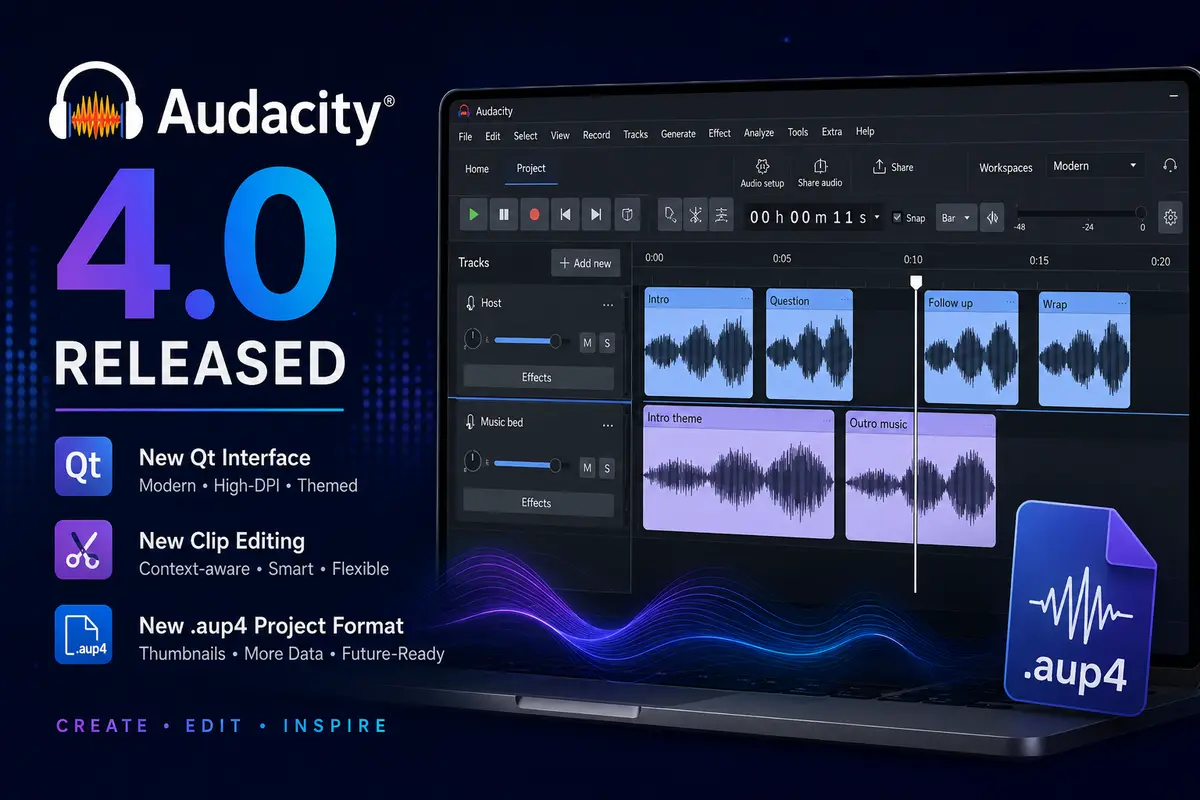
A New Interface Built on Qt
The most visible change in Audacity 4.0 is the switch from wxWidgets to the Qt framework. This brings native high-DPI rendering, proper light and dark mode support, and the ability to follow system accent colors. A refreshed app logo accompanies the new look.
Toolbars and panels are now fully customizable — you can move, dock, float, or hide them. UI layouts can be saved as Workspaces, and Audacity ships with three built-in ones: Modern, Classic, and Music. The Home screen now shows recent projects with preview thumbnails.
If you’re familiar with other open-source creative tools like Kdenlive, the idea of customizable workspaces will feel familiar.
Clip Editing Gets a Complete Rework
The traditional separate tool modes — Select, Envelope, Draw, and Multi-tool — have been removed. Audacity 4.0 replaces them with context-sensitive behavior:
- Click a clip header to select it directly. Shift-click to select multiple clips.
- Group clips so they stay together when moved, copied, or duplicated.
- Splitting now has a dedicated tool: press or hold
S, then click the waveform or clip header. - Clips can move more freely, including between compatible mono and stereo tracks. Moving a clip over another replaces the overlapped portion rather than blocking the move.
- Paste is smarter: Audacity can create a track when needed, adapt compatible channel layouts, and paste audio files directly from the OS clipboard.
- Alignment guides, sample-boundary snapping, and per-project snap settings round out the improvements.
Playback, Recording, and Effects
The playhead stays visible during navigation and can be dragged to a new position. Playback can seek without stopping, and recording can start at any point on the timeline. Punch and Roll, lead-in recording, latency compensation, and per-track input monitoring have all been rebuilt for the new interface.
Track headers now contain live playback and recording meters. The Audio Setup dialog includes system-default devices and custom channel mapping, and Audacity can follow OS-level device changes automatically. Official Windows builds now include ASIO support.
Built-in effects, generators, and analyzers have been rebuilt for the Qt interface. Preset handling is consistent across built-in, destructive, and real-time effects. Supported plugin formats remain VST3, Nyquist, LV2 on Linux, and Audio Units on macOS. The Spectrogram view has been redesigned with clearer guides, rulers, and faster rendering.
New Project Format: .aup4
Audacity 4.0 introduces the .aup4 project format, which stores preview thumbnails and additional clip and appearance data. Existing .aup3 projects from Audacity 3.x can be opened and converted to .aup4 — the original file is left untouched during conversion. However, converted projects cannot be saved back to .aup3.
What’s Missing in 4.0
The team has been transparent about features not yet available in this initial release. The following Audacity 3 features are absent from 4.0 but are being worked on for future releases:
- Time Tracks
- Note/MIDI tracks
- Mixer
- Macro Manager and scripting pipe
- VAMP and LADSPA plugin hosting
- Play-at-speed
Sync-Lock has been removed and replaced by explicit cut and paste variants that either leave a gap or shift later material to preserve timing.
Availability
Audacity 4.0 is available for Windows, macOS (Intel and Apple Silicon), and Linux. You can download it from audacityteam.org, the Microsoft Store, or GitHub Releases. For a general overview of the tool, see our Audacity software page.
For users who work across multiple open-source media tools, it’s worth noting that tools like Kdenlive and other open-source alternatives to proprietary video editors continue to mature alongside Audacity in the FOSS multimedia space.