Raspberry Pi OS 6.2 Tightens Security with Password-Protected sudo
The Raspberry Pi OS, the Debian-based operating system designed for Raspberry Pi devices, has been updated to version 6.2. This second update to the Trixie-based release focuses primarily on bug fixes and small improvements, but introduces one major security change: passwordless sudo is now disabled by default on fresh installations.
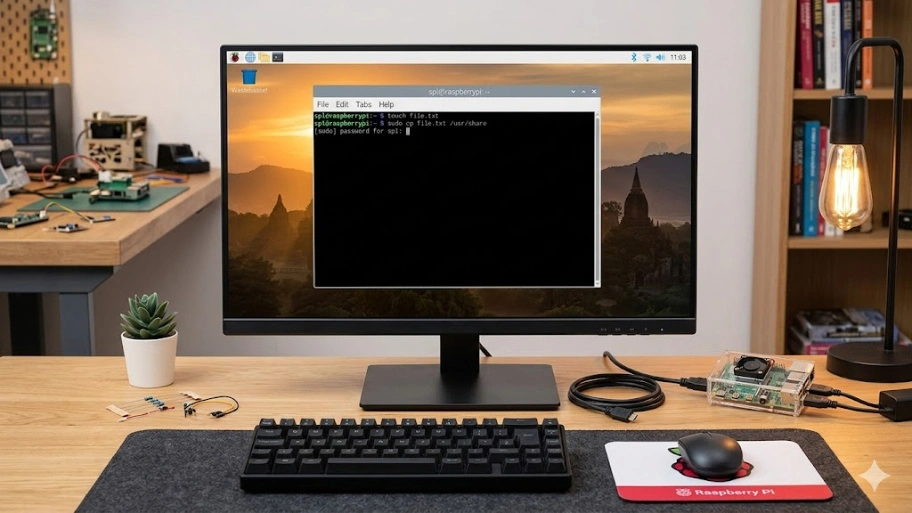
Written by Simon Long, the official announcement explains that Raspberry Pi OS has always allowed regular users to run sudo commands without a password. That convenience, though, comes at a cost — anyone with physical or remote access to the machine can run administrator-level commands without any authentication barrier. Raspberry Pi OS 6.2 closes that gap for new installs.
What Changed with sudo
From this release onward, running a sudo command on a fresh install will prompt the user for their account password. If the password is correct, the command proceeds. If it is wrong, the command is refused.
To reduce friction in normal use, the system remembers a successful password for five minutes. During that window, further sudo commands in the same session will not ask again.
For desktop users, certain Control Centre operations that require administrator access will now show a password dialog box instead of proceeding silently.
Reverting to Passwordless sudo
The Raspberry Pi team understands this change will not suit every use case. Users who prefer the old behaviour can turn it off in the System tab of Control Centre by toggling the Admin Password switch off. On headless setups running Raspberry Pi OS Lite, the same option is available through raspi-config under the System menu.
Who Is Affected
This change only applies to new installations. Existing Raspberry Pi OS setups are not affected by this update — the Admin Password switch will appear in Control Centre, but passwordless sudo will stay enabled unless the user actively turns it off.
This is a sensible approach. It avoids breaking existing scripts or workflows, while nudging new users toward better security habits by default.
Other Changes
Beyond the sudo update, Raspberry Pi OS 6.2 brings a collection of minor fixes and improvements accumulated over the past few months. No major feature additions were announced alongside this release.
Getting Raspberry Pi OS 6.2
Fresh images are available from the Raspberry Pi OS downloads page. For existing users, upgrading through the standard package manager will not alter your current sudo configuration.
If you missed the earlier Trixie release, which brought a refreshed desktop theme, a new Control Centre, and a move to 64-bit time values, take a look at the Raspberry Pi OS Trixie release coverage on OpenSourceFeed. For a full overview of the distribution, visit the Raspberry Pi OS page on OpenSourceFeed.