Raspberry Pi vs Arduino: Key Differences Explained (2026)
Raspberry Pi vs Arduino is one of the first questions people ask when they start building electronics projects. The short answer: a Raspberry Pi is a small computer that runs a full operating system, while an Arduino is a microcontroller board that runs one program directly on the hardware. A Pi is good at computing tasks. An Arduino is good at controlling hardware in real time. This guide explains the difference in plain terms, compares current boards side by side, and helps you pick the right one for your project.
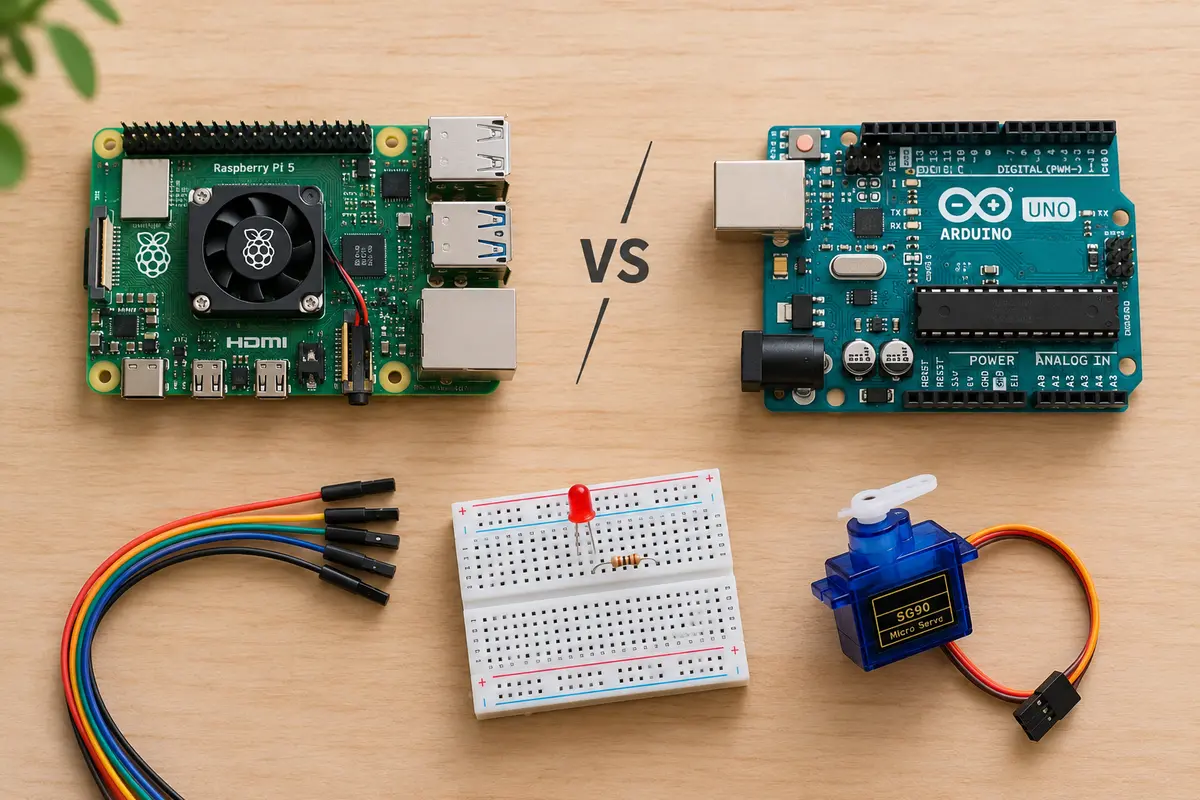
The Core Difference in One Minute
Think of it this way:
- Raspberry Pi = a computer. It has a multi-core processor, gigabytes of RAM, and runs Linux (usually Raspberry Pi OS). You can plug in a monitor, keyboard, and mouse, then browse the web, write Python code, or run a home server. It can run many programs at once.
- Arduino = a microcontroller. Classic boards like the Arduino UNO have a small chip with kilobytes of memory and no operating system. You write a program (called a sketch) on your PC, upload it to the board, and the board runs that one program in a loop from the moment it gets power.
Because an Arduino has no operating system to get in the way, it reacts to sensors and switches with precise, predictable timing. Because a Raspberry Pi has an operating system, it can do far more, but timing is less predictable and it needs a proper shutdown.
Raspberry Pi vs Arduino: Side-by-Side Comparison
The table compares the current flagship of each family: the Raspberry Pi 5 and the Arduino UNO R4 Minima.
| Feature | Raspberry Pi 5 | Arduino UNO R4 Minima |
|---|---|---|
| Type | Single-board computer | Microcontroller board |
| Processor | Broadcom BCM2712, quad-core Arm Cortex-A76 @ 2.4 GHz | Renesas RA4M1, Arm Cortex-M4 @ 48 MHz |
| Memory | 1 GB to 16 GB RAM | 32 KB SRAM |
| Storage | microSD card, or NVMe SSD via PCIe | 256 KB flash |
| Operating system | Linux (Raspberry Pi OS, Ubuntu, others) | None – runs your sketch directly |
| Main languages | Python, C/C++, JavaScript, almost anything | C/C++ (Arduino language), MicroPython on some boards |
| Video output | Two 4K HDMI ports | None |
| Networking | Gigabit Ethernet, Wi-Fi, Bluetooth | None (the UNO R4 WiFi adds Wi-Fi and Bluetooth) |
| Input/output pins | 40-pin GPIO header, digital only | 14 digital pins, 6 analog inputs |
| Analog input (ADC) | No – needs an extra chip | Yes, built in |
| Power | 5V/5A USB-C (27W supply recommended) | Runs on USB or 6–24V, uses very little power |
| Start-up time | Several seconds (boots Linux) | Almost instant |
| Real-time control | Limited | Excellent |
| Price | $305 for the 16 GB model; lower-RAM models cost less | About $20 at launch (UNO R4 WiFi: $27.50) |
A note on price: Raspberry Pi raised prices several times between late 2025 and April 2026 because of rising memory costs. The 16 GB Raspberry Pi 5 now costs $305 on the official site, up from $120 at launch. Lower-RAM models went up by smaller amounts. Check current prices before you buy.
When to Choose a Raspberry Pi
Pick a Raspberry Pi when your project needs a real computer. Good examples:
- Home server – file sharing, Pi-hole ad blocking, Home Assistant, or a VPN.
- Media centre – Kodi or Jellyfin on your TV.
- Desktop or learning PC – a cheap Linux machine for coding and browsing. The latest Raspberry Pi OS desktop update makes this more pleasant than ever.
- Camera and vision projects – security cameras, object detection, or AI models.
- Anything with a screen, network, or database – dashboards, web apps, kiosks.
When to Choose an Arduino
Pick an Arduino when your project mainly reads sensors or drives hardware. Good examples:
- Robotics – motors, servos, and line-following robots.
- Sensors and data logging – temperature, humidity, soil moisture, or distance.
- Battery-powered gadgets – an Arduino can run for a long time on small batteries.
- Precise timing – LED effects, reading pulses, or controlling stepper motors.
- Things that must “just work” – you can unplug an Arduino at any time without corrupting anything, and it starts running again as soon as power returns.
Why Not Both?
Many makers use the two together. The Raspberry Pi handles the “brain” work – the user interface, network, and data storage. The Arduino handles the “muscle” work – reading sensors and switching motors with exact timing. They talk to each other over a USB cable or serial pins. A weather station is a classic example: the Arduino reads the sensors, and the Pi stores the data and shows it on a web page.
The Line Has Blurred in 2026
The simple “computer vs microcontroller” split is still true for most boards. But both companies now make products that cross into the other’s space.
Raspberry Pi makes microcontrollers too
The Raspberry Pi Pico 2 is a microcontroller board, not a computer. It uses Raspberry Pi’s own RP2350 chip with two Arm Cortex-M33 cores (or two RISC-V cores, your choice) at 150 MHz and 520 KB of RAM. It costs about $5 and works with C/C++, MicroPython, and the Arduino IDE. If you want an Arduino-style board from Raspberry Pi, this is it.
Arduino now makes a board that runs Linux
The Arduino UNO Q combines both worlds on one board. It has a Qualcomm Dragonwing QRB2210 processor (quad-core Arm Cortex-A53) that runs Debian Linux, plus an STM32U585 microcontroller that runs your Arduino sketches in real time. It comes with 2 GB RAM and 16 GB storage, or 4 GB RAM and 32 GB storage, and keeps the familiar UNO shape. It is a strong option if you want Linux and real-time control without wiring two boards together.
What the Qualcomm deal means for Arduino
In October 2025, Qualcomm announced it was acquiring Arduino, and the UNO Q was the first product of that partnership. Qualcomm said Arduino would keep its brand, tools, and mission.
The following month, Arduino updated its terms of service and privacy policy. Members of the open hardware community, led by Adafruit, criticised the changes, pointing to a broad licence over uploaded content and limits on reverse engineering. Arduino responded that its open source releases remain open and that the new limits apply only to its cloud services. For most hobbyists, the boards, the Arduino IDE, and the libraries work as before. If you care about open source, it is worth reading the terms yourself, especially if you use Arduino Cloud.
Which One Should a Beginner Buy?
It depends on what you want to learn:
- Want to learn electronics – how LEDs, buttons, and sensors work? Start with an Arduino UNO R4 or a Raspberry Pi Pico 2. They are cheap, simple, and hard to break.
- Want to learn Linux, programming, or servers? Start with a Raspberry Pi. If budget matters, a Raspberry Pi 4 or a lower-RAM Pi 5 is enough for most beginner projects.
- Want both from one board? Look at the Arduino UNO Q.
Frequently Asked Questions
Is a Raspberry Pi better than an Arduino?
Neither is better. They do different jobs. A Raspberry Pi is better for computing, networking, and anything with a screen. An Arduino is better for simple, reliable, real-time hardware control.
Can an Arduino run Linux?
Classic Arduino boards like the UNO R3 and UNO R4 cannot. They do not have enough memory. The Arduino UNO Q is the exception: it has a separate processor that runs Debian Linux.
Can a Raspberry Pi replace an Arduino?
Often, yes. A Raspberry Pi can blink LEDs and read digital sensors through its GPIO pins. But it has no built-in analog inputs, and Linux can delay your code at the wrong moment. For timing-critical tasks, an Arduino or a Pico does the job better.
Do I need to know how to code?
You need some basic coding for both. Arduino uses a simplified version of C++ with lots of ready-made examples. Raspberry Pi projects often use Python, which many people find easier to start with.
Are Raspberry Pi and Arduino open source?
Arduino boards are open source hardware – the designs are published, and anyone can build a compatible board. Raspberry Pi boards are not open source hardware, but Raspberry Pi OS is built on open source Linux, and most of the software you run on it is open source.
Conclusion
The Raspberry Pi vs Arduino choice comes down to one question: does your project need a computer, or does it need a controller? Choose a Raspberry Pi for servers, media, desktops, and AI. Choose an Arduino (or a Raspberry Pi Pico) for sensors, motors, and battery-powered gadgets. And if your project needs both, you can use them together or try a hybrid board like the Arduino UNO Q.
If you go with a Pi, read our guide to Raspberry Pi OS 6.2 to see what the latest operating system offers.