



RawTherapee
Free and open source RAW image processing software with a high-precision editing pipeline
Advertisement
Overview
RawTherapee began in 2004 when Gábor Horváth, a Hungarian PhD student, bought his first digital camera and grew curious about how raw sensor data became a finished JPEG. With access to image-processing journals through his research, he taught himself the underlying algorithms and built the application on his own, releasing it as proprietary freeware for several years. In January 2010, with version 3.0-alpha1, Horváth relicensed the entire codebase under the GNU General Public License v3, citing a wish to spend more time on image-processing algorithms than GUI maintenance, difficulty reproducing user-submitted bug reports without community help, and the arrival of his daughter leaving him less time to maintain it solo. Since then it has been maintained by a small team of volunteer contributors, with development happening in the open on GitHub and documentation maintained on the community-run RawPedia wiki.
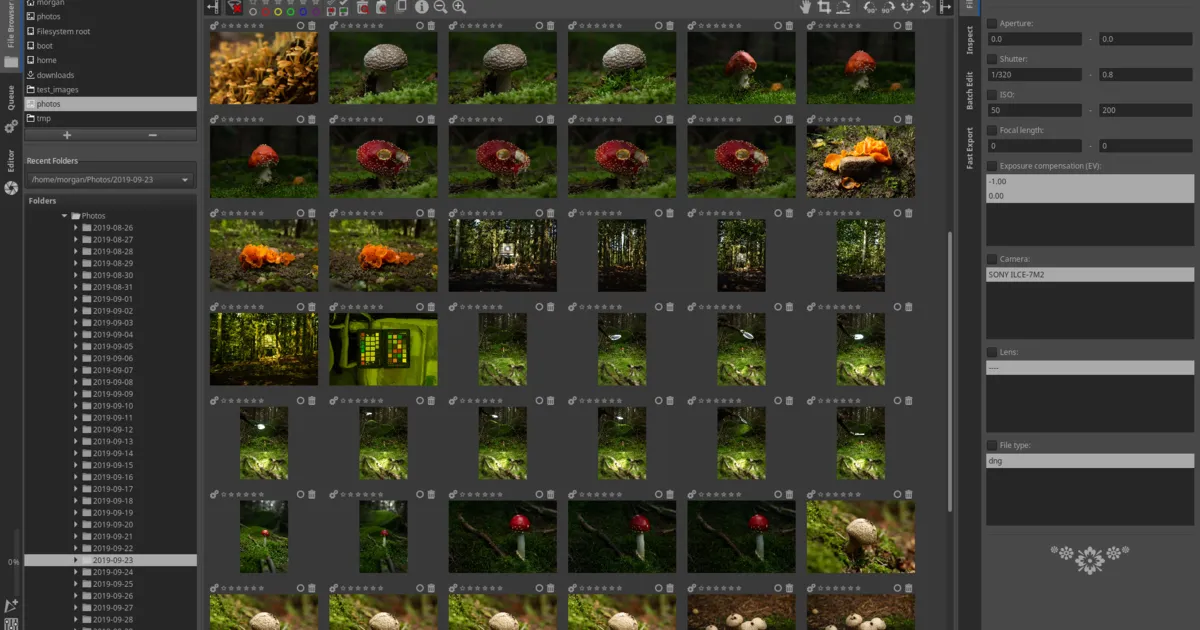
Where darktable models its architecture on a lighttable-and-darkroom, module-stack workflow close to Lightroom’s catalog approach, RawTherapee is built around a single high-precision processing pipeline: every image is handled internally in 32-bit floating point regardless of the source file’s bit depth, which reduces banding and rounding artifacts through multiple cumulative edits. It gives users a choice of several demosaicing algorithms (AMaZE, IGV, LMMSE, DCB, and others) that can be selected per image depending on the subject, along with wavelet-based local contrast and noise reduction, Retinex-based dynamic range compression, and a capture sharpening step tuned to the specific sensor and lens combination. Edits are stored as sidecar files (.pp3) alongside the untouched source image, and the software does not require an imported library or database the way Lightroom and darktable do — it can browse and edit RAW files directly from any folder.
Key Features
- 32-bit floating point pipeline — All processing happens at high internal precision, minimizing banding and quality loss across many stacked edits
- Multiple demosaicing algorithms — Choose from AMaZE, IGV, LMMSE, DCB, EAHD, and more, picking the best match for a given sensor or subject
- Wavelet editing — Fine-grained control over local contrast, noise, and sharpness at different frequency scales
- Retinex tone mapping — Edge-preserving dynamic range compression for recovering detail in high-contrast scenes
- No database required — Works directly on folders using
.pp3sidecar files instead of an imported catalog - Extensive noise reduction and sharpening — Separate luminance/chrominance noise controls and capture sharpening tuned to lens and sensor
- Chromatic aberration and lens correction — Automatic and manual correction for distortion, vignetting, and purple fringing
- Broad color management — ICC and DCP camera profile support for accurate, repeatable color across devices
Use Cases
- High-precision RAW editing — Photographers who want maximum control over tonal and color detail through a floating-point pipeline
- Difficult exposures — Recovering highlight and shadow detail in high-contrast or high-ISO images using tone mapping and wavelet tools
- Folder-based workflows — Editing RAW files directly without building or maintaining an imported catalog
- Cross-platform editing — Consistent RAW processing across Windows, macOS, and Linux machines
Who It’s For
RawTherapee suits photographers who want the deepest possible technical control over RAW conversion — multiple demosaicing choices, wavelet-scale adjustments, and a high-precision pipeline — and who don’t need a catalog-style library manager. It’s a better fit than darktable for users who prefer working folder-by-folder rather than importing into a database, and a strong Lightroom alternative for anyone willing to trade one-click presets and a polished UI for finer-grained processing control at no cost.
Advertisement