GNOME 51 'A Coruña' Released: Offline Maps and More
The GNOME Project has announced the release of GNOME 51, codenamed “A Coruña”. The name pays tribute to the host city of GUADEC 2026, held in the Galician city of A Coruña, Spain, in July. After six months of development, this release brings meaningful improvements across display performance, core apps, accessibility, and security.
Display and Performance
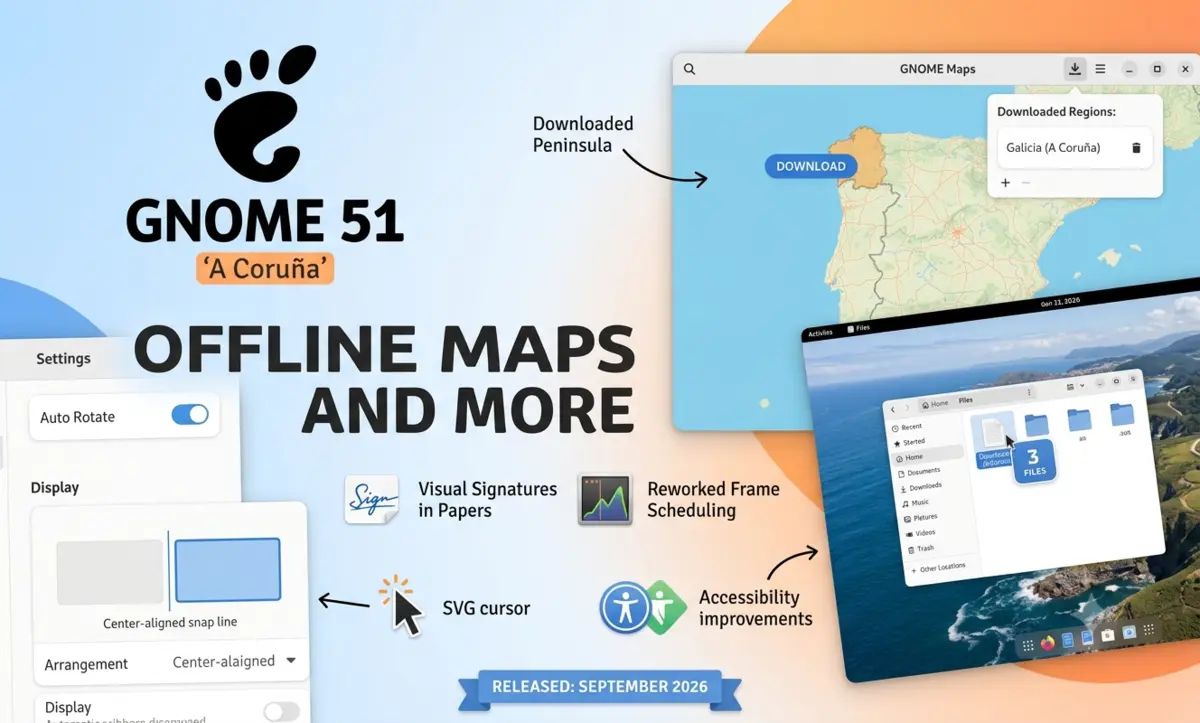
GNOME 51 ships with a reworked frame scheduling system in Mutter, making animations run more smoothly even under load. Screen recording is faster thanks to reduced buffer copying, and the system now remembers your monitor’s brightness level across reboots. Support for legacy NVIDIA driver interfaces has been dropped — GNOME now relies entirely on modern, standard graphics APIs.
Settings Refinements
The Settings app gains a range of practical improvements. Devices with an accelerometer can now use Auto Rotate, with an orientation lock toggle to pin the display when needed. Display arrangement supports center-aligned snapping for easier multi-monitor setups. A new option automatically disables the touchpad when a mouse is plugged in — handy for laptop users. In Network, DNS domain search settings have been added, and the outdated WEP wireless standard has been removed. Fingerprint enrollment gets a fresh interface, and the About page adds a button that opens the release notes for your running version of GNOME.
Offline Maps
GNOME Maps receives its most notable update in years: full offline map support. Users can download map regions of their choice and navigate without a network connection — ideal for travel or areas with poor coverage. Downloaded regions are managed from a simple list.
Public transit directions are also improved, with live departure times, real-time delay information, platform and stop details, and walking times shown in journey itineraries.
Files, Web, and Software
Files gains a drag counter badge for multi-file operations, smarter auto-selection of copied files, corrected read-only emblems, and faster folder reloading. Web (Epiphany) adds a Ctrl+Shift+C shortcut to copy the current page URL and now generates secure passwords using the pwquality library. Software adds an end-of-life warning when you try to install unmaintained apps, an expanded Flatpak permissions list, and faster startup through cached data reuse.
Document Viewer: Visual Signatures
Papers, the document viewer, now supports inserting visual signatures into documents. You can draw a signature with a mouse or touchscreen, or import an image — Papers strips the background automatically. This feature was developed by Malika Asman during her Outreachy internship with the GNOME Foundation.
Accessibility
The Reduced Motion setting now applies in more parts of the shell and core widgets. Screenshot area selection can be adjusted entirely by keyboard. A new accessibility setting disables the focus ring timeout for users who need more time with assistive technology. Screen reader announcements have also been cleaned up throughout.
Other Highlights
- SVG cursors replace static bitmaps, keeping pointers sharp at any scale or DPI.
- oo7, a new secure key storage component, handles passwords and keys with stronger security guarantees.
- The login screen now supports multiple authentication mechanisms, including web-based login for corporate accounts.
- The File Previewer (Sushi) has been fully rewritten with GTK 4 and libadwaita, with dark mode support and modern image rendering.
- Calendar is faster throughout, and event locations now open directly in Maps.
- Loupe (Image Viewer) shows camera equipment, creator info, copyright, and ICC color profiles in its properties view.
GNOME Circle Additions
Three new apps join GNOME Circle: Bobby, a SQLite database browser; Tally, a counter and organizer app; and Bazaar, a new Flathub-focused app store with a curated section that distributions can customize.
This release follows GNOME 50 “Tokyo”, which brought parental controls, a redesigned Orca screen reader, and hardware-accelerated remote desktop. For a look back at a landmark update, the GNOME 40 release introduced horizontal workspaces and gesture-based navigation.
GNOME 51 will reach most Linux distributions in the coming weeks. You can try it now via GNOME OS Nightlies in a virtual machine. For the full details, see the official GNOME 51 release notes.