AI Assistant for Linux: The Benefits of Open-Source AI Tools
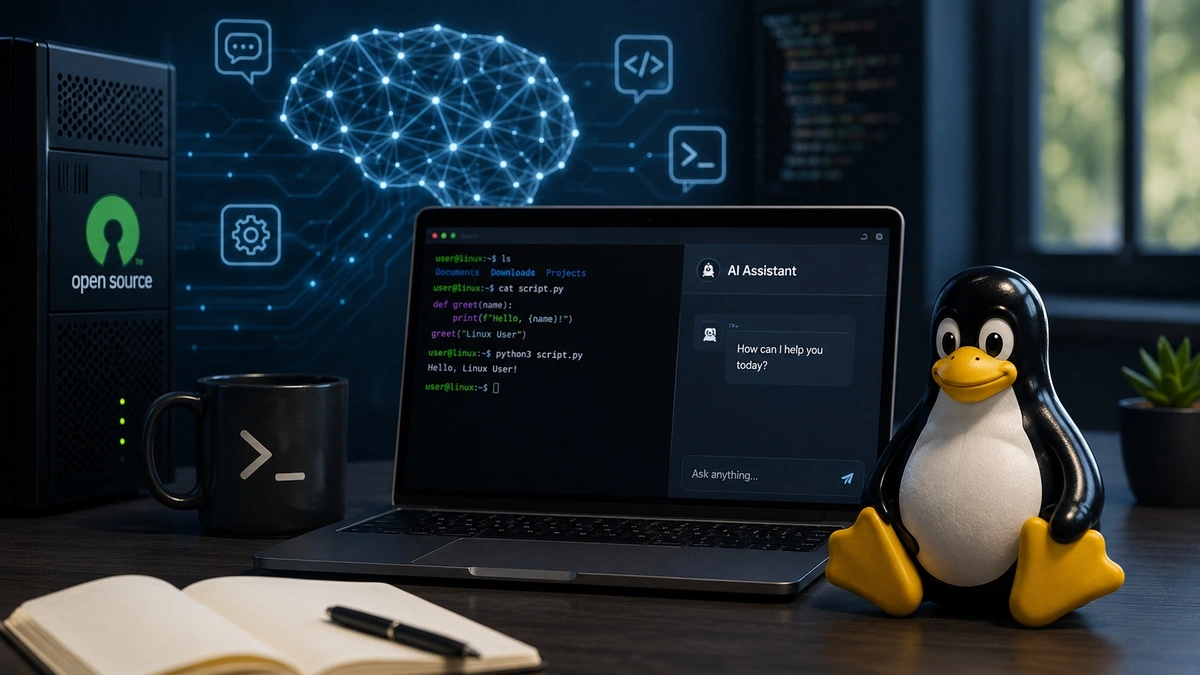
Artificial intelligence is becoming part of everyday computing, and Linux users are in a great position to take advantage of it. Whether you’re writing code, automating tasks, analyzing data, or experimenting with large language models, an AI assistant gives you flexibility that many proprietary platforms simply can’t match.
Unlike cloud-only AI services, many Linux-based AI assistants can run locally on your own hardware. That means greater privacy, more control over your data, and the freedom to customize your setup however you like. Thanks to a thriving open-source community, there are now dozens of tools that make running AI on Linux easier than ever.
If you’re considering adding AI to your Linux workflow, here’s why open-source solutions deserve a closer look.
What Is an AI Assistant?
A Linux-based AI assistant is an application that uses artificial intelligence to help users complete tasks while running on a Linux operating system. Some assistants connect to cloud-hosted language models, while others allow models to run entirely on your own machine.
Depending on the software, an AI assistant can help with:
- Writing and editing content
- Generating and debugging code
- Summarizing documents
- Answering technical questions
- Automating command-line tasks
- Explaining Linux commands and configuration files
Because many of these projects are open source, users can inspect the code, contribute improvements, and customize the software to suit their own needs. This level of transparency has made Linux one of the most attractive platforms for AI enthusiasts, developers, and organizations that value control over convenience.
Why Linux Is the Natural Home for Open-Source AI
Linux has powered servers, cloud infrastructure, and supercomputers for decades. That same reputation for stability and flexibility has helped make it the preferred operating system for many AI projects.
One major advantage is the development ecosystem. Popular programming languages like Python work exceptionally well on Linux, and installing AI frameworks such as PyTorch or TensorFlow is often straightforward. Package managers and container platforms make it easy to reproduce development environments across multiple systems, reducing configuration headaches.
Linux also receives first-class support from many GPU vendors. NVIDIA’s CUDA platform and AMD’s ROCm ecosystem are both widely used by developers building or running AI models. Since many AI frameworks are tested extensively on Linux, users often gain access to new features and performance improvements sooner than they would on other operating systems.
Another important benefit is resource efficiency. Linux distributions generally consume fewer system resources than many desktop operating systems, leaving more CPU cycles and memory available for AI workloads.
The Advantages of Open-Source AI Tools
Open-source software has always been built around collaboration, transparency, and user freedom. Those same values are helping shape today’s AI ecosystem.
Privacy is often the first reason people choose an open-source AI assistant. Instead of sending every prompt to a remote server, many Linux AI tools allow users to process requests locally. This can be particularly valuable for developers working with proprietary code or businesses handling confidential documents.
Open-source software also reduces dependence on a single company. Commercial AI services can change pricing, introduce usage limits, or discontinue features with little warning. Self-hosted solutions give users more control over updates, hardware, and long-term availability.
Customization is another significant advantage. Developers can integrate AI assistants into existing workflows, automate repetitive tasks, or even fine-tune models for specialized use cases. Rather than adapting to the limitations of a closed platform, users can tailor the software to meet their specific requirements.
Finally, community-driven development helps projects evolve quickly. Thousands of contributors test new features, fix bugs, improve documentation, and share best practices. This collaborative environment has accelerated innovation across the open-source AI landscape.
Popular Open-Source AI Tools for Linux
One of the strengths of Linux is the variety of AI software available. Different tools serve different purposes, allowing users to build a workflow that matches their needs.
Ollama has become one of the easiest ways to run large language models locally. It simplifies downloading and managing popular models while providing a straightforward command-line experience.
Open WebUI adds a polished browser interface that makes interacting with local models feel like commercial AI chat platforms. It works well for users who prefer a graphical interface over terminal commands.
LocalAI allows developers to run AI models without relying on external cloud providers. Its compatibility with OpenAI-style APIs makes it easier to integrate into existing applications.
Open Interpreter expands AI beyond simple conversations by allowing models to execute code, manipulate files, and assist with automation tasks under user supervision.
Many Linux users also combine these applications with frameworks such as PyTorch and TensorFlow when developing custom AI applications or experimenting with machine learning.
The ability to choose individual components instead of relying on a single vendor is one of the defining strengths of open-source software.
Running AI Models Locally
One of the biggest reasons people install an AI assistant on Linux is the ability to run models without an internet connection.
Local inference provides several benefits. Response times are often faster because requests never leave your computer. Sensitive information remains on your own hardware, improving privacy and reducing dependence on external services. You also avoid subscription fees that often accompany commercial AI platforms.
Of course, local AI requires appropriate hardware.
Smaller language models may perform reasonably well on modern CPUs, but larger models benefit greatly from dedicated graphics cards. GPUs accelerate the mathematical operations required for AI inference, producing significantly faster responses than CPUs alone.
Memory is another important consideration. System RAM determines how much data your computer can manage efficiently, while GPU memory, often called VRAM, determines which models can fit entirely on your graphics card.
Linux provides mature support for both NVIDIA and AMD hardware, making it an excellent environment for users interested in experimenting with local AI.
Optimizing AI Performance
Installing an AI assistant is only part of the equation. Performance depends on several factors, including model size, available memory, storage speed, and hardware acceleration.
Many users begin with smaller models before upgrading to larger ones as their hardware allows. Others experiment with quantized models that reduce memory usage while maintaining acceptable output quality.
GPU acceleration plays a major role in improving response times, especially when working with larger language models. As AI workloads become more demanding, understanding how models use numerical precision can also become increasingly important.
If you’re wondering whether FP16 or BF16 is the better choice for AI workloads, BitFern offers a detailed comparison that explains how each floating-point format affects AI performance, memory usage, and training efficiency. While many Linux users begin by simply installing an AI assistant, gaining a deeper understanding of the technology behind modern AI workloads can help when choosing hardware or optimizing more advanced deployments.
Is an Open-Source AI Assistant Right for You?
Open-source AI isn’t the right choice for everyone, but it offers clear advantages for many Linux users.
Developers benefit from greater customization and easier integration with existing tools. Researchers appreciate the transparency and ability to experiment with different models. Privacy-conscious users value keeping sensitive information on their own systems instead of uploading it to third-party services.
Even hobbyists can enjoy learning about artificial intelligence without committing to ongoing subscription costs. With today’s hardware and software ecosystem, running capable AI models locally has become much more accessible than it was only a few years ago.
If you primarily need occasional AI assistance and prefer a simple experience, cloud-based platforms may still be the easiest option. However, if flexibility, privacy, and long-term control are important to you, Linux offers one of the strongest foundations available.
The Future of AI Assistants on Linux
An AI assistant offers far more than an alternative to cloud-based chatbots. It gives users the ability to control their own data, customize their AI environment, and take advantage of one of the world’s largest open-source software ecosystems.
As local AI continues to improve, Linux is likely to remain at the center of innovation. Mature development tools, strong hardware support, and an active community make it an excellent platform for anyone interested in running artificial intelligence on their own terms.
Whether you’re writing code, automating workflows, or simply exploring what modern AI can do, combining Linux with open-source AI tools provides a powerful, flexible foundation that will continue to grow for years to come.
Comments
Comments are loaded when you choose to open them, which keeps the page faster and lighter.