How to spot and avoid fake VPN clients
One of Linux’s main draws is its flexibility. Users have full control of their system, including where software comes from. Therefore, it’s common for a Linux user to install VPNs (Virtual Private Networks) from a third-party source. When users install apps outside of curated web stores, they can sometimes download malware in disguise.
How Hackers Distribute Fake VPN Clients
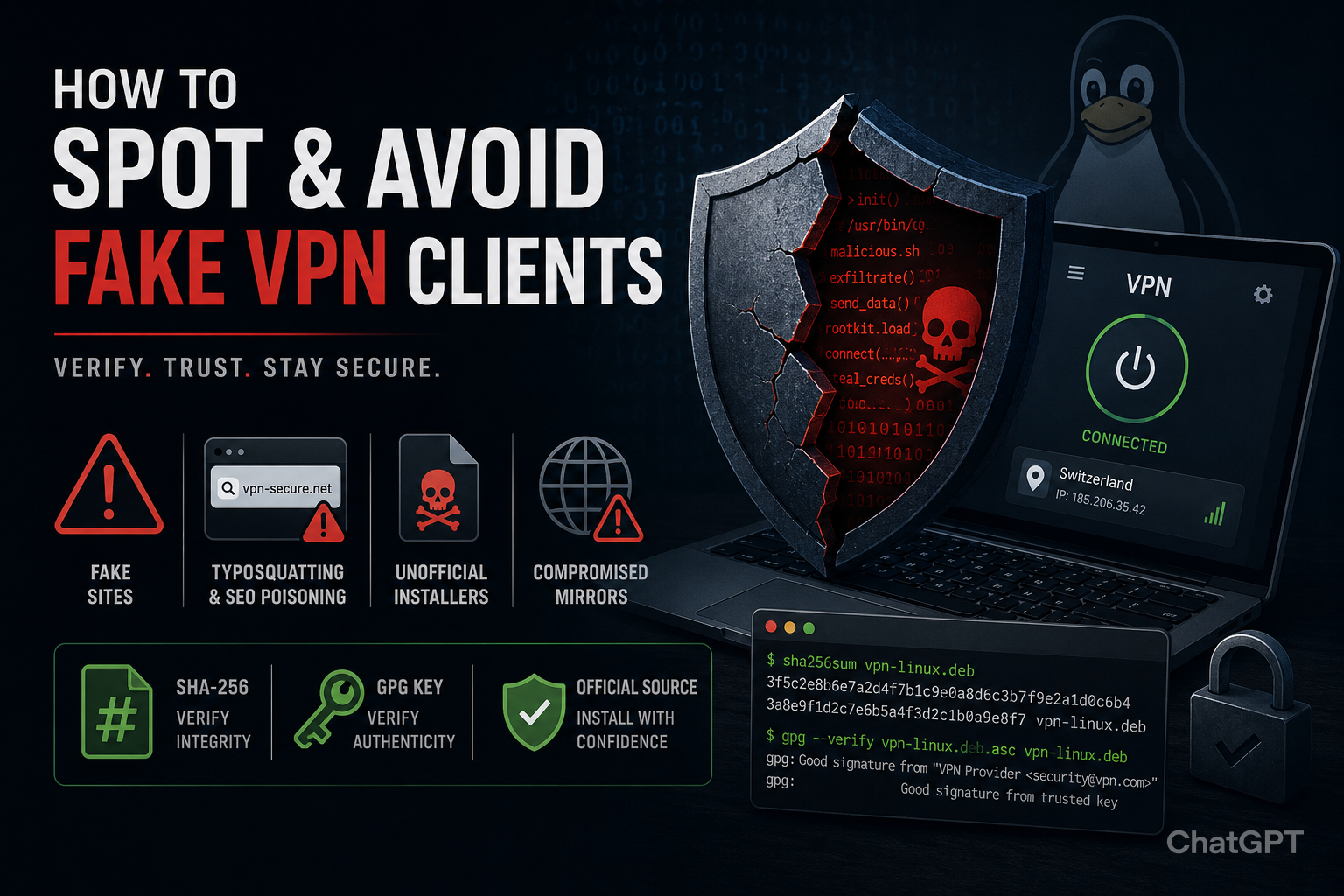
Scammers distribute fake VPN clients through various deceptive methods. Most of the time, hackers trick users into believing the malicious software is a legitimate VPN.
SEO Poisoning and Fake Search Results
Hackers use manipulative SEO methods to push fake VPNs to the top of the SERPs (Search Engine Results Pages). They target keywords such as “download VPN for Linux” and can sometimes reach the first position.
Search engines have rapid takedown processes in place that remove malicious sites from their search results. However, these processes are not instantaneous. Therefore, there is a small window of time during which these results are clickable.
In January 2026, Microsoft Defender Experts identified a credential theft campaign titled Storm-2561. The campaign had been using fake VPNs to harvest credentials from users since May 2025.
Typosquatting and Lookalike Domains
Typosquatting is the act of creating fake websites based on common misspellings of legitimate websites and brands.
For example, a hacker may create a lookalike domain named ‘SecureVPN’ or ‘FastVPN’.
These websites look like their real counterparts, leading visitors to believe they’ve reached their desired destination. However, when they start interacting with the page, they may accidentally download a malicious VPN.
In a February 2026 investigation, TechRadar found that 14% of the 980 lookalike domains it identified were malicious.
Unofficial Installers
Hackers take legitimate VPN products, combine them with malicious payloads, and resell them on unofficial, third-party sites.
Most often, these third-party platforms are file-sharing sites, community forums, and unofficial software repositories. Users can easily fall for this trick, given the trustworthy name attached to the VPN and the product’s apparent functionality.
Compromised Mirrors
Legitimate VPN providers often create ‘mirror’ sites for load balancing and speed purposes. These sites host a legitimate copy of the VPN software, allowing providers to spread their traffic across various websites.
Cybercriminals infiltrate these sites and replace the legitimate VPN with a trojanised version.
How to Identify a Fake VPN Before Installing It
There are several indicators that a VPN is fake. Users should look out for these signs before downloading the software.
-
Typosquatting. Check for spelling inconsistencies and unusual domain names. Fake VPN sites often come with misspellings, replaced characters, and extra hyphens.
-
Inconsistent branding and documentation. Review the consistency of the branding and documentation. A minor deviation from the official branding could indicate that someone has cloned or repackaged the application.
-
Domain registration date. Check the domain registration date to beat scammers who rely on SEO poisoning. If the date is recent, treat the site with caution.
-
No official repository availability. Reputable providers offer VPNs through trusted channels. Users should avoid download links or third-party archives. For the best VPN for Linux, look for .deb and .rpm packages.
What Does a Properly Verified Installation Look Like?
A properly verified installation is fully transparent. Users can confirm the authenticity and integrity of the file before they execute it.
Official Download Source
A verified installation starts with a legitimate source. Users should download the software from the provider’s official website.
The domain name should be spelt correctly, and the site should have a valid HTTPS certificate.
SHA-256 Hashes and GPG Keys
Legitimate VPN providers normally publish SHA-256 checksums alongside installation packages.
The sha256sum command can create a local hash. Users can then compare the hash to the one published by the provider.
If both are the same, it means that nobody has corrupted the file. If there is a mismatch, someone may have tampered with the file.
Users should also check the GPG key. VPN providers often use GPG keys to sign off and verify the integrity of a Linux application.
Transparent Documentation
The installation instructions should be clear and technically detailed. These instructions should be consistent with the provider’s material.
Poorly written instructions or steps that differ from the installer’s official guides can indicate a fake installer.
Stay Ahead of Fake VPNs
Fake VPNs are on the rise. Linux users should stay vigilant to typosquatting, SEO poisoning, unofficial installers, and compromised mirrors. Before downloading, users should also compare the SHA-256 hashes and GPG keys. Installation should be transparent, verifiable, and sourced directly from trusted channels. The only real line of defence against fake VPNs is careful verification.
Comments
Comments are loaded when you choose to open them, which keeps the page faster and lighter.