Tails Linux Privacy: What Threats It Solves and What It Can't
Tails Linux has a reputation as the go-to operating system for people who take privacy seriously. Journalists, whistleblowers, and activists have used it for years. Edward Snowden recommended it. The Tor Project helps fund it. But what does Tails actually protect you from — and where does it stop working?
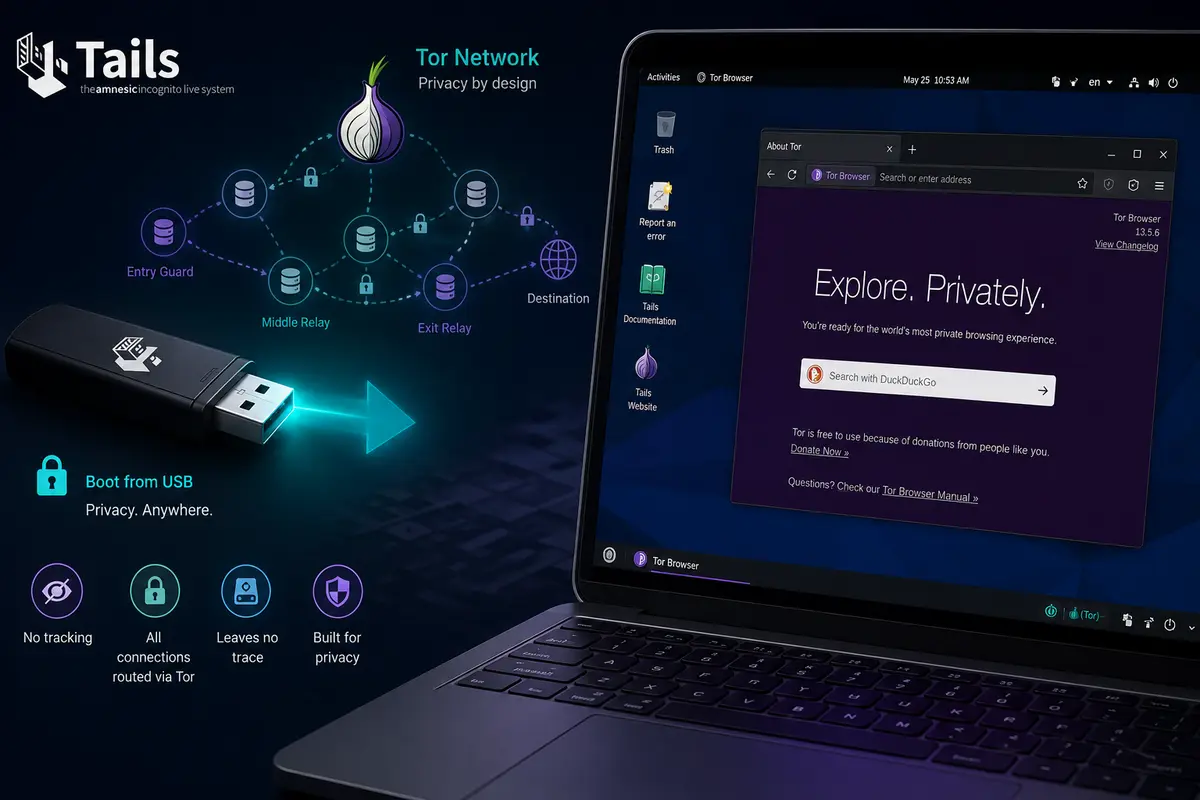
Tails, short for The Amnesic Incognito Live System, is a Debian-based Linux distribution that runs entirely from a USB stick. It routes all internet traffic through the Tor network by default and leaves no trace on the host computer when you shut it down. The current release is Tails 7.x, actively maintained with security updates roughly every six weeks.
If you are evaluating it for personal privacy or professional use, understanding its actual scope matters more than its reputation. This article breaks down the threat model layer by layer.
What Is Tails Built to Solve?
Before listing what Tails protects and what it does not, it helps to understand the threats it was designed for.
Tails targets three core problems:
- Identity exposure on the network — your IP address and browsing activity being linked to you
- Traces left on a machine — browser history, downloaded files, session data persisting after you leave
- Malware from the host OS — a compromised Windows or macOS installation interfering with your session
Everything Tails does flows from solving these three problems.
What Tails Linux Actually Solves
OEM and OS-Level Spyware
When you boot Tails from a USB stick, the installed operating system on that computer never loads. Pre-installed bloatware, OEM system apps, and any malware sitting on the hard drive are completely bypassed. They simply do not run.
This is one of Tails’ strongest properties. On a regular Android phone or a Windows laptop with vendor software, dozens of processes run with elevated privileges while you use any app. On Tails, only the software on the USB stick runs — nothing else.
Network Surveillance and IP Exposure
All traffic in Tails routes through the Tor network automatically. Your internet service provider sees only that you are connecting to the Tor network, not what you are doing or which sites you visit. The destination server sees a Tor exit node, not your real IP address.
With Tor bridges enabled in Tails, even the fact that you are using Tor can be hidden from your ISP.
Traces on the Machine
Tails is amnesic by design. When you shut it down, the RAM is wiped and nothing is written to the host computer’s hard drive. There is no browsing history, no downloaded files, no session cache left behind.
This makes it useful on computers you do not own or fully trust — a library machine, a borrowed laptop, a shared office computer.
Fingerprinting and Identity Correlation
Tails uses the Tor Browser, which is configured to present the same fingerprint for every Tails user globally. Your screen resolution, fonts, browser plugins, and user agent string all match every other Tails user. This makes it much harder for websites to track you individually through browser fingerprinting.
Software Keyloggers and Screen Capture Malware
Any software-based keylogger or screen capture tool installed on the host OS never loads when you boot Tails. Since Tails runs independently of the installed OS, these threats cannot reach your Tails session.
Physical Device Seizure
If your device is seized or lost, shutting down Tails leaves nothing to recover from that machine. With the default non-persistent mode, there is no local data at all. Even with the optional encrypted Persistent Storage enabled, the data is encrypted with a passphrase you set.
What Tails Cannot Protect You From
This is where most articles fall short. Tails is not magic, and its own documentation says so directly.
Firmware-Level Threats — Intel ME and BIOS
Tails runs on top of the computer’s firmware — the BIOS, UEFI, and in Intel machines, the Intel Management Engine (ME). The Tails project itself acknowledges this clearly: all operating systems depend on firmware to start and run, so no operating system can protect against a firmware attack.
The Intel ME is a separate processor inside Intel CPUs that runs its own firmware, operates independently of the main CPU, and can access memory without the main OS knowing. It runs even when the computer is in sleep mode. This is below the level where any software, including Tails, can reach.
Firmware attacks are technically complex and expensive to execute, but they are not theoretical. Researchers have demonstrated stealing data from Tails users via remote firmware infection. In practice, this threat level is associated with nation-state actors, not typical adversaries.
Hardware Keyloggers
A physical keylogger device plugged between the keyboard cable and the motherboard captures keystrokes before any software sees them. Tails cannot detect or prevent this. If you are using a computer in an environment where physical tampering is possible, this is a real concern.
Tor Exit Node Vulnerabilities
Tor hides your IP from destination servers, but the exit node — the last relay in the Tor chain — establishes the actual connection to the website. If you are visiting a site over plain HTTP (not HTTPS), the exit node can read that traffic.
Always use HTTPS, Signal, or end-to-end encrypted applications on top of Tor, not instead of it.
Your Own Behaviour
Tails cannot protect you from identity leaks caused by your own actions. If you log into your real Gmail, Facebook, or any identified account during a Tails session, you have linked that session to your identity — regardless of Tor.
The same applies to metadata in files. A document with your real name in its author field, or a photo with GPS coordinates in the EXIF data, carries your identity with it. Tails includes MAT2 (Metadata Anonymisation Toolkit) to strip this data, but you need to use it.
End-to-End Timing Correlation Attacks
If a very powerful adversary — a government or intelligence agency — can monitor both the entry and exit points of the Tor network simultaneously, they can potentially correlate your traffic through timing analysis. This is called an end-to-end correlation attack. Tails and the Tor Project both acknowledge this theoretical weakness. In practice, mounting this attack requires enormous surveillance infrastructure, and no confirmed real-world cases against Tails users have been documented.
Zero-Day Exploits in Included Software
Tails packages software like Tor Browser, Thunderbird, and LibreOffice. If an attacker exploits an unpatched zero-day in one of these applications — for example, through a malicious website in Tor Browser — they could potentially compromise your Tails session. The Tails project responds to critical vulnerabilities with emergency releases; earlier in 2026, they pushed emergency updates for kernel vulnerabilities that could allow privilege escalation.
Keeping Tails updated is not optional — it is part of the security model.
Practical Threat Assessment
| Threat | Does Tails Solve It? |
|---|---|
| OEM and vendor spyware | Yes — bypassed entirely |
| Software keyloggers on host OS | Yes — never load |
| IP address exposure | Yes — Tor masks it |
| ISP traffic monitoring | Yes — Tor encrypts it |
| Traces left on the machine | Yes — amnesic by design |
| Browser fingerprinting | Largely yes — Tor Browser uniformity |
| Physical device seizure | Largely yes — nothing to recover |
| Intel ME / BIOS firmware attacks | No — below OS level |
| Physical hardware keylogger | No — hardware layer |
| Messaging app server holding chat keys | No — application layer |
| Your own identity leaks | No — behaviour is your responsibility |
| Nation-state Tor correlation attacks | Partially — theoretical but not confirmed in practice |
| Zero-day exploits in bundled apps | Partially — mitigated by frequent updates |
Who Should Use Tails?
Tails is the right tool if your threat model includes:
- Using computers you do not own or trust
- Needing zero traces after a session
- Bypassing ISP-level or network-level surveillance
- Protecting your identity from the websites you visit
It is not the right tool if:
- You need to log into your real accounts regularly (that defeats the purpose)
- You need fast connections — Tor adds meaningful latency
- Your adversary has the resources to compromise firmware or mount nation-state attacks (in which case no consumer tool is sufficient)
For everyday private communication, pairing Tails with Signal or Telegram Secret Chats covers most realistic scenarios well.
You can learn more about Tails and its features on the Tails distribution page on OpenSourceFeed, or read the official Tails warnings documentation for the project’s own assessment of its limitations.
Final Thoughts
Tails solves a specific, well-defined set of privacy problems — and it solves them well. It eliminates the OS-level surveillance layer, hides your network activity, and leaves no evidence on the machine you used. For journalists, activists, and anyone working with sensitive material, it remains one of the most effective practical tools available.
The threats it does not solve — firmware attacks, hardware implants, application-layer encryption, and your own behaviour — sit either below the software layer or above it. No operating system can fix those. Understanding that boundary is what separates effective privacy practice from false confidence.