Best Linux Distros for Running Local LLMs in 2026
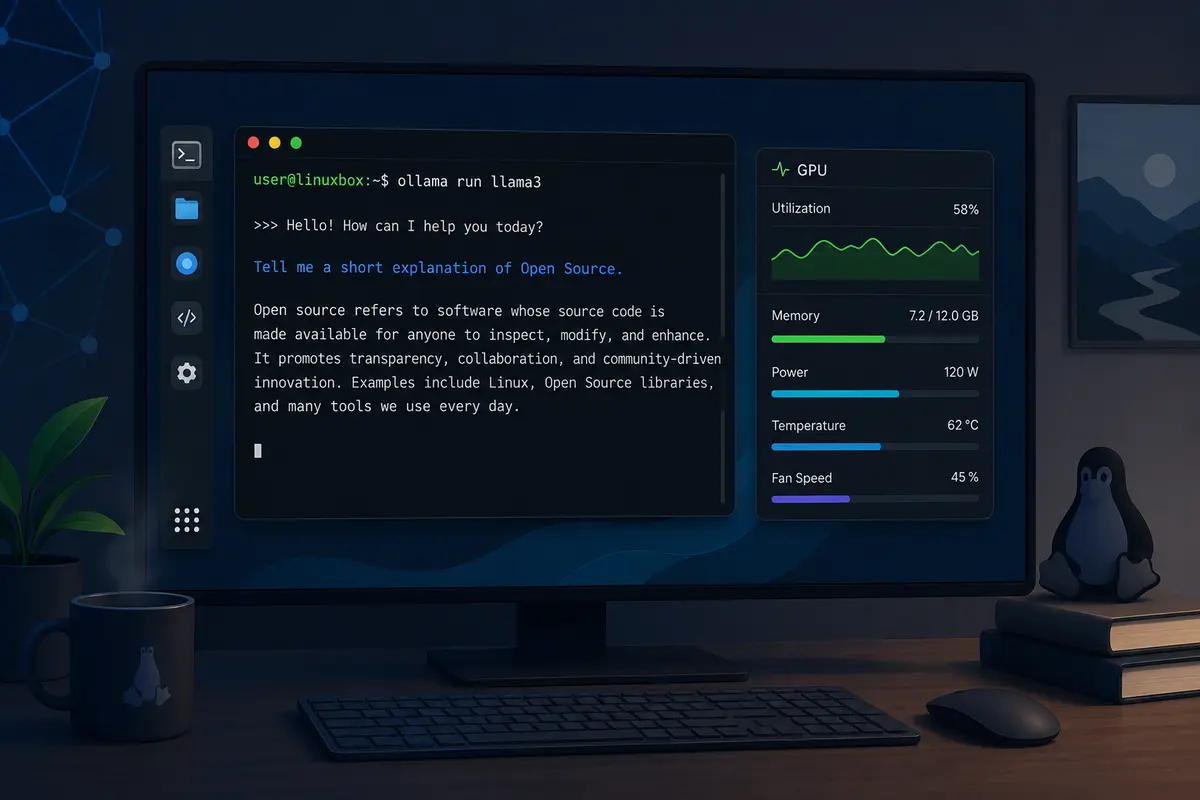
Running large language models (LLMs) on your own computer has become much easier over the last few years. Tools like Ollama and llama.cpp allow you to download open-weight models and run them locally without sending prompts to a cloud service.
If you’re planning to build a local AI workstation, you’ll quickly come across one question:
Which Linux distribution is best for running local LLMs?
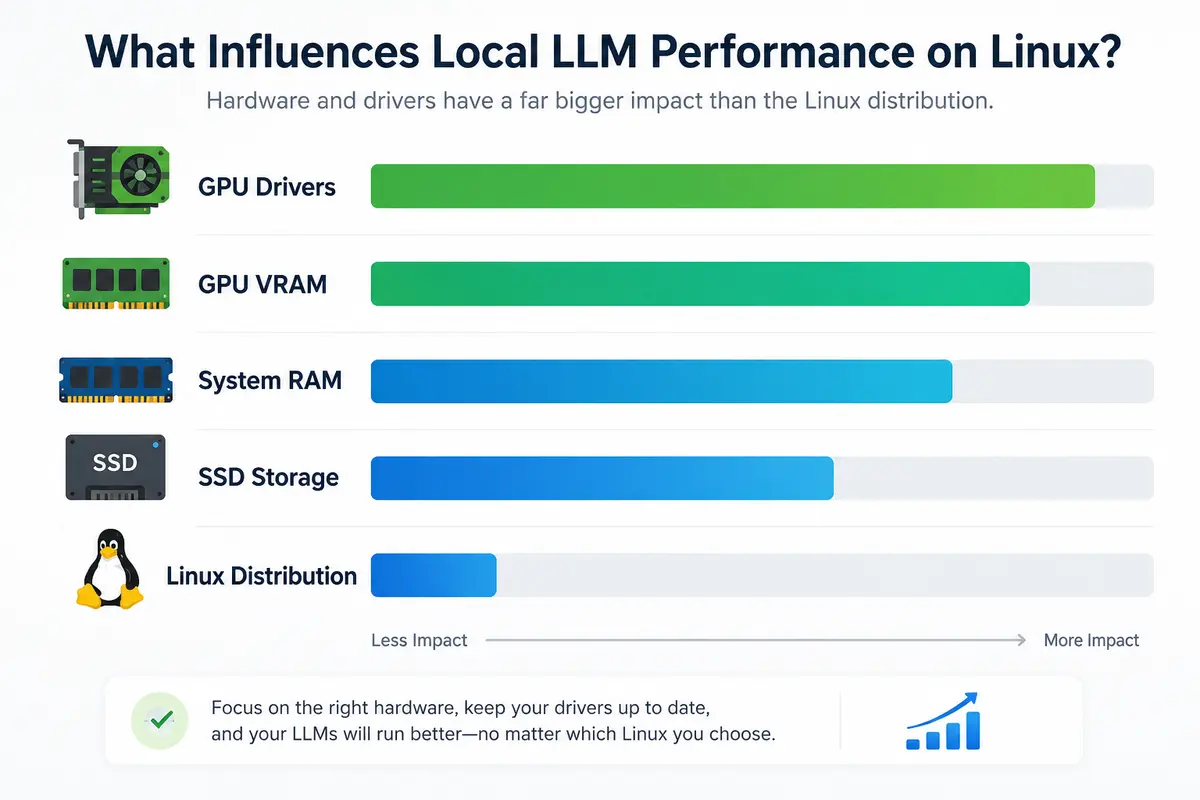
The short answer is that most mainstream Linux distributions can run local LLMs well. Performance depends far more on your hardware, GPU drivers, and model size than on the distribution itself. The main difference between distributions is how easy they make it to install and maintain those drivers.
This guide focuses on desktop and workstation use with Ollama, although the same considerations generally apply to other local inference tools.
What Matters More Than the Linux Distribution
Before comparing distributions, it’s worth understanding what actually affects local LLM performance.
GPU support
If you have an NVIDIA GPU, Ollama uses CUDA for hardware acceleration. Supported NVIDIA GPUs generally need a compute capability of 5.0 or later, which includes Maxwell-generation (GTX 900 series) hardware and newer. AMD GPUs use the ROCm software stack on supported Linux systems. :contentReference[oaicite:0]{index=0}
Available VRAM
The amount of graphics memory determines the size of models you can comfortably run.
As a general guideline:
- Around 8 GB VRAM is suitable for many 7B models using quantized variants.
- 12–16 GB VRAM provides more flexibility for larger models.
- Models with tens of billions of parameters often benefit from significantly more VRAM or multiple GPUs.
Actual memory requirements vary depending on the model, quantization level, and context length.
System RAM
Even when using GPU acceleration, adequate system memory is important.
If you’re running models entirely on the CPU, having 16 GB or more of RAM provides a much better experience than the minimum requirements for many workloads.
Storage
Running models from an SSD noticeably improves loading times compared to a mechanical hard drive, especially when switching between multiple models.
Driver quality
The Linux kernel itself rarely limits LLM performance.
Instead, stable GPU drivers and good CUDA or ROCm support have a much bigger impact on whether everything works smoothly.
Ubuntu – The Easiest Recommendation
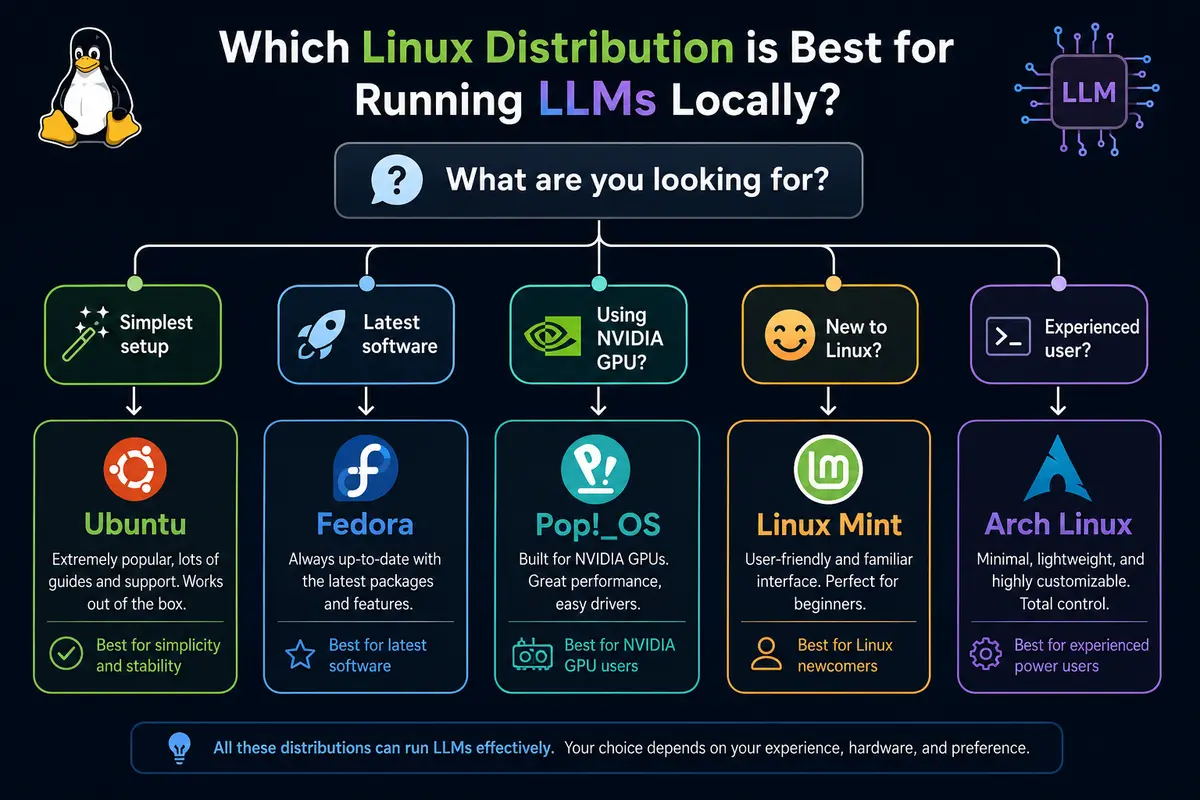
For most people, Ubuntu remains the easiest Linux distribution for running local LLMs.
There are several reasons for this.
Most installation guides for CUDA, ROCm, PyTorch, and Ollama are written with Ubuntu in mind. GPU vendors typically validate their documentation against Ubuntu LTS releases first, making troubleshooting easier if something goes wrong. Ollama’s own Linux documentation includes installation guidance for both NVIDIA CUDA and AMD ROCm on Linux.
Ubuntu also offers:
- excellent hardware compatibility
- predictable long-term support releases
- large community documentation
- straightforward driver installation
If your goal is simply to install Ollama and start experimenting with local models, Ubuntu is usually the path with the fewest surprises.
Who should choose Ubuntu?
Ubuntu is a good choice if you:
- are new to Linux
- want the widest hardware compatibility
- use NVIDIA or AMD GPUs
- prefer stability over constantly changing packages
Fedora – Great for New Hardware
Fedora is another excellent option, particularly if you’re using newer hardware.
Fedora ships more recent Linux kernels, Mesa updates, and desktop software than Ubuntu LTS. Those newer components can improve hardware support for recently released CPUs, integrated graphics, and some GPUs.
Unlike rolling-release distributions, Fedora still follows a predictable release cycle while staying relatively close to upstream projects.
That makes it a popular choice among developers who prefer newer software without moving entirely to a rolling distribution.
Things to keep in mind
Because Fedora adopts newer packages more quickly, documentation from GPU vendors may sometimes assume Ubuntu first. That doesn’t mean Fedora is unsupported—it simply means you may occasionally need to adapt installation steps.
Who should choose Fedora?
Fedora is a good fit if you:
- regularly upgrade your hardware
- prefer newer kernels
- enjoy staying close to upstream Linux development
- don’t mind occasional configuration work
Pop!_OS – A Strong Choice for NVIDIA Systems
Pop!_OS is based on Ubuntu but is designed with desktop users in mind.
One of its biggest advantages is the availability of installation images that already include NVIDIA drivers. For users with dedicated NVIDIA GPUs, this removes one of the most common post-installation tasks.
Since Pop!_OS inherits Ubuntu’s package ecosystem, most Ollama installation guides and CUDA documentation still apply.
That combination makes Pop!_OS particularly attractive for:
- gaming PCs
- developer workstations
- laptops with dedicated NVIDIA graphics
If your primary goal is getting GPU acceleration working with minimal setup, Pop!_OS is worth considering.
Linux Mint – Comfortable for Windows Users
Linux Mint is often recommended for people moving from Windows, and that recommendation also makes sense for local AI workloads.
Because Mint is built on Ubuntu, it benefits from the same package ecosystem and installation methods for Ollama, CUDA, and many AI development tools.
The main differences are usability rather than performance.
Linux Mint provides:
- a familiar desktop layout
- conservative software updates
- an easy learning curve
- excellent documentation
If you’re learning Linux while also learning local AI tools, Mint lets you focus on one challenge at a time.
Arch Linux – Maximum Flexibility
Arch Linux takes a different approach.
Instead of emphasizing simplicity for new users, Arch provides a minimal base system that you build according to your needs.
This appeals to developers who want:
- the newest software
- rolling updates
- complete control over installed packages
- minimal pre-installed software
The Arch ecosystem also provides packages for CPU inference as well as CUDA and ROCm variants through its repositories.
The trade-off is maintenance.
Rolling-release distributions occasionally require manual intervention after major updates, particularly when graphics drivers or kernel packages change.
If you’re already comfortable maintaining an Arch system, it’s a perfectly capable platform for local LLMs. If you’re new to Linux, Ubuntu or Fedora generally offer a smoother experience.
NVIDIA or AMD: Which GPU Works Better?
The Linux distribution is only one part of the equation. Your GPU has a much larger impact on the experience.
NVIDIA
NVIDIA remains the most straightforward option for local LLM inference on Linux. Ollama supports NVIDIA GPUs with a compute capability of 5.0 or newer, and current releases require modern NVIDIA drivers. CUDA support is mature, widely documented, and supported by most AI frameworks.
If you’re buying hardware specifically for local AI, NVIDIA generally offers the smoothest experience thanks to broad software support.
AMD
AMD GPU support has improved significantly, and Ollama supports a growing list of Radeon, Radeon PRO, Ryzen AI, and Instinct devices through ROCm on Linux. Current Linux releases use the ROCm 7 driver stack for supported GPUs.
That said, there are still a few things to keep in mind:
- Not every AMD GPU is officially supported.
- Some unsupported GPUs may work by setting the
HSA_OVERRIDE_GFX_VERSIONenvironment variable, although this is an unofficial workaround and isn’t guaranteed to work. - Experimental Vulkan support is also available for additional hardware, but it is still considered experimental by the Ollama project.
If you’re planning a new AI workstation today, it’s worth checking Ollama’s hardware compatibility page before purchasing a GPU, regardless of the Linux distribution you choose.
Can You Run Local LLMs Without a GPU?
Yes.
Ollama can run models entirely on the CPU. This is useful if you’re learning, testing prompts, or experimenting with smaller models.
However, there are trade-offs:
- Model loading takes longer.
- Responses are slower than GPU-accelerated inference.
- Larger models become increasingly impractical.
If you don’t have a dedicated GPU, consider:
- at least 16 GB of system RAM
- a modern multi-core processor
- an NVMe SSD for storing models
While a CPU-only setup won’t match the responsiveness of a dedicated GPU, it’s still perfectly suitable for learning how local LLMs work.
Quick Comparison
| Distribution | Best For | Highlights |
|---|---|---|
| Ubuntu | Most users | Excellent documentation, broad hardware support, easiest setup |
| Fedora | Newer hardware | Recent kernels and software packages |
| Pop!_OS | NVIDIA systems | NVIDIA driver image available, Ubuntu compatibility |
| Linux Mint | Linux beginners | Familiar desktop, Ubuntu ecosystem |
| Arch Linux | Experienced users | Latest packages and maximum flexibility |
Frequently Asked Questions
Does Linux make Ollama faster than Windows?
It can, but not because of the Linux distribution itself.
The biggest performance factors are your GPU, available VRAM, storage speed, model size, and whether hardware acceleration is working correctly. Once drivers are installed properly, most mainstream Linux distributions perform similarly on the same hardware.
Which Linux distro is best for beginners?
Ubuntu is still the easiest recommendation.
Most tutorials, troubleshooting guides, and installation instructions are written for Ubuntu, making it easier to find help if you encounter problems.
Is Fedora better than Ubuntu for AI?
Neither is universally better.
Fedora provides newer software and kernel releases, while Ubuntu generally offers broader third-party documentation and longer-term stability. The right choice depends on whether you value newer packages or a more conservative platform.
Is Linux Mint good for Ollama?
Yes.
Since Linux Mint is based on Ubuntu, it benefits from the same package ecosystem and installation methods while providing a desktop environment that many Windows users find familiar.
Final Thoughts
If you’re building a Linux machine for local LLMs, don’t spend too much time searching for the “perfect” distribution.
For most users, Ubuntu remains the easiest recommendation because of its excellent documentation, broad hardware compatibility, and straightforward driver support.
If you prefer newer software, Fedora is an excellent alternative. Pop!_OS is particularly attractive for NVIDIA-based systems, while Linux Mint offers a gentle learning curve for people moving from Windows. Experienced Linux users who enjoy complete control will likely feel at home with Arch Linux.
In the end, your GPU, available VRAM, storage, and driver support have a much greater impact on local LLM performance than the Linux distribution itself. Choose a distribution that you’re comfortable maintaining, install the appropriate GPU drivers, and you’ll be well on your way to running modern language models locally.