Open-source tools and productivity in the Apple ecosystem
Open-source software has transformed the way people interact with technology. From developers building scalable applications to everyday users looking for flexible alternatives to paid tools, open-source solutions have become a major part of modern digital workflows — including how Apple device users manage storage, performance, and daily productivity.
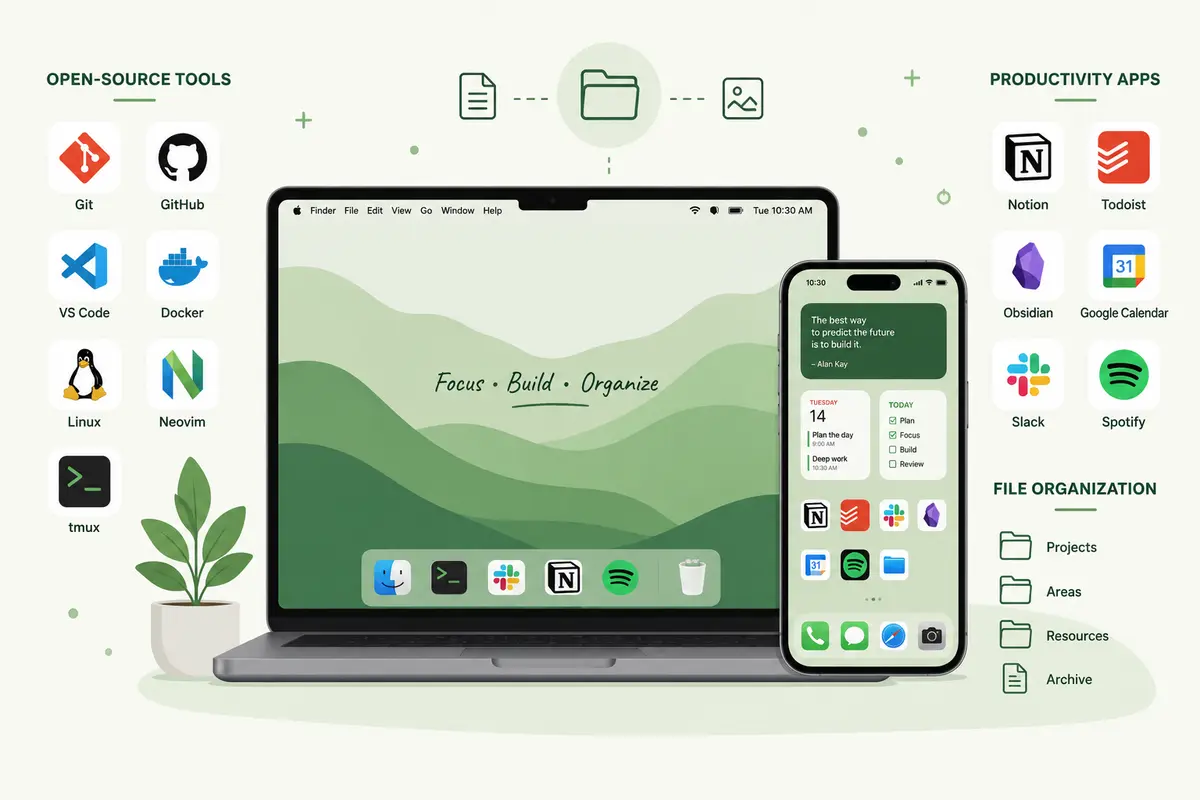
Apple users in particular rely on a growing ecosystem of apps and utilities to handle productivity, media consumption, and device performance. As digital workflows become more complex, users are increasingly looking for practical ways to combine open-source flexibility with reliable everyday tools — while keeping their devices running smoothly.
The challenge lies in maintaining performance and efficiency across devices, especially on iPhones and Macs where storage management, app optimization, and smooth workflows play a critical role in user experience.
The growing appeal of open-source productivity
One reason open-source software continues to grow in popularity is transparency. Users appreciate tools that are customizable, community-driven, and often free from restrictive ecosystems.
Today, open-source solutions are commonly used for:
- Note-taking and documentation
- Development environments
- File synchronization
- Privacy-focused browsing
- Media playback and management
For developers and tech-savvy users, open-source applications offer flexibility that proprietary tools sometimes lack. But while open-source software can improve customization and control, it doesn’t always solve practical day-to-day device management issues — and on Apple hardware, those issues are real.
Why device optimization matters more than ever
Modern workflows depend heavily on mobile devices. Smartphones are no longer just communication tools — they’ve become central hubs for entertainment, work, learning, and productivity.
However, over time, heavy app usage can lead to:
- Reduced storage space
- Slower performance
- Increased app crashes
- Battery drain and overheating
Streaming and media-heavy apps are especially known for accumulating temporary files and cached data. Platforms like YouTube, for example, store cached content to improve loading speeds, but excessive cache buildup can negatively impact device performance. Unlike on desktop Linux or Android — where open-source tools often give users direct access to cache directories — iOS handles storage more opaquely, so knowing the native steps matters. This is one of the reasons many iPhone users search for practical solutions like how to clear YouTube cache on iPhone when trying to free storage space or improve responsiveness.
The hidden impact of digital clutter
Digital clutter affects productivity in ways many users underestimate. Slow-loading apps, insufficient storage, and disorganized systems create friction that interrupts focus and efficiency.
For professionals and creators working across multiple devices, these small disruptions can quickly add up. A cluttered device often results in:
- Reduced multitasking performance
- Slower file access
- Poor media playback experience
- Increased time spent troubleshooting issues
Maintaining a clean and optimized digital environment is becoming just as important as choosing the right productivity tools.
Combining practical maintenance with better workflows
A productive workflow is not just about downloading more apps — it’s about ensuring your system remains fast, responsive, and organized.
Simple maintenance habits can make a significant difference:
- Clearing unnecessary cached files
- Removing unused apps
- Organizing downloads and media files
- Keeping software updated regularly
- Using lightweight, efficient tools whenever possible
While Apple handles many background optimizations automatically, users still benefit from adopting proactive device management habits.
The role of curated app ecosystems
As the number of digital tools continues to grow, many users face another challenge: app overload. Switching between dozens of disconnected tools can reduce productivity rather than improve it.
This is where curated ecosystems become valuable. Instead of individually searching for apps, users increasingly prefer platforms that simplify discovery and organization.
Platforms like Setapp help users access a wide range of productivity and utility apps within a streamlined environment. This approach reduces friction while helping users maintain more efficient workflows across Apple devices.
For many users, combining curated app ecosystems with open-source tools creates the ideal balance between flexibility and convenience.
Open-source culture and the future of productivity
The future of digital productivity will likely blend:
- Open-source innovation
- Smarter automation
- Cross-platform workflows
- Lightweight optimization tools
- AI-assisted task management
As users become more conscious of digital efficiency, the focus will shift toward tools and systems that reduce complexity instead of adding to it.
Open-source communities will continue to influence this direction by promoting transparency, adaptability, and collaborative improvement. Meanwhile, curated ecosystems will help everyday users simplify how they discover and manage applications.
Why everyday optimization shouldn’t be ignored
Many users spend time searching for advanced productivity strategies while overlooking basic optimization habits that can have an immediate impact.
For example:
- Clearing cache regularly improves storage availability
- Organizing files reduces workflow interruptions
- Removing unnecessary apps improves performance
- Maintaining system health extends device usability
In many cases, productivity gains come not from dramatic changes, but from eliminating small daily frustrations.
Final thoughts
Technology should simplify life, not complicate it. Whether you rely on open-source software, curated app ecosystems, or a combination of both, maintaining an organized and optimized digital environment is essential for productivity.
By balancing flexible tools with practical device maintenance, users can create workflows that are both efficient and sustainable. Small improvements — such as managing cached files, reducing clutter, and choosing the right apps — can significantly improve day-to-day performance across Apple devices.
In the end, smarter workflows are built not only through powerful tools, but also through consistent digital habits that keep technology working smoothly in the background.
Comments
Comments are loaded when you choose to open them, which keeps the page faster and lighter.