Slax 2026.11 Released with Secure Boot and AI Assistant
Tomas Matejicek released Slax 2026.11 on 8 November 2026. It is the first Slax release in a while, and it rebuilds the desktop, adds Secure Boot support, and ships a graphical installer. The live ISO is based on Debian 13 “trixie” and weighs 512 MiB.
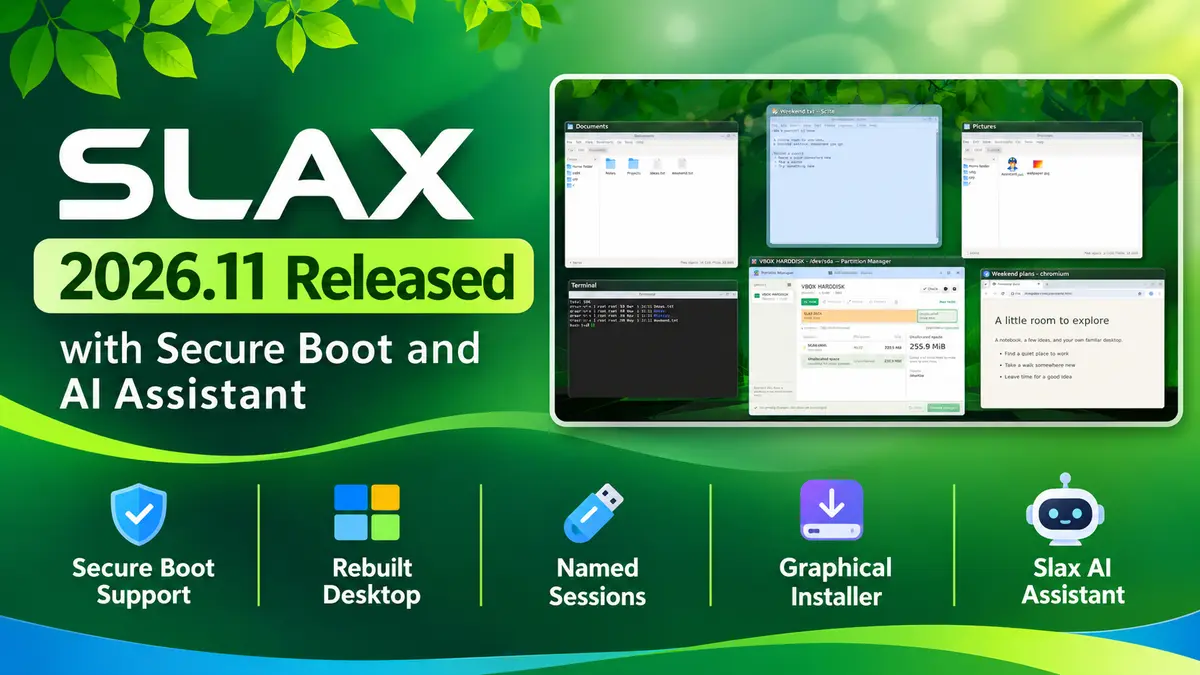
Slax is a portable Linux you run from a USB stick, so this release matters most to people who carry one for rescue work or daily use. Two changes stand out: you can now boot it with Secure Boot left on, and one stick can hold several named sessions. If you used older Slax versions with .sb modules, read the module note below before you switch.
What’s new in Slax 2026.11?
A rebuilt desktop
- Window previews: Alt+Tab shows thumbnails of the windows on the current workspace, and Shift+Tab goes backward.
- Taskbar previews: windows from one app share a single icon. Hover over it to see live previews, and drag icons to reorder them.
- Four workspaces: Alt+F3 shows all of them at once, and Ctrl+F1 to Ctrl+F4 jump straight to one.
- Desktop files: you can keep files and folders on the desktop.
- Keyboard layouts: switch from the taskbar indicator, or with Ctrl+Shift, Alt+Shift or Super+Space.
- Volume: scroll over the speaker icon or use media keys. Slax remembers the level when you unmute.
- Fonts: Chinese and Japanese fonts and colour emoji are included.
- Consistent look: apps, old and new, now share one visual style.
Launcher and apps
- Open the launcher from the green button, the left Super key or Alt+F2, then search or browse by category.
- Optional apps show a small download arrow. One click downloads, installs and opens the app. This needs an internet connection, and
aptstill works if you prefer the terminal.
Built-in tools
- Slax AI Assistant: describe a task or problem in plain language, and it inspects your system and can run commands to fix things. It needs internet access and a sign-in.
- Partition Manager: view disk space, then create, resize or format partitions. You can review changes before they apply, and it works offline.
Boot, sessions and recovery
- Secure Boot: Slax uses a signed bootloader and a signed Linux 6.12 kernel, so it can start on compatible PCs without turning Secure Boot off in the firmware.
- Named sessions: keep separate sessions for work and for experiments. In the session chooser, press F4 to duplicate a session and F6 to rename it. Duplicate a session before you try something risky.
- Rescue tools: LVM, LUKS encryption and XFS tools are included, which helps when you need to check a drive, copy files off it or recover data while the installed system will not start.
- Virtual machines: VirtualBox, VMware and SPICE integration support automatic resizing, clipboard sharing and shared folders, when the host enables them.
Installer
The new graphical installer runs from Windows or Linux. It can prepare a bootable USB stick or install Slax next to an existing operating system on supported setups. Download the ISO, open it as a folder with a double-click, and launch the installer from the /slax/ directory.
Module change to know about
You can still include .sb modules before boot. However, slax activate and slax deactivate do not work in this build, because they depend on AUFS and Slax 2026.11 uses OverlayFS. Installing software with apt inside a persistent session still works. If your workflow relies on activating modules on the fly, test the new release before you replace your current stick.
Download Slax 2026.11
Get the 64-bit ISO from the official site: slax-2026.11-64bit.iso. The Slax changelog does not list checksums, so verify the download size (512 MiB) and write it to a spare stick first. The Slax site also has a boot and USB guide.
For earlier coverage of the project, see our posts on Slax 9.11.0 and Slax 9.9.1.
References
- Slax 2026.11 is out, official announcement
- Slax changelog