Voyager 26.10 Released with AI Kill Switch and Myna
Voyager 26.10 is now available. The Ubuntu-based distribution reached its final release on 16 October 2026, one day after Ubuntu 26.10 “Stonking Stingray” shipped. This version adds an AI kill switch, a new opt-in speech-to-text tool called Myna, and a more flexible, pick-what-you-need software setup.
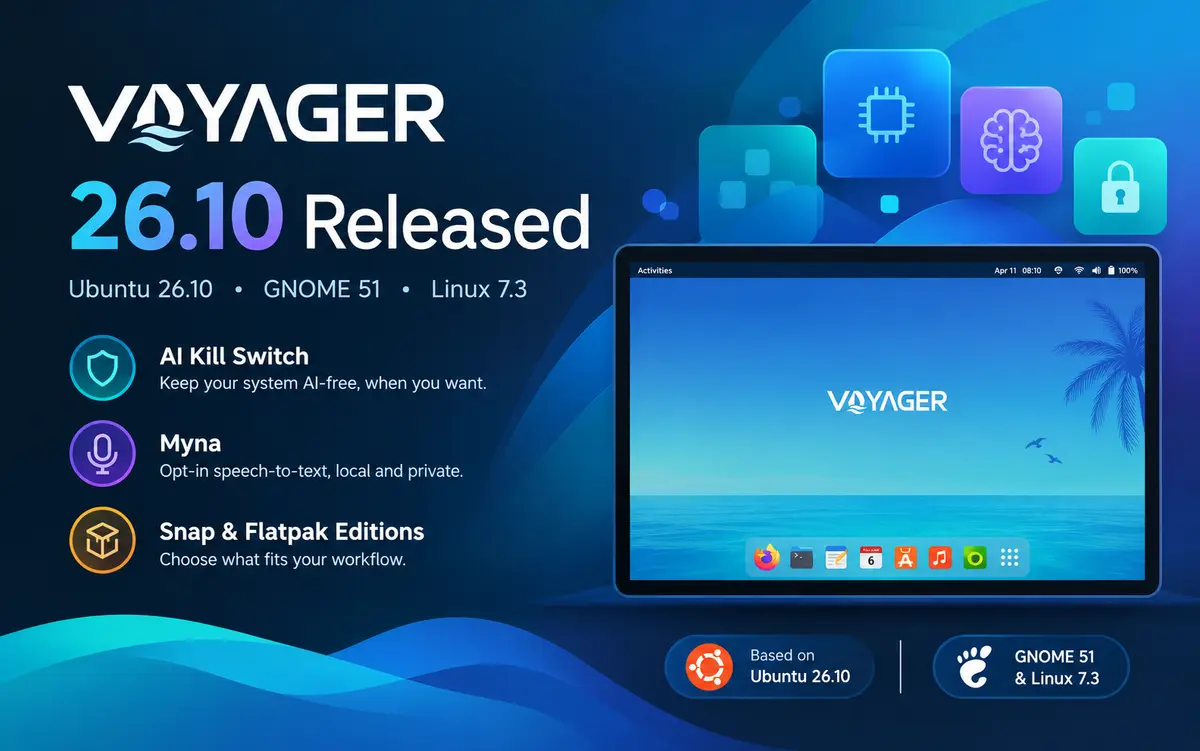
What Voyager 26.10 is built on
Voyager 26.10 follows the Ubuntu 26.10 base. That brings GNOME 51 and the Linux 7.3 kernel series. Ubuntu 26.10 is an interim release with nine months of support, until July 2027. The Voyager developer calls these interim versions a testing ground for the LTS releases that arrive every two years.
You can read more about the base system in our Ubuntu 26.10 release coverage and our GNOME 51 release article.
Two editions: Snap and Flatpak
Voyager 26.10 comes in two standard versions.
- Snap edition: Uses Ubuntu’s Snap and Deb packages, with Dracut and Rust in the standard Ubuntu setup. It uses the Subiquity installer, which runs as a Snap. The ISO is 6.3 GB.
- Flatpak edition: Uses Flatpak and GNOME software, with Deb packages. It uses the lighter Ubiquity installer, which is Deb-based. The ISO is 4.0 GB and fits on a 4.7 GB DVD.
The Flatpak edition also includes the Vaults app. It lets you create a password-protected vault that opens in the Nautilus file manager.
An à la carte approach
Voyager 26.10 moves to a pick-what-you-need model. During installation, you can choose a minimal selection for web browsing or an extended selection for the full Voyager experience. You can add or remove Deb packages and Snaps afterward, and install GNOME Flatpaks by hand. The Flatpak edition works the other way around.
The developer says most people use their system mainly for browsing, so a small default install avoids unused software.
AI options: terminal chatbot, Myna and the kill switch
AI is the most discussed part of this release, and Voyager treats it as a choice.
- AI terminal: A terminal chatbot based on
tgptworks without an API key. The default provider isphind. If it fails, you can switch with a command such astgpt --provider sky "What is linux ?". The Voyager Box also has a new option to set the default provider. Keyboard shortcuts (Alt+S, Alt+D and Alt+E) open the AI terminal. - Myna speech-to-text: Myna is an opt-in, local dictation tool that arrives in beta. It is available in the full Snap edition only. Ubuntu 26.10 also introduces Myna as a tech preview.
- AI kill switch: One option removes all AI features, including the terminal chatbot and Myna. A matching option in the repair box brings them back.
Other changes you will notice
The desktop keeps the look and features Voyager is known for:
- A new Ocean wallpaper (since 26.04), new orange-and-white icons, and a new purple style
- A bottom dock with a small set of default apps that you can change by dragging
- A default Conky desktop widget, with a 12-hour or 24-hour clock option
- 21 GNOME Shell effects, plus automatic tablet mode
- Showtime as the video player, Magnifier as the image viewer, and the Resources system monitor
- WineGUI for managing Wine apps and games, and three retro online games in the gaming box
- Rhythmbox with added radio stations, and Shortwave with about 50,000 stations in the application pack
- Tweaks merged into the Settings center for icons, cursors, fonts and themes
Voyager 26.10 still follows the official Ubuntu security structure, including Snap, Dracut and Rust. The developer says this keeps the system secure and reliable. A pure Debian version of Voyager is also available for users who prefer to avoid Snap.
Download Voyager 26.10
Both editions are available from the official Voyager website, with torrents as an alternative. Check the file against its SHA1 checksum before you write it to a USB drive.
| Edition | Size | SHA1 |
|---|---|---|
| Snap | 6.3 GB | 923ff9c7ec0457bedf0b7f47329a1486c1daea4f |
| Flatpak | 4.0 GB | a617b1b9f00defe9f88a5710aaf7d4fbc39badd6 |
If you are coming from the last release, our Voyager 25.10 article covers what changed a year ago.
Source: Voyager official release page