Zorin OS

Zorin OS is an Ubuntu-based Linux distribution designed for desktop users. It focuses on providing a familiar user interface and a straightforward setup process, particularly for those transitioning from Windows or macOS.
The system uses the Zorin Desktop, a customized environment based on GNOME. It supports multiple layout options that resemble common desktop interfaces, allowing users to select a layout that matches their preferences.
Key Features of Zorin OS
- Multiple desktop layouts inspired by Windows, macOS, and GNOME
- Clean and consistent user interface
- Support for a range of desktop applications, including some Windows software
- Security updates and package compatibility through its Ubuntu base
- Availability of lightweight editions for older hardware
Zorin OS provides a pre-configured desktop environment while allowing users to adjust appearance and system settings as needed.
Desktop Layouts and Customization
Zorin OS includes several layout options that can be changed through system settings. These layouts modify the panel, menu style, and overall interface structure.
Customization options include:
- Adjusting panel position and behavior
- Switching themes and visual styles
- Managing system appearance without requiring command-line tools
These features allow users to modify the interface without extensive configuration.
Editions of Zorin OS
Zorin OS is available in multiple editions:
- Zorin OS Core – Standard edition for general desktop use
- Zorin OS Lite – Designed for lower-spec systems using the Xfce desktop environment
- Zorin OS Education – Includes software commonly used in educational environments
- Zorin OS Pro – Paid edition with additional layouts and pre-installed applications
All editions are based on the same core system, with differences in included features and target use cases.
System Requirements
System requirements vary depending on the edition:
Zorin OS Core:
- 2 GHz dual-core processor
- 2 GB RAM (4 GB recommended)
- 15 GB storage
Zorin OS Lite:
- 1 GHz processor
- 1 GB RAM
- 10 GB storage
The Lite edition is intended for older hardware, while Core targets more recent systems.
Zorin OS and Ubuntu
Zorin OS is built on Ubuntu and uses its repositories and update infrastructure.
- Zorin OS provides a pre-configured desktop environment with layout options and bundled applications
- Ubuntu offers a more standard GNOME-based setup with broader use across desktop and server environments
Both systems share underlying technologies but differ in default configuration and user interface design.
Use Cases
Zorin OS is commonly used in the following scenarios:
- Desktop systems requiring a graphical interface similar to Windows or macOS
- Users exploring Linux for general-purpose computing
- Educational environments using pre-installed learning tools
- Older systems running the Lite edition
The distribution is positioned as a general-purpose desktop operating system.
Download and Installation
Zorin OS can be downloaded from its official website. Installation is performed using a graphical installer similar to other Ubuntu-based distributions.
After installation, users can configure layout preferences, install additional software, and update the system using standard package management tools.
Technical Overview
Zorin OS is based on Ubuntu and benefits from its release cycle, security updates, and software repositories. It supports a wide range of hardware and applications commonly available for Linux systems.
The desktop environment is modular, allowing users to adjust layouts, themes, and default applications without affecting the underlying system.
Frequently Asked Questions
Is Zorin OS free?
Zorin OS Core, Lite, and Education editions are available at no cost. Zorin OS Pro is a paid edition.
Is Zorin OS suitable for beginners?
Zorin OS includes a pre-configured interface and graphical tools, which may be useful for users new to Linux.
Can Zorin OS run Windows applications?
Zorin OS includes compatibility tools that allow some Windows applications to run, depending on software support.
Is Zorin OS lightweight?
The Lite edition is designed for systems with lower hardware specifications, while other editions require more resources.
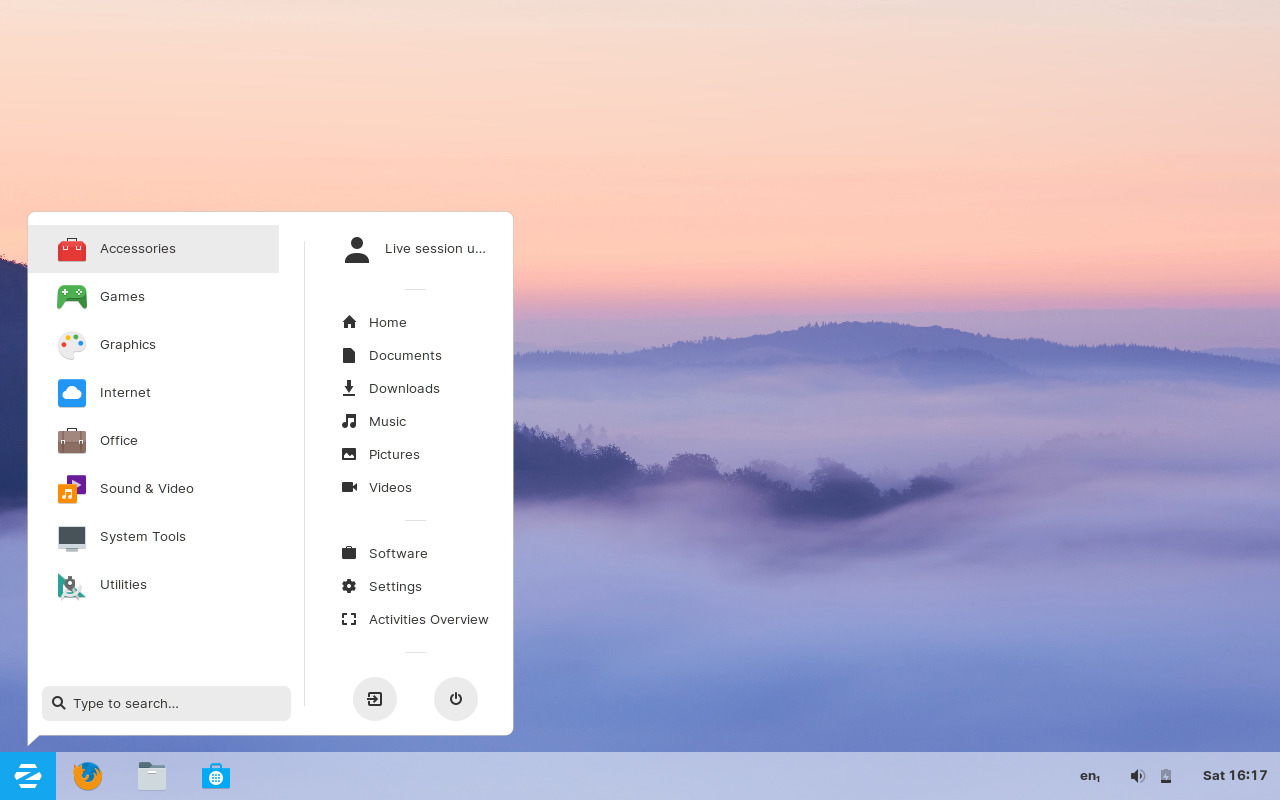 Zorin OS desktop screenshot showing GNOME desktop
 | Type | Linux |
| Status | Active |
| Home Page | https://zorinos.com |
| News and Updates | https://blog.zorin.com/ |
| Page popularity | 14(17 hits per month) |
| Base distributions | |
| Desktop Environments | |
| Releases |
|
| Screenshots |
Reviews of Zorin OS
Other stories on Zorin OS
- Italian city Vicenza replaces Windows with Zorin OS
- Zorin OS 18.1 Released: Linux 6.17, LibreOffice 26.2, and Lite Edition
- Zorin OS 18 Released: Features, Editions, and What’s New
- Zorin OS 18 Beta — A First Look at Its Exciting New Features
- Zorin OS 17.3 Released: What's New and Improved?
- Zorin OS 17.2 Released: New Features, Faster Performance, and Improved Security
- Zorin OS 17.1 has been released; Discover What's new
- Zorin OS 17 Released: Explore What's New!
- Zorin OS 17 Beta Unveiled: A Leap into the Future of Computing
- Zorin OS 16.3 released
- Zorin OS 16.2 has been released
- Zorin OS 16 Lite introduces a fresh look and feel
- Zorin OS 16 is released with stunning design improvements
- Zorin OS 15.3 released with Ubuntu 20.04 Foundation
- Zorin OS 15.1 released, see screenshots
- Zorin OS 15 Lite released with Ubuntu 18.04 Foundation & Xfce 4.14
- Zorin OS 15 is better and smoother
- Zorin OS 12.4 released with better hardware support
- Zorin OS 12.3 comes with improved user experience and better windows application support
What do you think about Zorin OS?